

You are likely dealing with one of three situations right now.
Your product team wants an AI feature and needs a realistic answer on cost, risk, and timeline. Your engineers can call an API, but no one agrees on whether that counts as a real strategy. Or your board keeps asking what your “LLM plan” is, and you need a version that is technically sound without turning into research theater.
Organizations often get stuck here. They jump from demo to architecture before they have a clean mental model of what a large language model is.
Executive Summary for Technical Leaders
- A large language model, or LLM, is a system trained to predict the next token in a sequence. In plain English, it is a highly capable text prediction engine that can generate, summarize, classify, rewrite, and answer questions by learning patterns from massive datasets.
- For most startups and scale-ups, the key decision is not “Should we use an LLM?” but “Where should we use one, and how do we control cost, quality, and risk?” The wrong use case creates support load, compliance issues, and runaway inference spend.
- Almost no company should build a foundation model from scratch. The winning move is usually to start with an API or an open-source model, then add retrieval, guardrails, monitoring, and the right engineering talent.
- The market is moving fast. The global market for large language models is projected to grow from $1,590 million in 2023 to $259,800 million by 2030, at a CAGR of 79.80%, which is a strong signal that technical leaders need a concrete adoption plan, not just curiosity experiments (Springs).
If you are a CTO, founder, VP Engineering, Head of Product, or AI lead, this guide is for you.
It fits the moments when you need to answer questions like:
- Should we build an AI copilot or keep this as search plus rules?
- Can we ship with an API first, or do we need model control?
- What roles do we need, LLM engineer, MLOps engineer, data engineer, or all three?
- How do we avoid a pilot that looks good in a demo but fails in production?
A useful place to pair with this guide is this practical AI implementation roadmap, especially if you are turning an idea into a scoped initiative.
What an LLM Is (And What It Is Not)
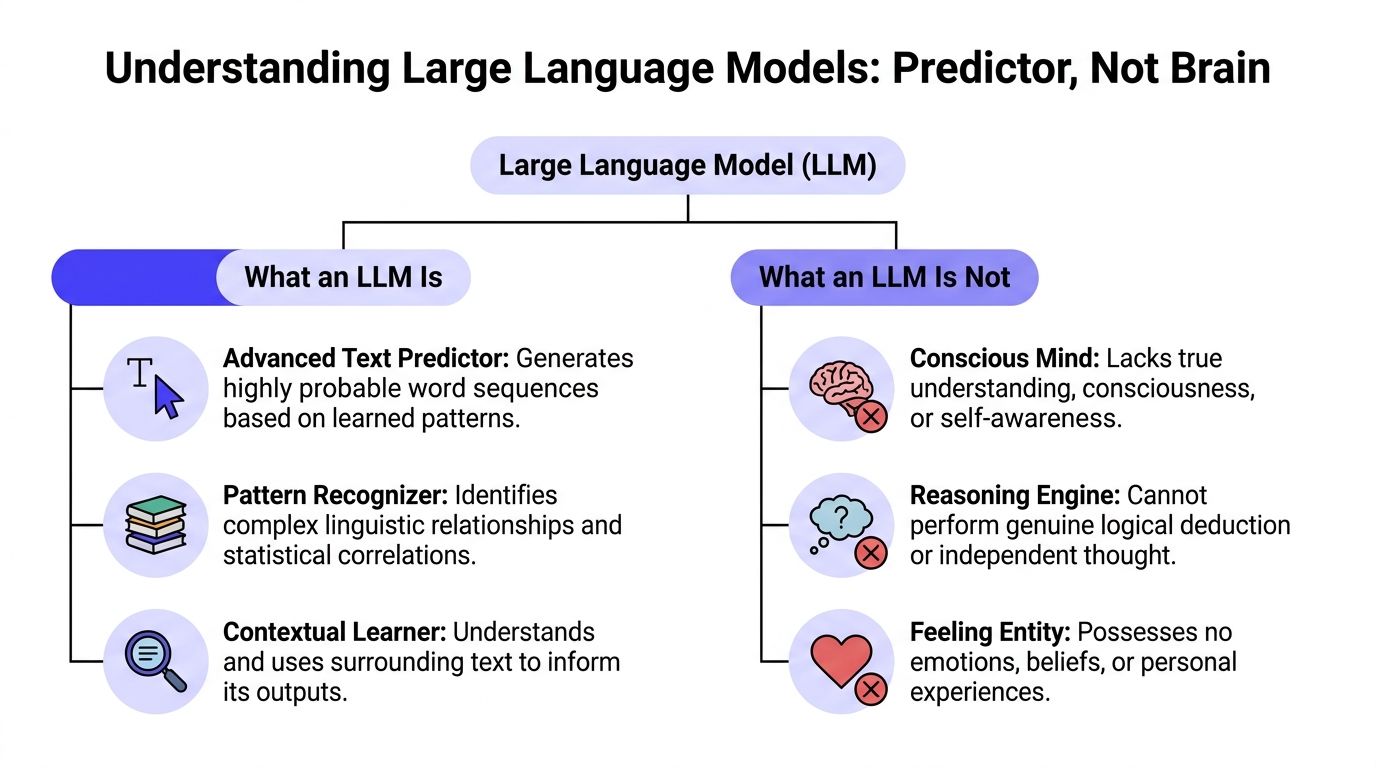
If you want the shortest accurate answer to what is a large language model, use this:
An LLM is a machine learning model trained on a huge amount of text so it can predict the next piece of text, called a token, based on what came before.
That sounds underwhelming. It is also the right mental model.
The simplest mental model
Do not think “digital brain.” Think probability engine for language.
When you type, “Write a polite follow-up email after a missed meeting,” the model is not remembering a rulebook and applying human judgment. It is generating the most likely next tokens, one after another, based on patterns it learned during training.
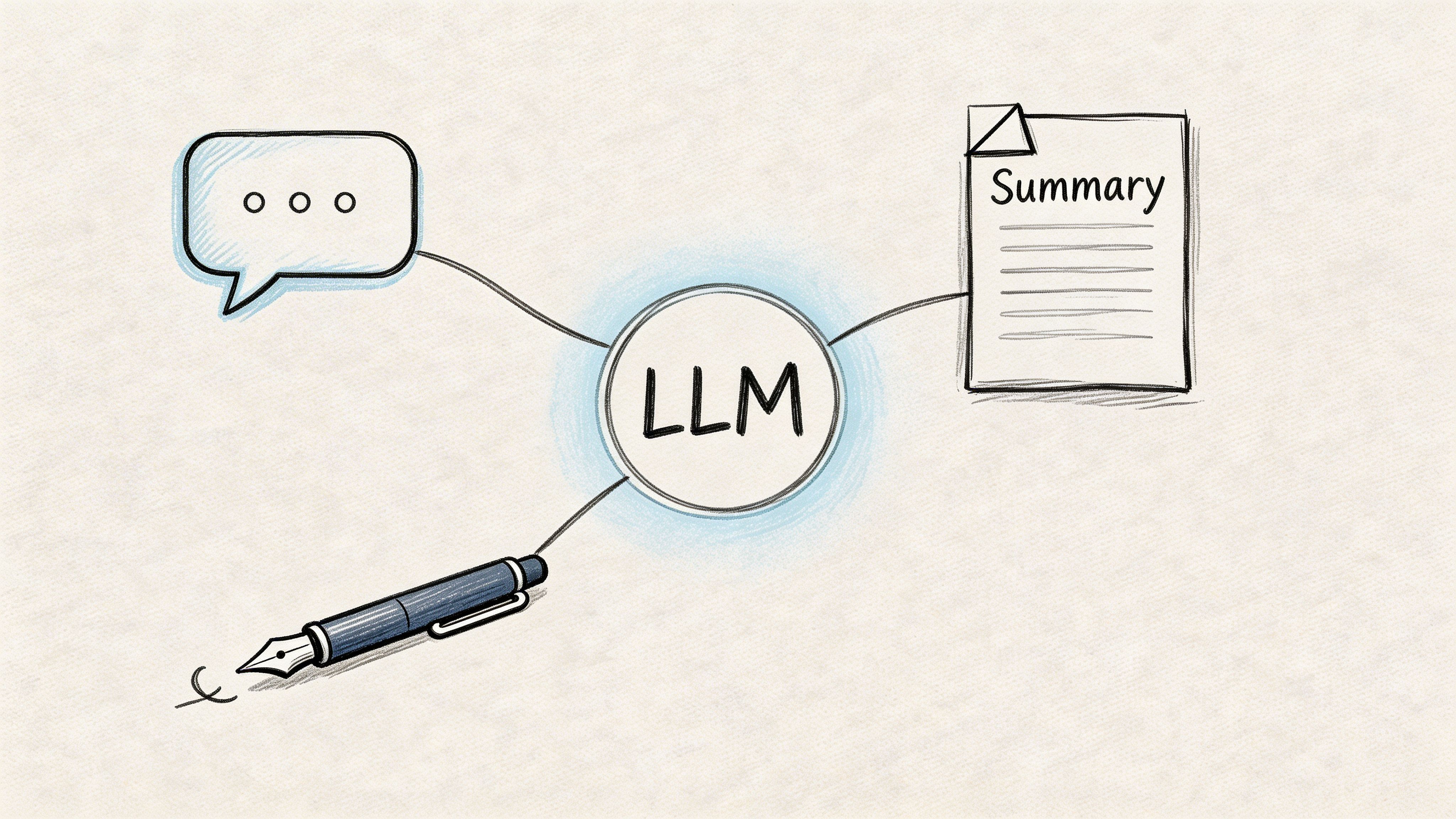
That pattern-learning is powerful enough to support many tasks that look different on the surface:
- Summarization of support tickets
- Question answering over policy docs
- Code generation for repetitive tasks
- Classification of inbound messages
- Rewriting content for tone or format
Those are not separate powers in the way many readers assume. They are different expressions of the same next-token prediction machinery.
Key takeaway: LLMs sound intelligent because language prediction at very large scale can imitate many useful forms of reasoning, even when the underlying mechanism is statistical rather than human-like.
Three terms that confuse teams
Tokens
A token is a chunk of text the model processes. It is not always a full word. Sometimes it is part of a word, punctuation, or a short text fragment.
For business teams, tokens matter because they affect pricing, latency, and prompt design. Long prompts usually cost more and take longer to process.
Parameters
Parameters are the learned weights inside the model. You can think of them as the internal settings adjusted during training so the model can represent language patterns.
More parameters can increase capability, but they do not guarantee accuracy on your company’s data. A bigger model with no grounding in your documents can still give a polished wrong answer.
Context window
The context window is how much text the model can consider at once when generating an answer.
This matters in practical terms. If you want an assistant to review contracts, summarize a long incident thread, or answer questions from a large knowledge base, context limits shape your system design. You may need chunking, retrieval, or memory strategies instead of just “sending more text.”
What an LLM is not
A lot of bad product decisions start here.
An LLM is not:
- A database. It does not reliably store and retrieve facts the way your application database does.
- A search engine. It generates answers. It does not automatically verify them against current sources.
- A reasoning system you can trust without checks. It can produce plausible explanations for wrong conclusions.
- A substitute for product design. If the workflow, UI, and evaluation loop are weak, the model will not save the product.
This is why users often confuse products that feel similar but work differently. For example, if your team is comparing conversational assistants with answer engines, this breakdown of the difference between Perplexity and ChatGPT is useful because it highlights how retrieval and product design change the user experience.
How Large Language Models Are Built and Trained
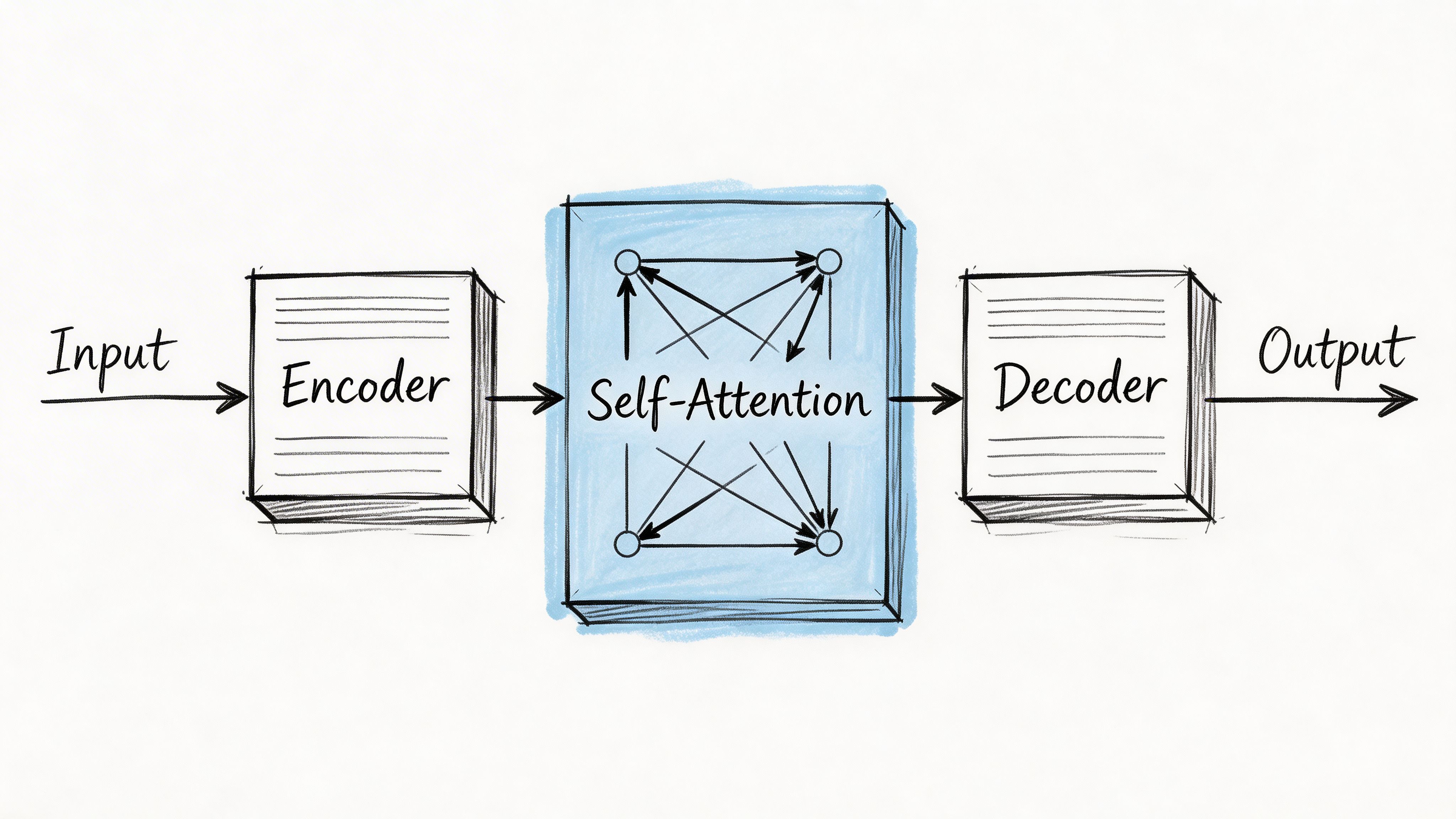
An LLM is not one giant spreadsheet of words. It is a layered neural network, and most modern LLMs are built on the transformer architecture.
That architecture matters because it made language models much better at handling long-range context and parallel training than older recurrent approaches.
The flow from text to prediction
At a high level, the process looks like this:
Tokenization
The input text gets broken into tokens.Embedding
Each token gets converted into a vector representation the model can process mathematically.Positional encoding
The model needs a way to represent order, because “dog bites man” and “man bites dog” use the same words but mean different things.Self-attention
This is the key transformer mechanism. It helps the model decide which earlier tokens matter most when interpreting the current token.Layered processing
The model repeats attention and feed-forward computation through many stacked layers.Next-token generation
It produces a probability distribution over possible next tokens, then chooses one and continues.
Why self-attention changed the game
Self-attention lets the model weigh relationships across the full input sequence. If a prompt mentions “refund policy” early and “enterprise annual plan” later, attention helps the model connect them.
That ability is a big reason transformers replaced earlier recurrent neural networks for most advanced language tasks.
The architecture details can get mathematical fast, but the business takeaway is simple. Better context handling made it practical to build assistants that can summarize documents, follow instructions, and support retrieval-augmented systems with much stronger fluency.
Training from scratch is a scale problem
Understanding this aspect clarifies many build-vs-buy discussions.
LLMs are trained on massive corpora and huge compute clusters. One cited example is Llama-2-70B, which used about 10TB of text, ran on 6,000 GPUs for 12 days, and cost an estimated $2M in compute (TestRigor).
That is why most companies should not even frame the decision as “Should we train our own foundation model?” The more useful question is which layer of the stack you should own:
- the application,
- the retrieval system,
- the prompts and evals,
- the fine-tuning,
- or the base model itself.
Practical rule: If your company is still validating one or two AI use cases, put your effort into product fit, data access, and evaluation. Do not put your first budget into foundation model training.
Pre-training versus adaptation
There are two very different stages that leaders often blur together.
Pre-training
This is the expensive phase where the base model learns broad language patterns from very large datasets. It is where the model becomes generally capable.
Fine-tuning
This is the adaptation phase. You adjust an existing model for a narrower behavior, domain, or task.
For many teams, fine-tuning is optional. A well-designed retrieval pipeline plus strong prompts may be enough. When it is not, targeted adaptation can help. If your engineers are new to that choice, this guide on how to fine-tune LLMs gives a practical overview, and this deeper post on fine-tuning an LLM is useful if you are deciding whether to tune, retrieve, or do both.
A short visual explainer helps here:
The engineering lesson for CTOs
The hard part is rarely “getting a model to answer.” The hard part is running that system in production with:
- reliable grounding
- observability
- prompt and model versioning
- fallback behavior
- cost controls
- security rules
- human review where needed
That is why LLM projects become MLOps projects faster than many teams expect.
LLM Capabilities and Common Enterprise Use Cases
The useful way to evaluate LLMs is not “What can they do in theory?” It is “Which parts of our workflow involve messy language, slow humans, or fragmented knowledge?”
That lens usually produces a better pilot list.
Use case one internal knowledge assistant with RAG
A common starting point is an internal assistant for policy, process, and product questions.
Employees ask things like:
- “What is our refund exception rule for enterprise accounts?”
- “Which onboarding checklist applies to EMEA contractors?”
- “What changed in the latest security review process?”
A plain LLM alone is risky here because it may answer from general training patterns instead of your actual documents. The better pattern is retrieval-augmented generation, or RAG.
Simple architecture
| Component | What it does |
|---|---|
| Document store | Holds source files such as PDFs, wikis, SOPs, and help content |
| Chunking pipeline | Splits documents into smaller pieces for retrieval |
| Embedding model | Converts chunks and queries into vector representations |
| Vector database | Finds the most relevant chunks for a user question |
| LLM | Generates the final answer using retrieved context |
| Citation layer | Shows the source passages used for the answer |
A very simple flow looks like this:
User asks question → system retrieves relevant document chunks → LLM answers using only retrieved context → UI shows answer with sources.
This use case works well when the underlying information changes often and users care about traceability.
Tip: If an answer needs to be auditable, make citations part of the product requirement, not a future enhancement.
Mini case
A Series B SaaS company wants fewer Slack interruptions for its operations team. Today, people ask the same policy questions repeatedly.
A sensible first pilot would look like this:
- Ingest the company handbook, support runbooks, and billing policies.
- Restrict answers to retrieved passages.
- Show source links next to every answer.
- Log unanswered questions so the team can improve coverage.
That is a much safer starting point than asking a model to “know the business.”
Use case two support agent copilot
The second strong use case is not customer-facing chat. It is an internal copilot for support agents.
That distinction matters. Internal tools let you keep a human in the loop while improving speed and consistency.
What the copilot does
A support copilot can:
- summarize the customer’s issue from a long thread
- pull likely help-center articles
- draft a reply in the company tone
- suggest next actions based on ticket tags or product area
- flag missing details before the agent sends a response
A practical workflow
- Customer ticket arrives.
- The system summarizes the issue and prior conversation.
- Retrieval pulls related internal notes and public docs.
- The LLM drafts a response.
- The agent edits, approves, or rejects it.
This is usually better than deploying a fully autonomous support bot on day one. It gives you operational learning without making the model your public face.
What LLMs are good at in business terms
Instead of listing model tricks, it is better to map them to operating value.
Language-heavy workflows
LLMs help where staff spend time reading, rewriting, triaging, or summarizing. Support, sales ops, legal ops, compliance review, and internal knowledge are common targets.
Unstructured inputs
Traditional software handles forms and fixed fields well. LLMs help when the input is messy, such as emails, documents, chats, and notes.
Human-plus-machine systems
The strongest early deployments often keep a human decision-maker in the loop. That reduces risk while still improving throughput and consistency.
Where teams overreach
A frequent mistake is using an LLM for tasks that need strict determinism.
Examples include:
- financial calculations
- policy enforcement without review
- automated decisions with legal consequences
- workflows that require guaranteed factual correctness
Use the model for interpretation, drafting, and summarization. Keep rules engines, databases, and approval flows where precision matters most.
Understanding LLM Limitations and Business Risks
A startup launches an AI support assistant on Friday. By Monday, customers have received a few polished answers that cite policies that do not exist, an internal prompt has shown up in a screenshot, and finance is asking why usage costs jumped faster than ticket volume. This represents the typical risk profile of LLMs in production. The problems are usually less about exotic model research and more about reliability, security, oversight, and cost control.
Hallucinations create trust and workflow failures
An LLM can write a convincing answer without knowing whether the answer is true. For a demo, that may look impressive. In production, it can create rework, bad customer communication, and avoidable escalation for your team.
Analysts at Springs noted that business accuracy can fall sharply as requests become more specialized, including very weak performance on harder domain tasks (Springs). The business takeaway is straightforward. Fluency is not reliability.
For startups and scale-ups, the practical question is not whether hallucinations exist. It is where a wrong answer is cheap, where it is expensive, and where it creates legal or contractual exposure.
That means setting limits on model authority.
Use the model to draft, summarize, classify, or extract. Keep final decisions, policy interpretation, pricing, and regulated actions behind system rules or human review.
Prompt injection and data exposure are security issues, not edge cases
If users can enter free text, they can try to manipulate the model. They may ask it to ignore instructions, reveal hidden prompts, or pull in data it should not expose. If the model can call tools or access internal knowledge, the blast radius gets larger.
For this reason, governance cannot be an afterthought. Teams need clear access controls, prompt and tool testing, audit logs, red-team reviews, and escalation paths before broad rollout. A useful starting point is this guide to AI governance best practices.
A good mental model helps here. An LLM is less like a locked calculator and more like a very capable intern with broad reading ability and uneven judgment. You would not give that intern unrestricted access to customer records, production systems, and public messaging on day one.
Bias shows up in operations
LLMs are trained on large collections of human writing. Those collections include historical bias, missing context, and uneven representation.
This can surface as uneven treatment in summaries, recommendations, or generated text. In hiring, lending, healthcare, legal review, and trust and safety, that creates more than a quality problem. It creates review burden, policy risk, and reputational risk.
The operational point for leaders is simple. If a workflow affects people differently based on sensitive context, you need testing criteria, exception handling, and human oversight before you automate it.
Inference cost sneaks up on teams
Training costs attract attention. Inference costs often do more damage to an early budget.
Every long prompt, retrieval call, tool invocation, retry, and verbose output adds cost and latency. A feature that looks cheap at prototype scale can become expensive once real usage arrives, especially on customer-facing paths where volume is unpredictable.
This matters in build versus buy decisions. A hosted API may get you to market faster, but careless prompt design can still erode margins. A self-hosted model may lower per-call cost in some cases, but then you inherit serving infrastructure, monitoring, scaling, and on-call responsibility.
Practical guardrail: Treat prompt length, model selection, response size, and retry policy as product decisions tied to unit economics.
Four ways to reduce avoidable risk
- Constrain the task: Ask the model to transform known information, not invent policy or facts.
- Ground the answer: Use retrieval and require citations or source-backed responses where accuracy matters.
- Review outputs: Keep a human in the loop for sensitive actions, external communication, and edge cases.
- Instrument the system: Log prompts, outputs, failures, feedback, and cost per workflow so quality and spend are visible early.
The teams that succeed with LLMs rarely start by asking how autonomous the system can be. They start by asking where the model can create useful throughput without creating expensive mistakes.
Choosing Your Path Build vs Buy and Hiring Your Team
Monday morning. Your product lead wants an AI feature in six weeks. Your head of engineering wants to avoid vendor lock-in. Finance wants a budget that will still make sense after launch, not just during the demo. The build versus buy decision usually starts there. It is not a theory question. It is an operating model question.
Most companies do not need one fixed “LLM strategy.” They need a path that fits their stage, risk tolerance, and hiring reality.
A startup testing a support copilot should not make the same choice as a scale-up building shared AI infrastructure for several products. One team is buying speed and learning. The other may be buying control. The mistake is assuming those are the same problem.
A practical decision matrix
| Criteria | Commercial API (e.g., GPT-4) | Fine-Tune Open Source (e.g., Llama 3) | Custom Build from Scratch |
|---|---|---|---|
| Time to first prototype | Fastest | Moderate | Slowest |
| Upfront engineering effort | Lower | Medium to high | Very high |
| Model control | Limited to vendor options | Higher | Highest |
| Infrastructure burden | Lower | Higher | Highest |
| Data handling flexibility | Depends on vendor setup | Higher control | Full control |
| Ongoing MLOps load | Lower at first | Meaningful | Heavy |
| Best fit | Early pilots, rapid validation | Teams needing more control or customization | Organizations with exceptional resources and a very specific reason |
An important truth is that the more control you want, the more systems you must own. That includes hosting, evaluation, rollback plans, observability, security review, and the people who can keep all of it running.
When to choose a commercial API
Choose a commercial API when speed to learning matters more than model-level control.
This is usually the right call if you are validating demand, shipping an internal assistant, or adding a narrow language feature to an existing product. It also fits teams that do not yet have ML platform capacity and should not create it just to test one workflow.
The business upside is clear. You can get to user feedback quickly, keep the team small, and avoid early infrastructure spend.
The tradeoff is also clear. You are accepting vendor constraints on model behavior, pricing, rate limits, and roadmap.
A CTO should still require a production discipline from day one: prompt versioning, evaluation, fallback behavior, access controls, and cost tracking. Buying the model does not remove the need to run the feature well.
When open source becomes attractive
Open source starts to make sense when control creates measurable business value.
That often means stricter data boundaries, more predictable latency, deeper workflow customization, or a real need to avoid dependence on a single model provider. It can also make sense when usage volume is high enough that hosting economics may improve over time, assuming your team can handle the operational load.
This path is often underestimated. Downloading a model is the easy part. Running it well means capacity planning, GPU procurement or cloud setup, model serving, versioning, evaluations, safety controls, and incident response. For a startup, that can shift spend from API bills to salaries, infrastructure, and on-call responsibility.
Open source is rarely the cheaper option in the first quarter. It may become the better option later if control, margin, or compliance justifies the added complexity.
When custom build makes sense
For nearly every startup and most scale-ups, training a foundation model from scratch is the wrong investment.
A custom build only makes sense when the model itself is part of your core advantage and you have the capital, research depth, proprietary data, and patience to support a long development cycle. Even then, many teams get better returns by adapting an existing open model and investing in product quality, domain data, and evaluation.
If the model is not the business, it should not become the business by accident.
Your architecture choice determines your hiring plan
The build versus buy decision is also a staffing decision.
A common mistake is asking one strong full-stack engineer to “own the AI piece” because they have shipped a chatbot before. That can be enough for a prototype. It is rarely enough for a production system that touches customer workflows, internal knowledge, or regulated data.
You typically need some mix of these roles:
LLM engineer
This person shapes application behavior. They work on prompts, retrieval, tool use, evaluations, failure modes, and the logic around the model.
Look for someone who can answer questions like:
- How would you evaluate answer quality for a RAG system?
- When would you fine-tune instead of improving retrieval?
- How would you reduce hallucinations in a support workflow?
MLOps engineer
This person keeps the system reliable. They handle deployment, serving, monitoring, scaling, versioning, and rollback.
Useful interview questions include:
- How would you version prompts, models, and retrieval settings together?
- What would you log for debugging bad outputs in production?
- How would you design fallback behavior if the model call fails or times out?
Data engineer
This person prepares the documents, events, and pipelines that make the application useful. In many LLM projects, weak data pipelines create more delay than model choice.
Product-minded AI lead
This person translates business goals into bounded workflows, review steps, and measurable outcomes. They decide where automation should stop, where humans should review, and what “good enough” means in practice.
Fractional talent can be the right first move
Many teams do not need a full AI org on day one. They need senior judgment early, then selective hiring once the system proves its value.
Hiring delays and architectural mistakes are expensive, making this decision critical. A fractional LLM engineer, ML architect, or AI product lead can help you choose the stack, scope the first release, set up evaluations, and coach the internal team before you commit to permanent headcount.
That approach is especially useful for startups and scale-ups. You preserve cash, avoid hiring for roles you may not fully need yet, and reduce the chance of locking into an architecture your team cannot support six months later.
Hiring rule of thumb: If your team cannot explain how it will evaluate quality after launch, you do not have a staffing problem alone. You have an ownership problem.
Three questions that expose weak planning
Ask these before approving a build:
What exact business task gets better if the model works well?
Name the workflow. “Use AI in support” is too broad.What data grounds the answer?
Internal docs, ticket history, product catalog, policy database, or another source.Who owns quality after launch?
If no one owns evaluations, monitoring, and feedback loops, quality will drift.
Your LLM Project Scoping Checklist
Use this in your next planning meeting. If your team cannot answer these clearly, you are not ready to commit build budget.
The checklist
Business problem
- What user task are we improving?
- What is the current workflow, and where does language create friction?
- Is the first version internal-facing, external-facing, or human-reviewed?
Data and grounding
- Which documents, records, or systems does the model need?
- Are those sources current, clean, and accessible?
- Do we need retrieval, fine-tuning, or both?
Success definition
- What does a good answer look like?
- How will we review quality?
- What matters most for this use case: factuality, tone, latency, coverage, or cost?
Risk controls
- What happens if the model is wrong?
- Which outputs require approval?
- What security, privacy, or compliance constraints apply?
Technical path
- API first, open source, or hybrid?
- What fallback should the product use if the model fails?
- How will prompts, models, and retrieval settings be versioned?
Team ownership
- Who owns product requirements?
- Who owns data pipelines?
- Who owns production monitoring and evaluation?
Use this as a go or no-go filter: A narrow, well-grounded workflow beats a broad “AI assistant” brief almost every time.
What to Do Next
The most useful next step is not a larger brainstorm. It is a smaller scope.
Start with one workflow where language is the bottleneck and where a human can still review the output. That gives your team room to learn without making the model the final authority.
Three concrete actions prove helpful for many teams:
Run the scoping checklist with engineering, product, and operations in the same room.
If the answers are fuzzy, tighten the use case before you choose tools.Choose the lightest viable architecture.
For many teams, that means API plus retrieval plus evaluation, not custom model work.Decide who owns quality in production.
Someone must own prompts, evals, logs, user feedback, and failure analysis.
If you want to keep reading from primary references used in this guide, start with the market and business reliability notes from Springs, the transformer and training details from TestRigor, and the trend note included in the verified data via Wikipedia.
An LLM becomes valuable when it is attached to a workflow, grounded in the right data, and operated by a team that knows where the model should and should not be trusted.
If you are planning an AI feature and need senior help fast, ThirstySprout can help you start a pilot with vetted remote experts in LLMs, MLOps, and AI product. You can use them to scope the first use case, pressure-test your architecture, or add delivery capacity without waiting on a long hiring cycle.
Hire from the Top 1% Talent Network
Ready to accelerate your hiring or scale your company with our top-tier technical talent? Let's chat.