

The market signal is hard to ignore. The global virtual reality in manufacturing market is projected to grow from USD 8.66 billion in 2026 to USD 69.16 billion by 2034 at a 29.70% CAGR, with product design and development leading adoption and Asia Pacific holding 38.60% of global share in 2025, according to Fortune Business Insights on VR in manufacturing.
That doesn’t mean every manufacturer should rush to buy headsets.
It means serious operators should treat VR the way they treat any other production technology. Start with a narrow business problem. Validate workflow fit. Build the right integration path. Staff it with people who understand both software and operations. Then scale only when the numbers and user behavior justify it.
For a CTO, that’s the difference between a flashy demo and a system people use on the floor.
Practical rule: If your first VR project can’t clearly improve training, design review, or simulation in a measurable way, it’s probably the wrong first project.
A 4-Phase Roadmap for VR Implementation
Most VR programs fail for the same reason many factory tech programs fail. Teams start with hardware instead of process.
A better path is phased. You don’t need a large rollout on day one. You need a sequence that reduces risk, proves business value, and gives operations leaders confidence that this won’t turn into another stranded innovation project.
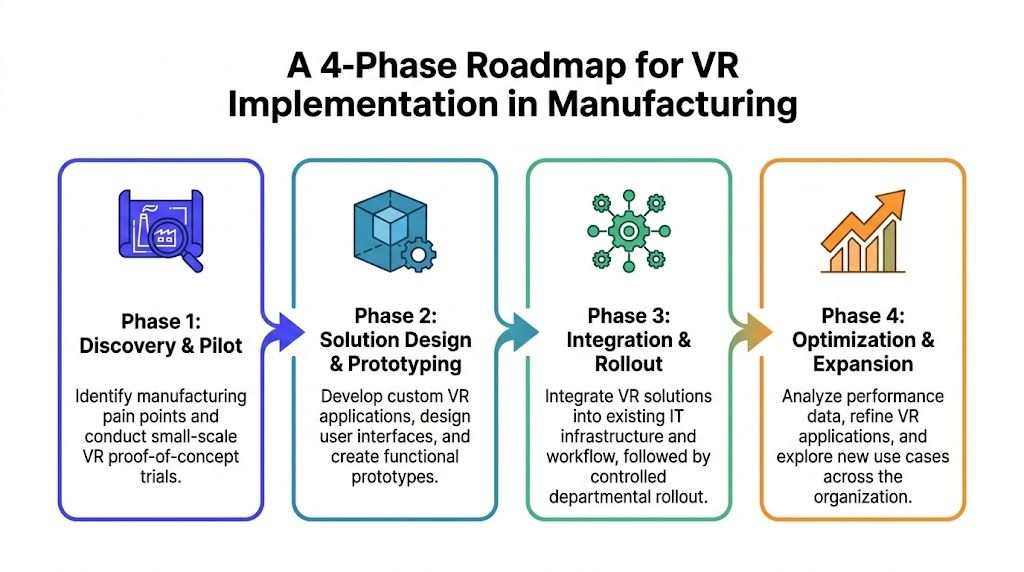
Phase 1 discovery and scoping
Start with one operational pain point, not a broad ambition like “modernize training” or “digitize the plant.”
Good first targets usually have three traits:
- They’re expensive today: Physical training setups, repeated prototype revisions, or frequent expert travel.
- They’re repeatable: The workflow happens often enough that a digital experience will get used.
- They’re teachable in simulation: Assembly sequences, safety procedures, walkthroughs, maintenance steps, or design reviews.
At this stage, the output isn’t software. It’s a decision memo.
Include:
- The target workflow: For example, lockout-tagout practice, a wiring sequence, or design review for a complex assembly.
- The current baseline: How the task is trained, reviewed, or simulated now.
- The constraints: CAD formats, plant network rules, headset policies, union considerations, and safety approvals.
- The success criteria: Faster onboarding, fewer prototype revisions, fewer interruptions to production equipment, or better review quality.
If your team needs a parallel planning model for cross-functional delivery, this AI implementation roadmap is a useful reference because the same discipline applies. Scope narrowly, assign owners, and define what “production-ready” means before you write code.
Phase 2 pilot project
The pilot should validate one use case with one user group in one plant or function. Don’t combine training, maintenance, and design review in the same first release.
A strong pilot usually includes:
- A single workflow
- A limited content set
- A small group of trained users
- A fixed evaluation window
- A go or no-go review at the end
For example, if you pick training for a complex assembly task, build one realistic scenario from existing CAD and process documentation. Train a small cohort. Compare completion quality, time-to-proficiency, and user confidence against your current method.
This is also where content design matters more than most engineering teams expect. If the simulation is technically accurate but instructionally weak, adoption will stall. Teams building internal programs often benefit from guides on how to create VR content for enterprise success, especially around scenario structure, user flow, and review cycles with subject matter experts.
Don’t ask whether users “liked the headset.” Ask whether supervisors trust the output enough to change the old process.
Phase 3 scaled integration
Once a pilot works, the center of gravity shifts from experience design to systems integration.
That means connecting the VR workflow to the rest of the manufacturing stack:
- CAD and product lifecycle management inputs
- Learning systems for training records
- Operational data sources for digital twin contexts
- Identity, access, and device management
- Support processes for updates and issue handling
Many first initiatives falter when confronted with practical requirements. The demo looked good, but nobody planned for version control on 3D assets, plant-specific variants, headset provisioning, or role-based access.
Treat rollout like any production application. Set an environment strategy, release process, incident path, content ownership model, and support coverage. A controlled departmental rollout is usually better than a broad launch because it lets you harden integration and train local champions.
Phase 4 optimization and expansion
The final phase isn’t “buy more headsets.” It’s operational refinement.
Use the first deployment to answer questions like:
- Which scenarios are reused often enough to justify further investment?
- Where do users get stuck?
- Which plants have the strongest local leadership for adoption?
- What data should feed the next generation of simulations?
- Which adjacent use case is the natural expansion path?
In practice, expansion often follows one of two routes:
- Training first, then maintenance and simulation
- Design review first, then quality and remote collaboration
The right answer depends on where your pain is today. The important point is sequencing. Each phase should produce an asset you can reuse. A CAD pipeline. A review workflow. A headset management process. A content governance model. A small internal team that knows how to ship.
Key VR Applications Transforming Manufacturing
Most value in vr in manufacturing comes from a small set of repeatable applications. The pattern is simple. A costly physical process gets translated into a digital workflow that’s easier to rehearse, inspect, or review before anything goes wrong on the floor.
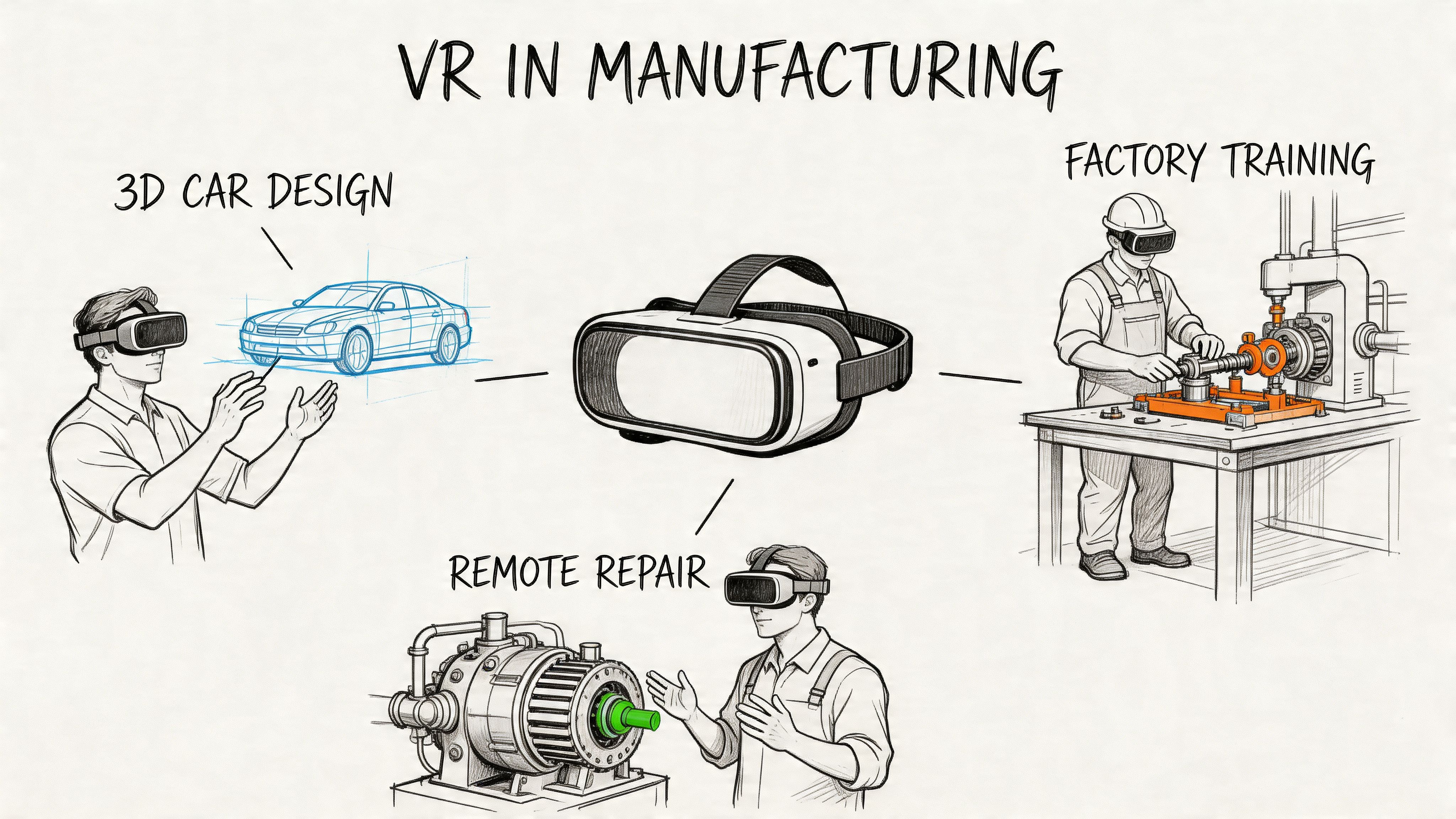
Collaborative design and prototyping
The classic problem is late discovery. Teams don’t fully understand fit, access, visibility, or assembly friction until they build or test something physical.
VR changes that review loop. In manufacturing design and prototyping, VR integrates with 3D CAD software for immersive visualization and haptic feedback, helping engineers detect assembly interferences through tactile sensations. Benchmark data cited by HP shows a 75% reduction in training time per person via VR simulations, and teams like McLaren Automotive have iterated 25% faster in assembly tasks, according to HP’s manufacturing VR overview.
That matters because design review quality improves when engineers, manufacturing leads, and service teams can inspect the same object at full scale before tooling or build decisions lock in.
A practical use case:
- Problem: Physical prototypes are expensive and slow to revise.
- VR move: Import CAD assemblies into a shared immersive review.
- Impact: Teams spot fit, access, and serviceability issues earlier.
For leaders comparing immersive use cases beyond manufacturing, this overview of various VR, AR, and MR applications across industries is helpful because it shows where full immersion adds value and where a lighter mixed reality workflow may be enough.
Workforce training for complex or hazardous tasks
Training is often the best first use case because the pain is visible. Senior technicians are expensive. Machines are busy. Mistakes are risky. And classroom instruction rarely prepares people for plant reality.
VR lets teams rehearse procedures in a controlled environment. That’s most effective when the simulation mirrors the actual equipment, sequencing, and decision points operators will face later.
Use VR first when:
- The task is hazardous: Safety drills, heavy machinery procedures, or emergency response.
- The equipment is scarce: You can’t keep pulling real assets out of production for training.
- The workflow is hard to teach in slides: Spatial memory and procedural repetition matter.
Digital twin simulation
Some of the strongest manufacturing applications sit between planning and operations. A digital twin gives teams a virtual representation of a plant, line, or workstation so they can test changes before implementing them physically.
This is useful for:
- Layout planning
- Ergonomics analysis
- Hazard identification
- Bottleneck review
- Maintenance path planning
The value here isn’t immersion for its own sake. It’s pre-implementation learning. If an engineering change, layout shift, or process redesign can be explored safely in a virtual model, operations can make better decisions with fewer surprises.
A digital twin is worth more when operations leaders trust it enough to challenge a physical change before crews start moving equipment.
Remote maintenance and expert assistance
Manufacturers have a recurring staffing problem. The people who know the equipment best are rarely available everywhere they’re needed.
VR can support remote assistance by giving experts a shared spatial view of machinery, service procedures, or training scenarios. That’s attractive when you’re dealing with distributed plants, specialist equipment, or a thin bench of senior technicians.
The trade-off is operational and security-related. Once immersive systems interact with operational environments, they need the same governance you’d expect for any other connected manufacturing tool. This use case can create value, but it’s not the safest place to start unless your security and OT teams are already aligned.
Quality review and inspection
Quality problems are often spatial. A drawing may be correct, but the physical execution may still hide access issues, tolerance concerns, or sequence mistakes.
VR helps when inspectors, engineers, and production leads need to examine assemblies, compare expected versus actual conditions, or rehearse inspection logic before new products or line changes go live.
A solid use case isn’t “replace all inspection.” It’s narrower:
- validating inspection procedures for a new product line
- reviewing difficult-to-access assemblies
- training inspectors on failure modes in a simulation before they work live parts
Remote collaboration across functions
This application is less glamorous than design or training, but often more useful than expected. Manufacturing decisions usually span engineering, operations, quality, maintenance, and safety. Those groups often look at the same model through different systems and different assumptions.
A shared immersive review creates a common object to discuss. That speeds decisions when teams are distributed across plants, suppliers, or regional engineering centers. It also reduces the usual back-and-forth caused by screenshots, markups, and disconnected file versions.
Real-World VR Success Stories in Manufacturing
The strongest argument for VR isn’t novelty. It’s operational evidence from companies using it where traditional methods were too slow, too risky, or too expensive.
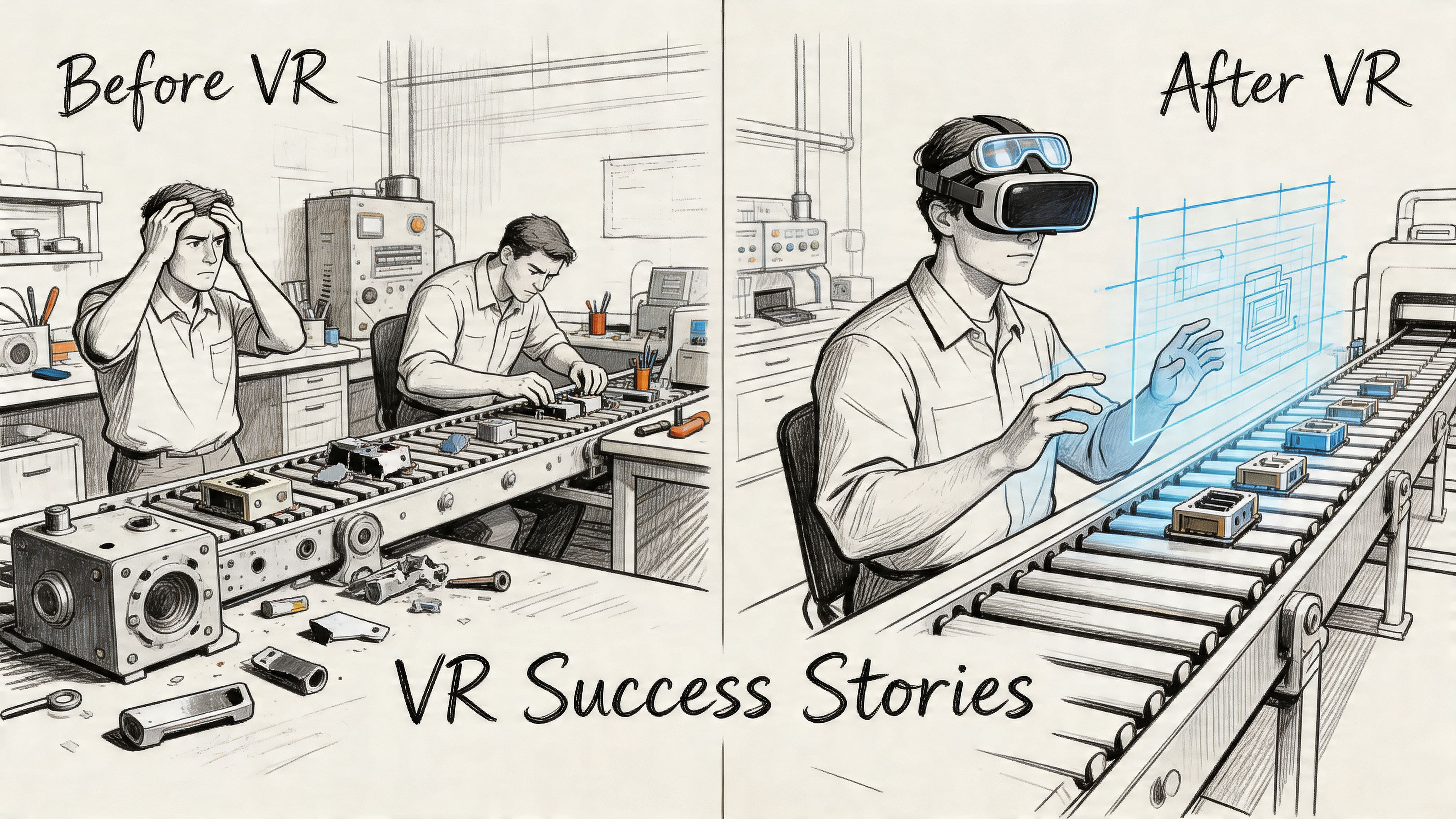
Tata Steel and training without taking equipment offline
Heavy industry training has an obvious constraint. Real equipment is expensive, busy, and not ideal for beginners.
Tata Steel used VR-driven training with digital twin style simulations to give operators realistic practice before they worked on production equipment. According to XR Guru’s review of VR in manufacturing, Tata Steel cut operator onboarding from weeks to days and achieved 90%+ knowledge retention.
That combination matters. Faster onboarding helps staffing. Better retention helps performance. But one of the most practical gains is operational. Training no longer competes as heavily with production for access to equipment.
What worked here wasn’t just the headset. It was fidelity. The training mirrored real equipment and real decisions closely enough that plant leaders could treat it as part of capability building, not a side experiment.
Boeing and reducing time on complex wiring work
Boeing’s example is useful because it shows VR helping with execution, not just learning.
Complex wiring work is hard to teach and easy to slow down with unclear spatial instructions. In Boeing’s case, VR was used to support wiring repair tasks, and the result was a 25% reduction in work time, also documented in XR Guru’s manufacturing VR examples.
That’s the kind of result a CTO should pay attention to because it points to a broader pattern. When a task depends on spatial sequencing, orientation, and precision, immersive guidance can outperform static documentation.
A short video can help stakeholders grasp where these workflow gains come from in practice.
What these examples have in common
These stories come from different manufacturing contexts, but they share a few traits:
- The use case was specific: Not “digital transformation,” but a defined training or repair workflow.
- The environment was hard to reproduce cheaply with old methods: Physical access, equipment time, and expert availability were all constraints.
- The outcome tied to operations: Onboarding speed, retention, and work time all affect throughput and staffing.
The best manufacturing VR projects don’t replace reality. They prepare people for it more efficiently.
If you’re building a business case, use examples like these carefully. Don’t copy the scenario. Copy the structure. Identify a high-friction workflow, model it well, and prove that a digital version performs better than the current method.
Building Your VR Tech Stack and Project Team
A manufacturing VR initiative is really three systems stitched together. Hardware, software, and people. Weakness in any one of them slows everything else down.
That’s also why the market is shifting beyond device purchases. In the United States, the augmented and virtual reality manufacturing market is projected to grow to USD 12,070.2 million by 2030, with hardware holding 55.4% of revenue in 2022 while services are the fastest-growing segment, according to Grand View Research on the US AR/VR manufacturing market. The signal is clear. Buying hardware is the easy part. Implementation, training, and optimization are where the substantive work resides.
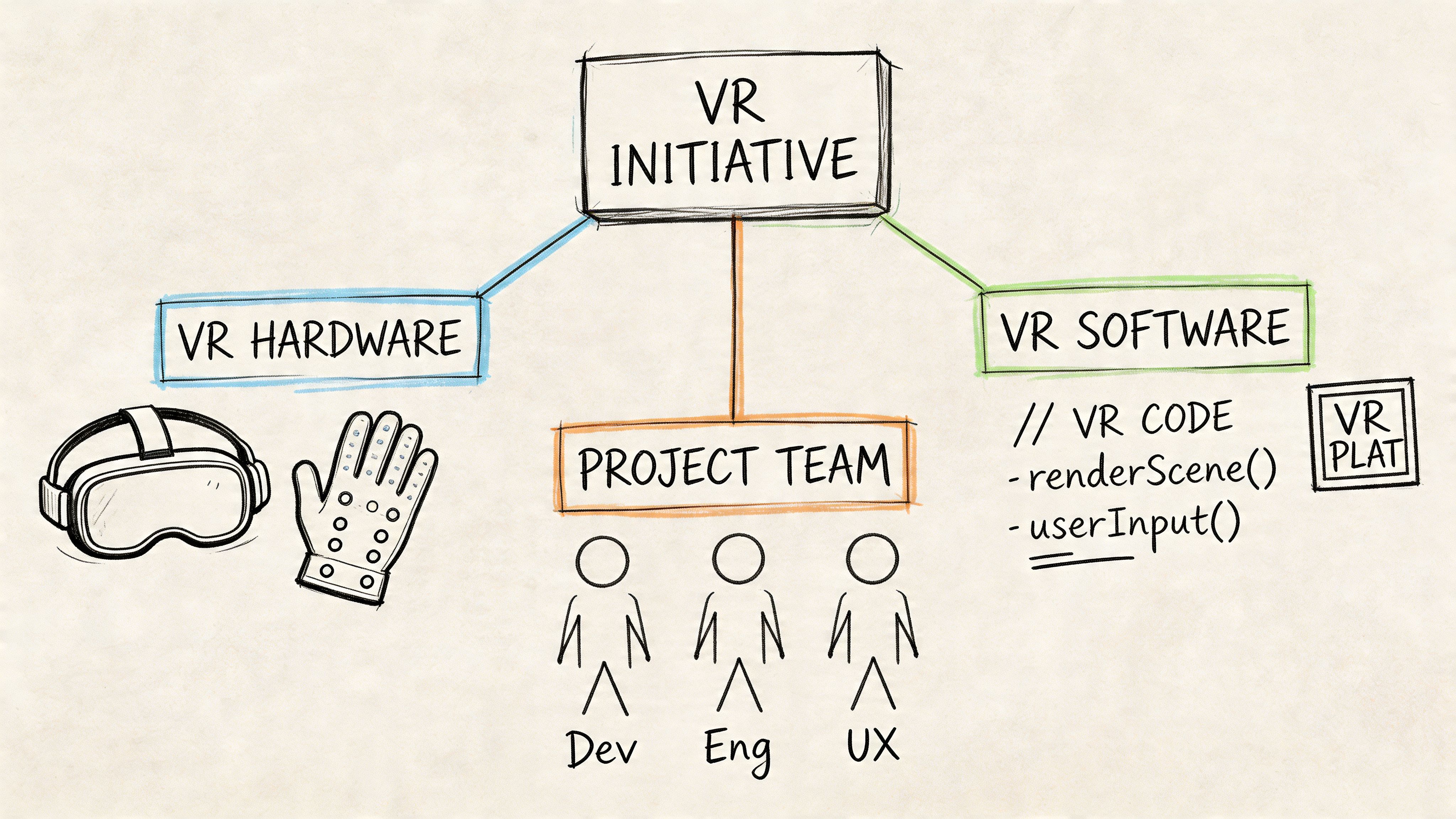
The stack you actually need
Teams often over-focus on headset selection. That matters, but it’s only one layer.
A practical stack usually looks like this:
| Stack layer | What it does | What to decide early |
|---|---|---|
| Headsets and controllers | User interaction and immersion | Standalone versus tethered, comfort, hygiene, device management |
| 3D content pipeline | Brings CAD and scene assets into the experience | File conversion, polygon optimization, version control |
| Application layer | Runs training, review, or simulation workflows | Unity, Unreal Engine, or an enterprise platform |
| Data and integration layer | Connects to CAD, PLM, LMS, and plant systems | APIs, access controls, sync rules, update cadence |
| Analytics and admin | Tracks usage and supports rollout | Training completion, content updates, device fleet operations |
For early pilots, simplicity wins. If your use case is training, you may not need a highly customized engine build. If your use case is high-fidelity design review, you may need stronger graphics handling and a tighter CAD pipeline from day one.
Where AI and ML fit
This is the overlooked layer in many discussions about vr in manufacturing.
AI and machine learning become important when you need the VR experience to respond to operational data or adapt to user behavior. That can mean:
- Processing sensor or IoT data for digital twins
- Detecting common learner mistakes in training modules
- Personalizing instruction based on user progress
- Analyzing session telemetry for process bottlenecks
- Linking quality or maintenance history to immersive review scenarios
Without this capability, many VR programs stay static. They remain useful, but they don’t become part of a smarter operational system.
That’s one reason staffing matters so much. You don’t just need 3D builders. You need people who can bridge factory data, simulation logic, and production-grade software delivery. If your internal group is still learning how to assemble those disciplines, this guide to cross-functional team building is a good model for how to structure ownership across engineering, product, and domain experts.
The minimum viable team for a serious pilot
You don’t need a huge team, but you do need the right mix.
A credible pilot usually needs:
- Product or program owner: Keeps the use case tied to business outcomes.
- Manufacturing subject matter expert: Validates workflow realism and operating constraints.
- VR developer: Builds the interactive application, often in Unity or Unreal Engine.
- 3D artist or technical artist: Cleans and prepares models for real-time use.
- AI or data engineer: Handles telemetry, data integration, or adaptive logic when needed.
- IT and security lead: Owns device management, access, and policy alignment.
- Operations champion: Drives adoption with frontline supervisors and trainees.
Not every role is full-time. But every function has to be covered.
Hiring mistakes that slow delivery
The most common staffing error is hiring a generalist XR developer and expecting that one person to solve every problem from content to integrations to instructional design.
The second error is treating the project as only an IT initiative. Manufacturing VR lives or dies with operational credibility. If supervisors think the scenarios are unrealistic, adoption drops fast.
A few interview prompts work well when hiring for this kind of project:
- For VR developers: “Describe a project where you optimized complex 3D assets for real-time performance.”
- For AI or data engineers: “How would you connect simulation telemetry or plant data to improve a training application over time?”
- For program leads: “Tell me about a deployment where user adoption in the field mattered more than technical elegance.”
A good pilot team speaks two languages well. The language of software systems, and the language of the factory.
Measuring ROI and Avoiding Common Implementation Pitfalls
The financial case for VR usually comes from four buckets. Training efficiency, reduced downtime on expensive equipment, lower prototyping waste, and better execution quality.
You don’t need a complex finance model to decide whether to proceed. You need a disciplined one.
A practical ROI model
For a first pilot, build the case around one workflow and compare current cost versus digital cost.
A simple model includes:
- Current process cost
- Pilot build and deployment cost
- Expected operational savings
- Risk reduction or quality gains
- Time to confidence
If the pilot is training-focused, estimate:
- the cost of trainer time
- the cost of taking equipment or floor time away from production
- the cost of retraining when initial comprehension is weak
- the cost of errors during early live execution
Then compare that with:
- headset purchase or lease
- content development
- device management and support
- integration work
- internal change management
You don’t need to force precision where none exists. It’s enough to show whether the use case likely removes repeated operational cost from a recurring workflow.
Start with one use case where savings repeat every month. That’s easier to defend than a broad innovation budget.
The SME problem is real
Large manufacturers can absorb experimentation more easily. Small and midsize firms usually can’t.
That’s one reason adoption is uneven. VR training can be 4x faster, but adoption lags in smaller manufacturers because headsets can cost $300 to $3,000 and many teams lack in-house expertise. The same source notes that SMEs make up over 90% of manufacturing firms in major markets, which turns cost and skills gaps into a major adoption barrier, according to Gray’s review of AR and VR in manufacturing.
For smaller firms, what works is usually narrower:
- Choose one training workflow, not a platform strategy
- Use existing CAD and documentation where possible
- Avoid custom features until users prove demand
- Plan for outside implementation help early
What doesn’t work is copying the architecture of a large enterprise program without the team or budget to support it.
Security is not a side issue
The biggest pitfall in advanced deployments isn’t user adoption. It’s unsafe integration.
If your VR system touches remote maintenance, digital twins, or machinery-adjacent data, involve security and operational technology teams from the start. Segment access. Minimize connections. Review vendor controls before procurement, not after deployment. Treat remote immersive workflows like any other connected operational system.
A pilot can be small and still introduce big risk if the integration path is sloppy.
Common failure patterns
A few mistakes show up repeatedly:
- Wrong first use case: The team picks a flashy demo instead of a recurring operational problem.
- Weak content fidelity: The simulation looks good but doesn’t reflect actual plant procedures.
- No frontline sponsor: Managers approve it, but supervisors don’t push use.
- Underestimated support load: Nobody owns headset setup, cleaning, updates, or content revisions.
- No baseline: The pilot ends with opinions instead of clear before-and-after evidence.
The teams that succeed usually look boring on paper. They’re disciplined. They start small. They measure carefully. They make operations leaders part of the build process.
Your VR Vendor and Platform Evaluation Checklist
Vendor selection is where many teams lose their advantage. They buy a strong demo and inherit weak integration, limited portability, and unclear security obligations.
For remote maintenance and connected immersive workflows, that risk is growing. Jackson Lewis notes a 30% rise in IoT-related manufacturing breaches reported by IBM in 2025, which makes vendor security review and alignment with frameworks like NIST a non-negotiable step in VR platform evaluation, as discussed in this analysis of VR risk in manufacturing environments.
What to evaluate before signing
Use the checklist below as a working scorecard. It helps procurement, engineering, and operations compare vendors on the same basis.
| Evaluation Criterion | Key Questions to Ask | Score (1-5) | Notes |
|---|---|---|---|
| Platform scalability | Can this platform support one site today and multiple plants later without a full rebuild? How are users, content, and environments managed at scale? | ||
| Hardware agnosticism | Which headsets are supported today? What happens if we change device vendors later? | ||
| CAD and enterprise integration | How does the platform ingest CAD data? What connectors exist for PLM, ERP, or learning systems? | ||
| Security and compliance | Describe encryption, identity controls, logging, tenant isolation, and NIST alignment. How do you handle remote maintenance scenarios? | ||
| Content workflow | Who updates scenarios after launch? How are versions reviewed, tested, and rolled back? | ||
| Analytics | What usage and performance data do we get out of the box? Can we export telemetry for internal analysis? | ||
| AI and ML support | Can the platform integrate with external models, sensor data, or adaptive training logic? | ||
| Services and support | What implementation help is included? What’s the support model after rollout? |
Questions that separate serious vendors from demo vendors
A few questions quickly reveal maturity:
- Show me your update process: If content changes monthly, how do releases get managed and validated?
- Explain your failure modes: What breaks when connectivity is unstable or plant data is delayed?
- Describe your security posture clearly: Don’t accept vague answers on encryption, access control, and auditability.
- Clarify lock-in risk: Who owns the assets, data, and source materials if you exit the platform?
If your team is still deciding whether to assemble pieces internally or choose a managed platform, this build vs buy software guide gives a useful lens for the trade-offs.
A final rule is simple. Score vendors on operational fit, not presentation quality. The best option is the one your team can support, secure, and expand without heroic effort.
If you're planning a first VR initiative and need senior AI, ML, or data engineers who can connect immersive workflows to real manufacturing systems, ThirstySprout can help you build the right team fast. We match companies with vetted specialists who understand production software, data pipelines, and cross-functional delivery. If you want to pressure-test your roadmap, staff a pilot, or add AI talent to a VR program, start a conversation with ThirstySprout.
Hire from the Top 1% Talent Network
Ready to accelerate your hiring or scale your company with our top-tier technical talent? Let's chat.