

TL;DR
- Build when the software is your core competitive advantage (e.g., a proprietary AI model). This gives you total control but requires significant time, capital, and specialized talent.
- Buy for non-core, commodity functions (e.g., HR, CRM, billing) to accelerate time-to-market and focus your engineers on what truly matters.
- Hybrid is often the best path: Buy a flexible platform with a strong API and build custom extensions on top to get speed and differentiation.
- Action: Use our decision checklist to evaluate your needs based on core competency, total cost of ownership (TCO), and opportunity cost. Don't just compare subscription fees to salaries.
Who This Is For
This guide is for technical and product leaders at fast-moving AI and SaaS companies who need to make a build-or-buy decision within weeks, not months.
- CTO / Head of Engineering: You need to make scalable architecture choices that won't create technical debt and will support future growth.
- Founder / Product Lead: You are balancing runway, feature velocity, and the urgent need to find product-market fit.
- Head of AI/ML: You're weighing the pros of a custom model against the speed of a third-party API for a new AI feature.
The Build vs. Buy Decision Framework
The right answer comes down to a single question: Is this software a core business differentiator or a supporting utility?
If it's a commodity function, you should almost always buy. Save your engineering resources for the features that make you unique. A 2026 build vs buy report found that 71% of tech teams choose off-the-shelf solutions to accelerate time-to-value.
Use this decision tree to guide your thinking.
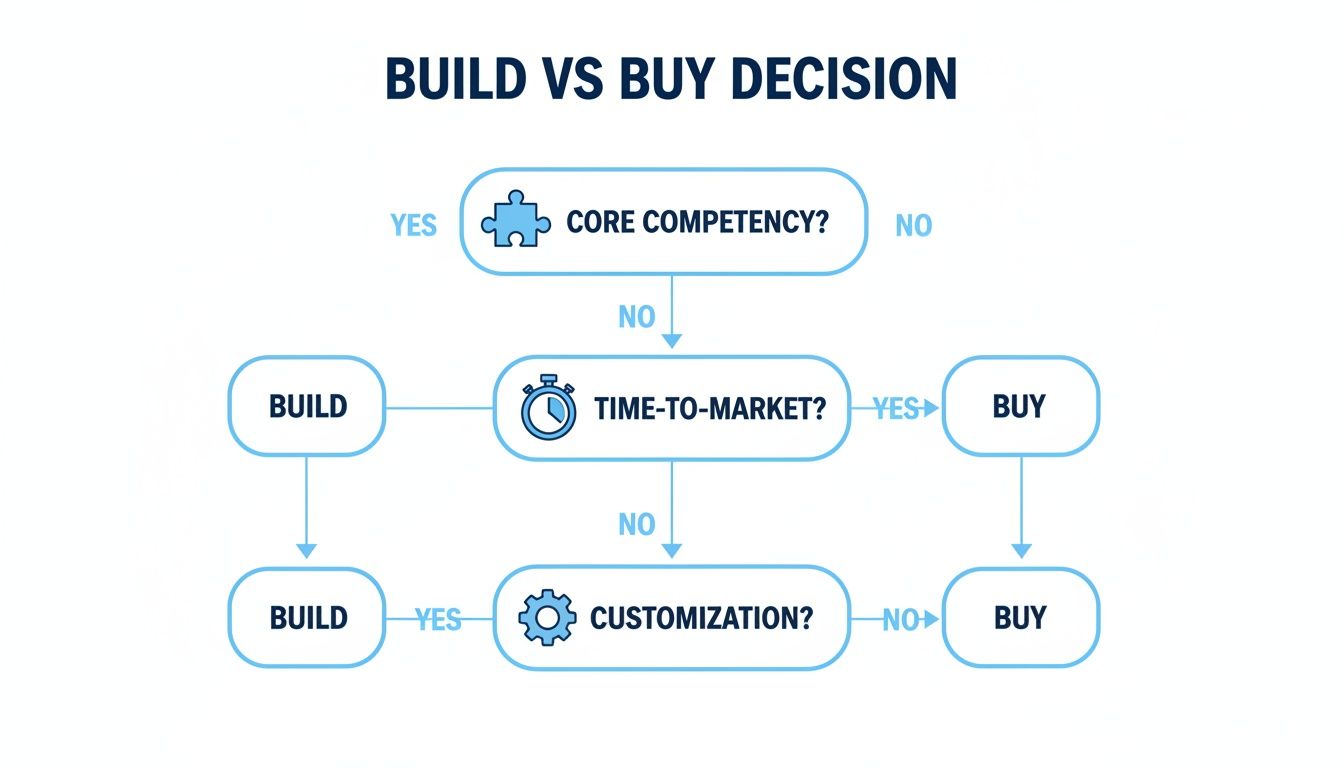
Alt text: A flowchart showing the build vs buy decision process. It starts with "Is this a core business competency?" If yes, build. If no, it asks about time-to-market and customization needs, generally leading to a 'buy' decision.
This quick reference table provides a gut check for common scenarios.
Practical Examples: Two Mini-Case Studies
Here are two real-world examples showing the framework in action.
Example 1: Build — A Custom AI Vision Model for Quality Assurance
A Series B manufacturing tech startup needed to spot microscopic defects in semiconductor wafers. Off-the-shelf machine vision systems failed, achieving only ~85% accuracy on their unique defect types.
- Decision: Build a custom computer vision model. This was their core intellectual property.
- Action: They hired specialized AI engineers and collected a proprietary dataset of millions of wafer images. They trained a custom Convolutional Neural Network (CNN) optimized for high precision. You can learn how to find this talent in our guide to hire AI engineers.
- Result: The custom model achieved 99.8% accuracy, becoming their key differentiator and creating a multi-year moat. The business impact was landing three enterprise contracts worth $2M ARR within six months of launch.
Example 2: Buy — A Fintech Skips Compliance Headaches with a KYC Platform
A Series A fintech was launching a digital banking product and faced complex Know Your Customer (KYC) and Anti-Money Laundering (AML) compliance rules. Building an in-house system was estimated to take 9–12 months.
- Decision: Buy a third-party KYC/AML platform. Compliance was a critical utility, not a differentiator.
- Action: A team of two engineers integrated a vendor's API in just three weeks. The platform handled identity verification, watchlist screening, and monitoring out of the box.
- Result: The company launched its product ten months ahead of schedule, sidestepping massive development costs and regulatory risk. This allowed them to focus engineering on their proprietary transaction monitoring engine—their true secret sauce.
Deep Dive: Calculating the True Cost of Your Decision
A vendor's subscription fee or an engineer's salary is just the tip of the iceberg. To make a smart decision, you must calculate the Total Cost of Ownership (TCO) over a 3-year horizon.
Stacking a vendor's annual fee against a developer's salary ignores hidden costs that can sink your budget.
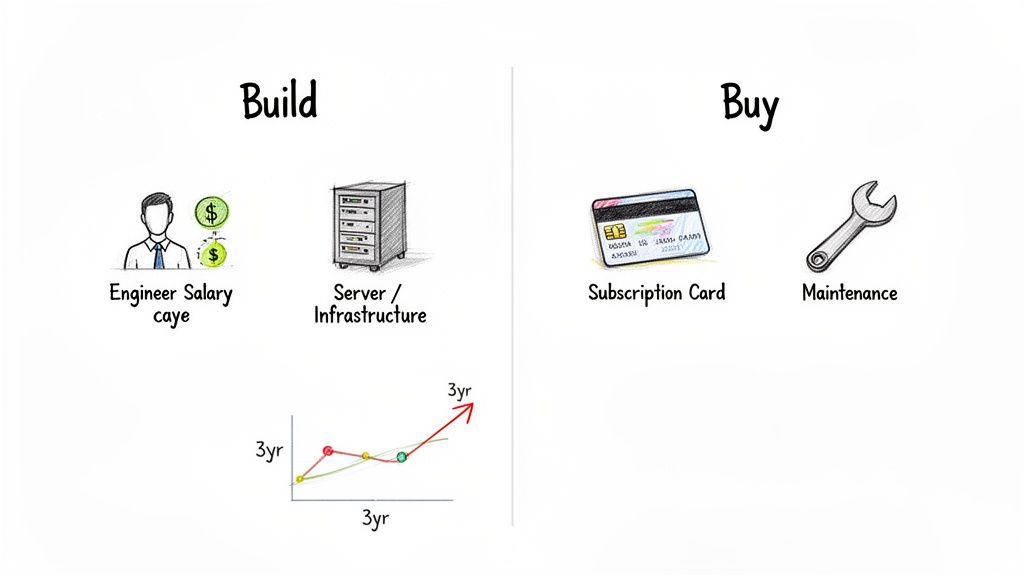
Alt text: A diagram comparing the costs of building vs. buying software. 'Build' costs include engineer salary, servers, and maintenance. 'Buy' costs include subscriptions, integration, and training.
The Cost of Buying Software
Buying offers predictable upfront costs, but you must budget for the entire implementation.
- Subscription/Licensing Fees: The visible cost, billed per user or usage. compare pricing plans and features carefully.
- Integration & Implementation: Engineering time to connect the software to your existing stack (e.g., CRM, data warehouse).
- Data Migration: A potentially complex and expensive one-off project.
- Training & Onboarding: A temporary drop in team productivity.
- Customization: Any configuration or development to fit your workflow adds to the bill.
The Cost of Building Software
Building swaps subscription fees for a major upfront investment and long-term maintenance costs.
- Initial Development: Salaries for engineers, PMs, and designers. See our guide on software development cost.
- Infrastructure: Servers, databases, and cloud services (AWS, GCP).
- Ongoing Maintenance: The largest and most underestimated cost. Includes bug fixes, security patches, and performance monitoring.
- Opportunity Cost: The most critical factor. What could your team have built instead? If your top engineers are tied up for six months on an internal tool, which core product feature was delayed?
Actionable Heuristic
Budget 15–20% of the initial development cost annually for maintenance. If a project costs $500,000 to build, expect to spend $75,000–$100,000 each year just to keep it running.
Trade-Offs and Common Pitfalls
When Building Creates a Defensible Moat
Building is a strategic play to create a competitive advantage. This is especially true when the software is your core intellectual property (IP).
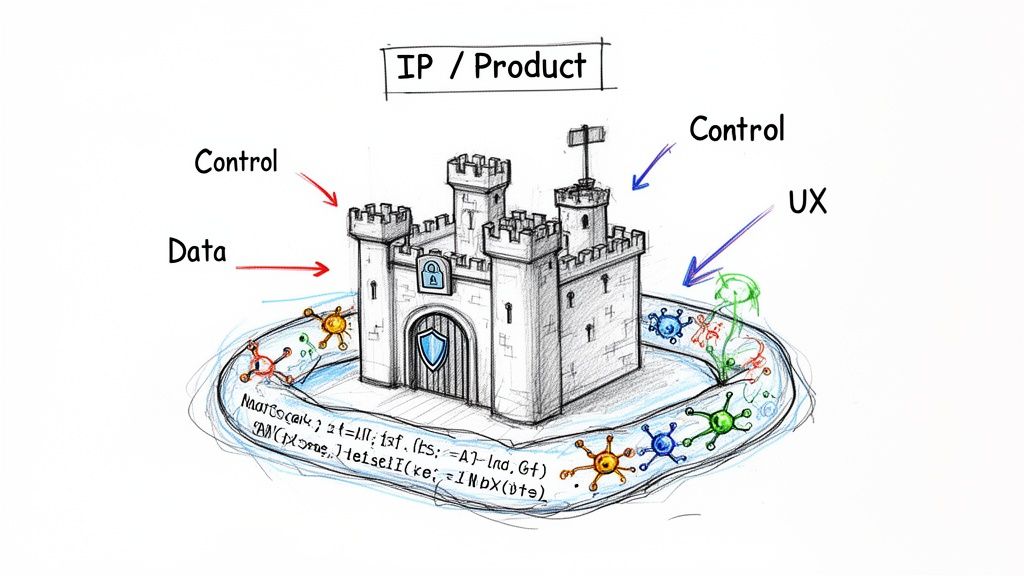
Alt text: A metaphorical image of a castle labeled "IP/Product" representing a company's core software. Arrows for "Control," "Data," and "UX" point to it, showing the benefits of building.
You should build when:
- Your Business Logic is the Differentiator: If you can't buy it because it doesn't exist, building is your only option. Think of a fintech firm's unique credit risk model or a SaaS company's workflow automation for a niche vertical.
- Full Control Over Data and Security is Non-Negotiable: For industries like finance or healthcare, building is often required to meet compliance standards like GDPR or SOC 2. You eliminate third-party risk.
When Buying Accelerates Your Roadmap
Buying is a strategic decision to leverage market-tested solutions and free up your engineers to focus on what sets your business apart.
You should buy when:
- You Need to Accelerate Time-to-Market: Speed is a competitive weapon. Buying de-risks the technical side of a project and provides proven technology from day one.
- The Function is a Commodity: For solved problems like billing (Stripe Billing, Chargebee) or CRM, building from scratch is a massive and unnecessary distraction.
- You Want to Reduce Operational Overhead: Offload maintenance, security patching, and updates to the vendor. This is a clear win for resource allocation. Exploring options like staff augmentation vs managed services can further optimize your resources.
The Hybrid Approach: Building on Top of Platforms
Often, the smartest answer is "both." Buy a solid platform as a foundation and build custom features on top. This gives you the speed of a commercial product and the freedom to build proprietary tools.
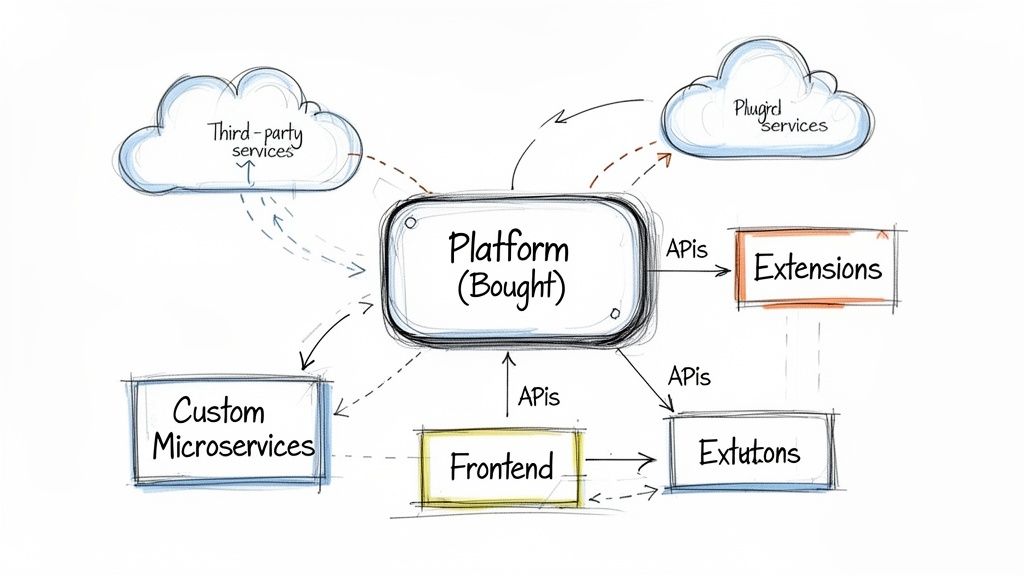
Alt text: A software architecture diagram showing a hybrid model. A central 'Bought Platform' connects via API to custom microservices, a custom frontend, extensions, and external services.
This approach works best when you choose a platform with a robust Application Programming Interface (API). A good API lets you integrate deeply, pull data for custom analytics, and even build entirely new user interfaces on the platform’s backend. For instance, using a chatbot development framework lets you create a custom support experience without building the underlying AI infrastructure.
Checklist: Your Build vs. Buy Evaluation Template
Use this checklist to turn strategic debates into a clear, data-backed decision.
1. Strategic & Technical Alignment
- Core Competency: Is this software part of your "secret sauce" or a supporting utility?
- Competitive Advantage: Will building this create a durable advantage competitors can't buy?
- In-House Skills: Do you have the talent to build and maintain this for 3+ years?
- Roadmap Control: Is 100% control over the feature roadmap a non-negotiable?
2. Financial & Risk Assessment
- Total Cost of Ownership (TCO): Have you calculated the full 3-year TCO for both options, including maintenance and integration?
- Opportunity Cost: What core product features are you not building by allocating engineers to this project?
- Vendor Lock-In: If buying, what is your exit strategy? How difficult is it to migrate away in 2–3 years?
- Compliance & Security: Can a third-party vendor meet your specific data governance and security needs?
What to Do Next
- Run the Checklist: Use the evaluation template above with your engineering and product leads to score your specific project.
- Calculate the 3-Year TCO: Create a simple spreadsheet modeling both scenarios. Remember to include the hidden costs.
- Scope Your Project: If you need expert help to build your competitive advantage or integrate the right solution, let's talk.
ThirstySprout connects you with the top 1% of pre-vetted AI engineers, data scientists, and MLOps experts.
References
Hire from the Top 1% Talent Network
Ready to accelerate your hiring or scale your company with our top-tier technical talent? Let's chat.