

A familiar failure pattern shows up in AI teams around the same time. Training jobs start running longer. Feature pipelines look simple in code review but drag in production. Inference prep becomes the hidden latency tax nobody budgeted for.
Most of the time, the issue isn't the model first. It's the array work around the model. Teams keep Python loops in data prep, misuse broadcasting, transpose arrays casually, and trust axis arguments they haven't verified. NumPy can fix a lot of that, but only if you treat it as a performance tool, not just a convenience library.
Your NumPy Operations TL;DR
A training job that should finish before the morning standup is still running because preprocessing is burning time on array copies, cache misses, and axis mistakes. In production, NumPy problems usually show up there first.
Use vectorization before adding more compute. Array operations run in compiled code and remove Python loop overhead, which often cuts preprocessing time enough to shorten both training cycles and inference prep.
Check memory layout early. C-order vs. Fortran-order, non-contiguous views, and repeated transposes can turn a fast matrix operation into a slow one even when the math is simple.
Watch cache behavior on large arrays. The same operation can perform very differently depending on access pattern, stride layout, and whether you force unnecessary copies during reshaping or slicing.
Treat broadcasting carefully. Broadcasting keeps code compact, but a bad shape combination can allocate large intermediate arrays and push memory pressure high enough to stall jobs or increase serving latency.
Require explicit axis validation. In my experience, axis confusion is one of the most common causes of silent bugs in 3D+ financial and ML pipelines, especially during reductions, concatenation, and normalization.
Start performance debugging with the basics. Remove Python
forloops over numeric data, inspectshape,strides,flags, and copy behavior, then profile the hot path before blaming the model or scaling infrastructure.
Who This Guide Is For and What It Solves
This guide is for CTOs, Heads of Engineering, senior machine learning engineers, MLOps leads, and data platform owners who have already outgrown notebook-grade NumPy usage.
The usual scenario looks like this. A team has a working pipeline for feature engineering, image preprocessing, or time-series aggregation. It passed early tests. Then data volume grows, batch sizes increase, or more models share the same preprocessing stack. Suddenly, jobs miss windows, cloud costs rise, and debugging gets messy because the code is technically correct but operationally fragile.
Two problems usually sit underneath that pain:
- Performance mistakes that come from writing Python-style code instead of array-style code.
- Correctness mistakes that come from shape and axis confusion in multi-dimensional data.
Slow NumPy code is often structurally wrong before it is algorithmically wrong.
That matters because data preparation sits on the critical path for both training and inference. If your arrays are laid out poorly, copied unnecessarily, or reduced along the wrong axis, you don't just lose speed. You risk delayed experiments, unstable serving latency, and bad model inputs.
This is the practical version of NumPy array operations. Not toy examples. The focus is what holds up under production pressure.
The Core Framework Vectorization Over Loops
A training pipeline that looked fine at 100,000 rows can turn into a bottleneck at 50 million because of one habit. Python loops over NumPy arrays.
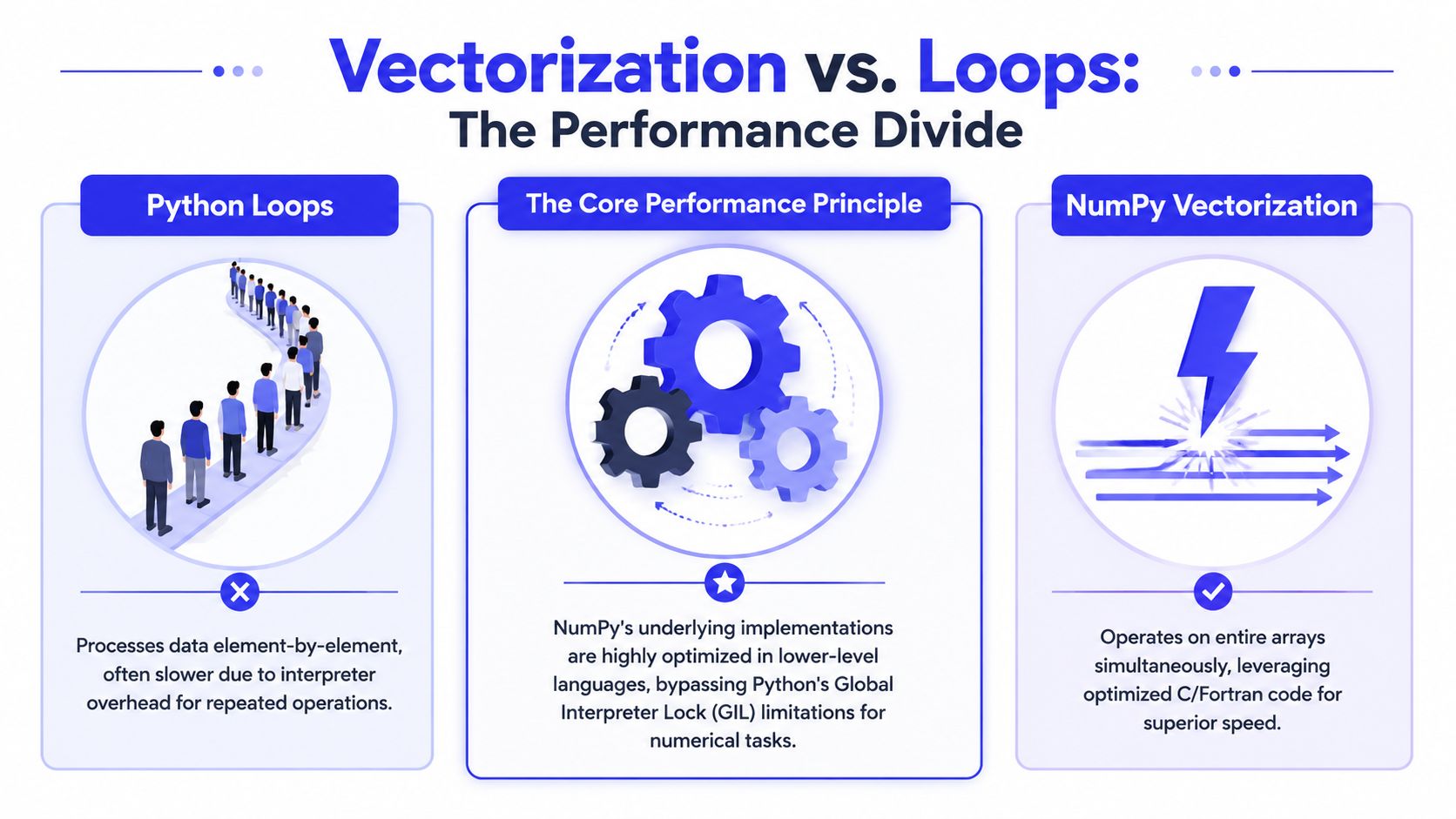
Why vectorization matters in production
Vectorization shifts work from the Python interpreter into compiled NumPy routines. That cuts loop overhead, reduces per-element dispatch, and usually improves cache behavior because the operation runs over contiguous memory in a predictable pattern.
The speedup matters most on the critical path. Feature scaling, normalization, clipping, masking, and batch-wise arithmetic show up everywhere in training and inference code. If those steps run in Python loops, preprocessing latency rises fast. If they run as array operations, the same code is usually shorter, easier to inspect, and easier for the runtime to execute efficiently.
There is a second benefit. Vectorized code makes shape intent more visible. arr *= 25.4 says "apply one transform to the whole buffer." A hand-written loop invites indexing mistakes, dtype drift, and hidden copies added later during maintenance.
What this looks like in code
Instead of this:
for i in range(len(arr)):arr[i] = arr[i] * 25.4Use this:
arr *= 25.4That one line often removes both Python overhead and review overhead.
It also exposes an important trade-off. In-place updates like arr *= 25.4 save memory and avoid an extra allocation, which helps on large batches. They can also create bugs if another part of the pipeline still expects the original values or if arr is a view into a larger array. Teams should decide explicitly when mutation is safe.
The framework I use when replacing loops
Work through loop-heavy code in this order:
- Find loops that touch numeric arrays element by element.
- Replace them with vectorized expressions, broadcasting, or NumPy reductions.
- Check whether the result is a view or a copy.
- Inspect
shape,dtype, andstridesafter the rewrite. - Then look at memory layout. C-order versus Fortran-order can change cache locality and downstream BLAS performance for large matrix operations.
That last step gets skipped too often. A vectorized expression can still underperform if it triggers unnecessary copies or walks memory in a cache-unfriendly pattern. This shows up in wide feature matrices, image tensors, and time-series blocks where axis order was chosen for readability instead of access patterns.
If the workload no longer fits well on one machine, compare optimized local NumPy against distributed execution before adding more infrastructure. This is a common decision point in Spark and Python data processing workflows.
A practical debugging rule helps here. If an operation is "vectorized" but still slow, inspect three things first: contiguity, temporary allocations, and axis choice. In production ML systems, many silent bugs come from reducing or broadcasting along the wrong axis. Many performance regressions come from the same rewrite creating hidden intermediate arrays.
Practical rule: If the same math applies across an array, write the operation once at the array level, then verify shape, memory behavior, and mutation safety.
Essential NumPy Array Operations by Example
A training job starts missing its SLA after a small preprocessing change. The model code is unchanged. The slowdown comes from array operations that look harmless in review but add copies, widen dtypes, or reduce along the wrong axis. These are the NumPy patterns worth getting right because they affect both correctness and latency.
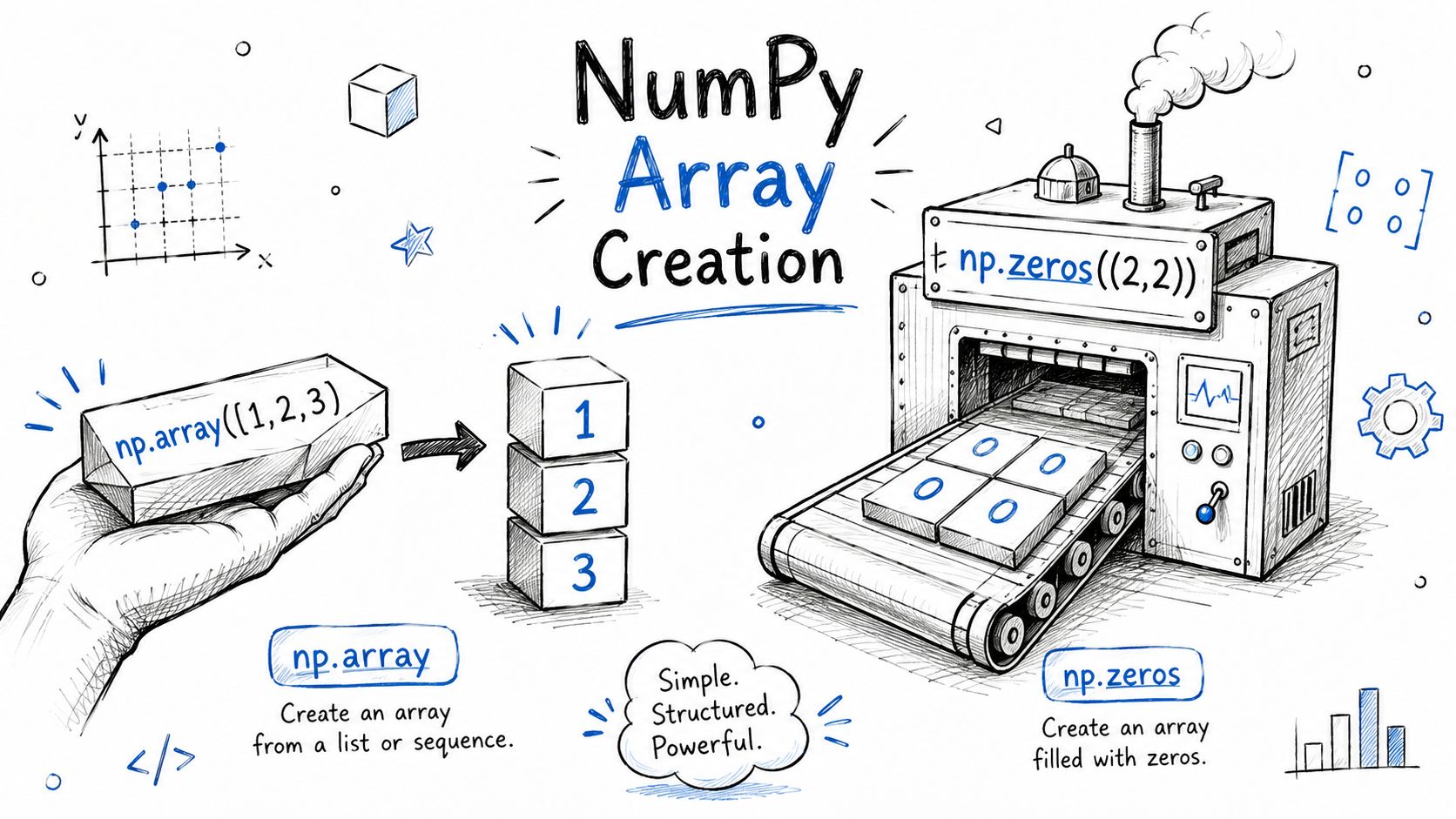
Create arrays deliberately
Array creation sets up everything that follows. It determines dtype, initialization cost, and sometimes whether later linear algebra runs with the memory layout you expect.
import numpy as npx = np.array([1, 2, 3, 4])zeros = np.zeros((2, 3))ones = np.ones((2, 3))steps = np.arange(0, 10, 2)Use the constructor that matches the job:
np.arrayfor validated Python data that needs a predictable NumPy dtypenp.zerosfor masks, counters, and output buffersnp.onesfor multiplicative defaults and quick test inputsnp.arangefor index ranges and deterministic windows
np.empty also matters in production code. It skips initialization, which saves time for large buffers, but it is only safe if every element gets written before any read. I use it for staging arrays inside tight loops and avoid it in code paths where partial writes can leak garbage values into features.
Environment setup matters too. Teams that are still standardizing local scientific Python installs usually save time by picking a clear Anaconda vs Python setup for NumPy-heavy workflows before benchmarking anything.
Index and slice without losing track of shape
Many silent bugs start here.
X = np.array([[10, 20, 30],[40, 50, 60],[70, 80, 90]])first_row = X[0, :]second_col = X[:, 1]submatrix = X[0:2, 1:3]These expressions are simple, but their shapes differ in ways that affect broadcasting and model inputs. X[:, 1] returns shape (3,), not (3, 1). That difference is enough to break a normalization step or apply a bias across the wrong dimension without throwing an error.
Typical production uses:
- Training split prep:
X[:cutoff]andX[cutoff:] - Feature selection:
X[:, selected_idx] - Window extraction:
series[t:t+window]
Check .shape after any operation that changes rank. Also check whether you got a view or a copy when mutation matters. Fancy indexing often allocates a copy, while simple slicing often returns a view. That distinction affects both memory use and whether an in-place transform updates the original batch.
Use element-wise arithmetic for feature engineering
Element-wise operations are the fastest path for many preprocessing tasks because they keep work in compiled NumPy code.
features = np.array([1.0, 4.0, 9.0])scaled = features * 0.1shifted = features + 2rooted = np.sqrt(features)logged = np.log(features)NumPy supports operator syntax and function forms such as np.add(), np.multiply(), np.divide(), np.exp(), np.sqrt(), and np.log(). The DataCamp NumPy tutorial lists many of the common arithmetic and mathematical operations.
Common uses in ML pipelines:
- scaling numeric features
- log transforms for skewed inputs
- square roots for variance-related features
- trig transforms for cyclical or sensor data
Watch dtype promotion here. Integer arrays combined with floats can upcast the result, which is often correct but can double memory use if the pipeline jumps from float32 to float64. For training workloads, that can reduce batch throughput and put pressure on cache and RAM long before anyone notices the source of the regression.
Aggregate with axis awareness
Reductions are compact. They are also a common source of production bugs.
data = np.array([[2, 4, 6],[1, 3, 5],[7, 9, 11]])total = np.sum(data)col_means = np.mean(data, axis=0)row_std = np.std(data, axis=1)max_per_col = np.max(data, axis=0)The NumPy beginner documentation covers core aggregation functions such as sum(), min(), max(), mean(), prod(), and std(), including axis-based reductions. The Earth Data Science guide to summary statistics on NumPy arrays shows the same idea on a matrix where reducing over one axis answers a different question than reducing over the other.
That is the right mental model for ML and finance code. Always ask what one output value represents.
| Operation | Example | Typical ML use |
|---|---|---|
| Column reduction | np.mean(X, axis=0) | feature normalization stats |
| Row reduction | np.sum(batch, axis=1) | per-sample scoring |
| Global reduction | np.max(losses) | threshold checks and monitoring |
If the downstream step expects dimensions to stay aligned, use keepdims=True. That small choice prevents a surprising number of broadcasting mistakes in multi-stage pipelines.
Mini example for code review
A junior engineer writes:
means = []for j in range(X.shape[1]):means.append(np.mean(X[:, j]))means = np.array(means)A better version is:
means = np.mean(X, axis=0)The second version is faster, shorter, and easier to verify. It also makes the intended axis explicit, which matters more than style once the array becomes 3D or 4D. In code review, I usually ask one question first: does each output element map to the business or model concept we think it does? That catches more real bugs than arguing about syntax alone.
Advanced Techniques for Production Workloads
A lot of NumPy code looks fine in review, passes unit tests, and still slows training jobs or ships wrong outputs to production. The recurring causes are predictable: expensive broadcasting, poor memory locality, and axis errors that return believable but incorrect results in 3D and 4D tensors.
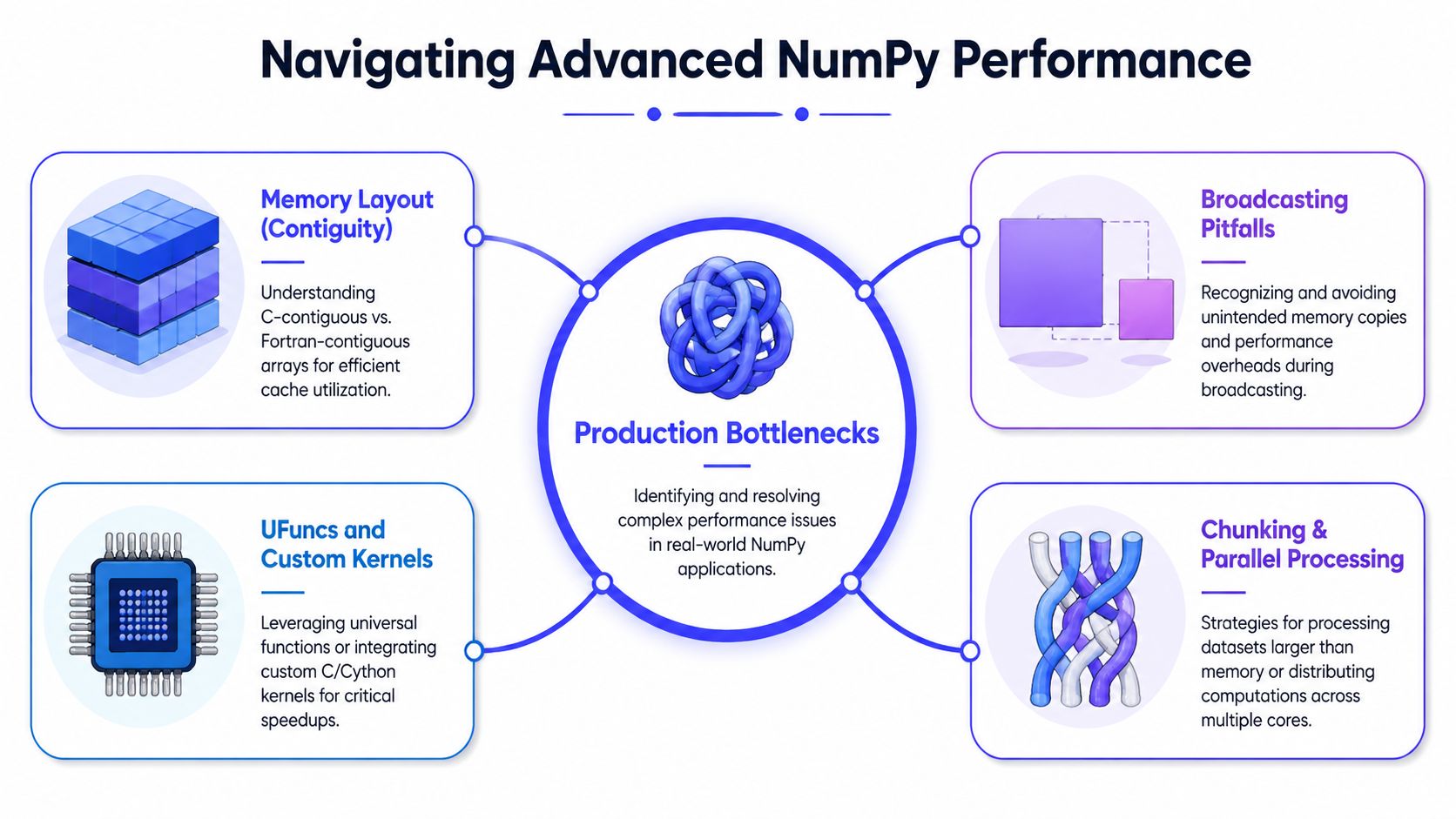
Broadcasting helps until it creates large temporaries
Broadcasting is one of NumPy's best features because it removes Python loops without making the math harder to read. The SciPy lectures on NumPy operations explain the right-aligned compatibility rule and show why a shape (5,) array works with a (3, 5) array.
X = np.array([[1.0, 2.0, 3.0],[4.0, 5.0, 6.0]])bias = np.array([0.1, 0.2, 0.3])Y = X + biasThat pattern is fast and clear for bias adds, normalization constants, and per-feature scaling.
The problem starts when a broadcasted expression materializes a temporary that is much larger than the final output. In training pipelines, that means extra RAM pressure, more cache misses, and slower batches. In inference services, it can mean latency spikes that are hard to reproduce locally.
Use a short check before approving broadcast-heavy code:
- Verify shape alignment from the right: make the implicit expansion obvious.
- Watch temporary arrays: chained expressions can allocate more memory than expected.
- Prefer reductions or in-place updates where possible: they often cut both memory traffic and runtime.
Memory layout changes speed even when the math is identical
Two arrays can hold the same values and produce the same result, yet run at different speeds because they are laid out differently in memory. NumPy usually stores arrays in C-order (row-major), but some operations and external libraries produce Fortran-order (column-major) arrays.
A = np.arange(12).reshape(3, 4)B = A.TB is valid and often useful, but it is not laid out the same way as A. If downstream code repeatedly reads B in a pattern that fights the underlying memory order, CPU caches do less useful work. That cost shows up quickly on large matrices used in feature engineering, covariance calculations, or batched linear algebra.
This matters more in production than in notebooks. A single transpose inside a hot path can turn a memory-friendly operation into a strided access pattern that burns time on cache misses. If a preprocessing stage suddenly gets slower after a small refactor, check arr.flags, contiguity, and whether a copy with np.ascontiguousarray() or np.asfortranarray() is justified for the next operation.
The trade-off is simple. Copies cost memory and one-time compute. Non-contiguous views can cost repeated slowdown across every batch. For long-running jobs, paying once for a better layout is often the right call.
Teams also get more predictable behavior when they standardize local environments and BLAS-backed dependencies. That is one reason engineering groups compare Anaconda vs Python for array-heavy ML environments before locking down build and deployment workflows.
Axis bugs in 3D arrays usually fail silently
This is the bug class I see most in model preparation and risk analytics code. The reduction runs, returns the expected dtype, and produces a shape that looks plausible enough to slip through review.
Treat axis handling as a debugging workflow, not a memory test.
Name every dimension before writing code
Do not reason from raw shape tuples alone. Assign meaning first.
# shape = (batch, time, features)X.shape == (B, T, F)Now each operation has a target you can review against: batch statistics, time aggregation, or feature-wise normalization.
Write the expected output shape first
This catches mistakes early and makes reviews faster.
# Want one feature mean per feature across batch and timeexpected_shape = (F,)means = np.mean(X, axis=(0, 1))If the result shape does not match the declared shape, stop and fix it before checking values.
Use a tiny array with values you can verify by inspection
Small deterministic tests catch more silent bugs than large random fixtures.
X = np.array([[[1, 10], [2, 20]],[[3, 30], [4, 40]]]) # shape (2, 2, 2)From there, compute one or two expected reductions by hand. That step is cheap, and it exposes swapped axes immediately.
Add review rules for 3D+ operations
A short standard prevents a lot of expensive debugging later.
| Review check | What to confirm |
|---|---|
| Dimension labels | Each axis has a named meaning |
| Expected output | Shape is written in comments or tests |
| Axis tuple | Reduction axes match model or business intent |
| Sanity test | Small deterministic array passes |
This level of discipline matters in finance and ML because wrong reductions often produce believable numbers. Those are the bugs that survive to production, distort features, and waste hours on model retraining before anyone traces the issue back to one incorrect axis tuple.
Real-World Scenarios and a Production Checklist
A batch job that looked fine in staging can add minutes to training time once it starts pushing full-size tensors through Python loops and misaligned memory. The failures are usually mundane. A hidden copy after a transpose. A reduction over the wrong axis. A broadcast that allocates far more than expected.
Scenario one image preprocessing for computer vision
A vision pipeline often receives batches as (batch, height, width, channels). The fast path is not just “use vectorization.” It is vectorization plus predictable dtype handling, careful layout choices, and fewer unnecessary passes over memory.
Weak version:
- loops over images one by one
- loops again over channels
- converts types late
- applies scalar operations repeatedly in Python
Better version:
images = images.astype(np.float32)images /= 255.0channel_means = np.mean(images, axis=(0, 1, 2))images = images - channel_meansThis version moves work into NumPy kernels and makes the reduction axes explicit. That matters for latency, but it also matters for correctness when preprocessing logic grows and multiple engineers touch the same path.
For production systems, I also check whether memory layout matches the next consumer. If a downstream library expects channel-last contiguous arrays, repeated transposes can turn a cheap normalization step into a copy-heavy path with poor cache behavior. If the next stage is sensitive to layout, inspect images.flags, confirm contiguity, and benchmark the full preprocessing chain instead of one isolated line.
Teams that own larger ingestion and transformation pipelines usually need the same discipline outside the model path too. A broader review of ETL with Python in production data systems helps when preprocessing starts mixing array math, file IO, and batch movement across services.
Scenario two financial time-series aggregation
Market data commonly arrives as (assets, time, features). Silent bugs show up when one engineer assumes feature-major ordering, another assumes time-major ordering, and both versions produce plausible outputs.
A safer implementation starts from the business entity you want in the result.
# shape = (assets, time, features)prices = data[:, :, 0]volumes = data[:, :, 1]asset_price_mean = np.mean(prices, axis=1)asset_price_std = np.std(prices, axis=1)Here the output is one mean and one standard deviation per asset across time. That mapping is reviewable. If someone changes the upstream schema or inserts a transpose, the intended reduction is still clear.
Axis mistakes are common in 3D and higher arrays. That is an observation from production reviews, not a hard statistic I can cite here. The pattern is consistent in both finance and ML. Wrong reductions often generate believable numbers, pass superficial checks, and then contaminate features, risk metrics, or model inputs for days before anyone traces the issue back to one axis argument.
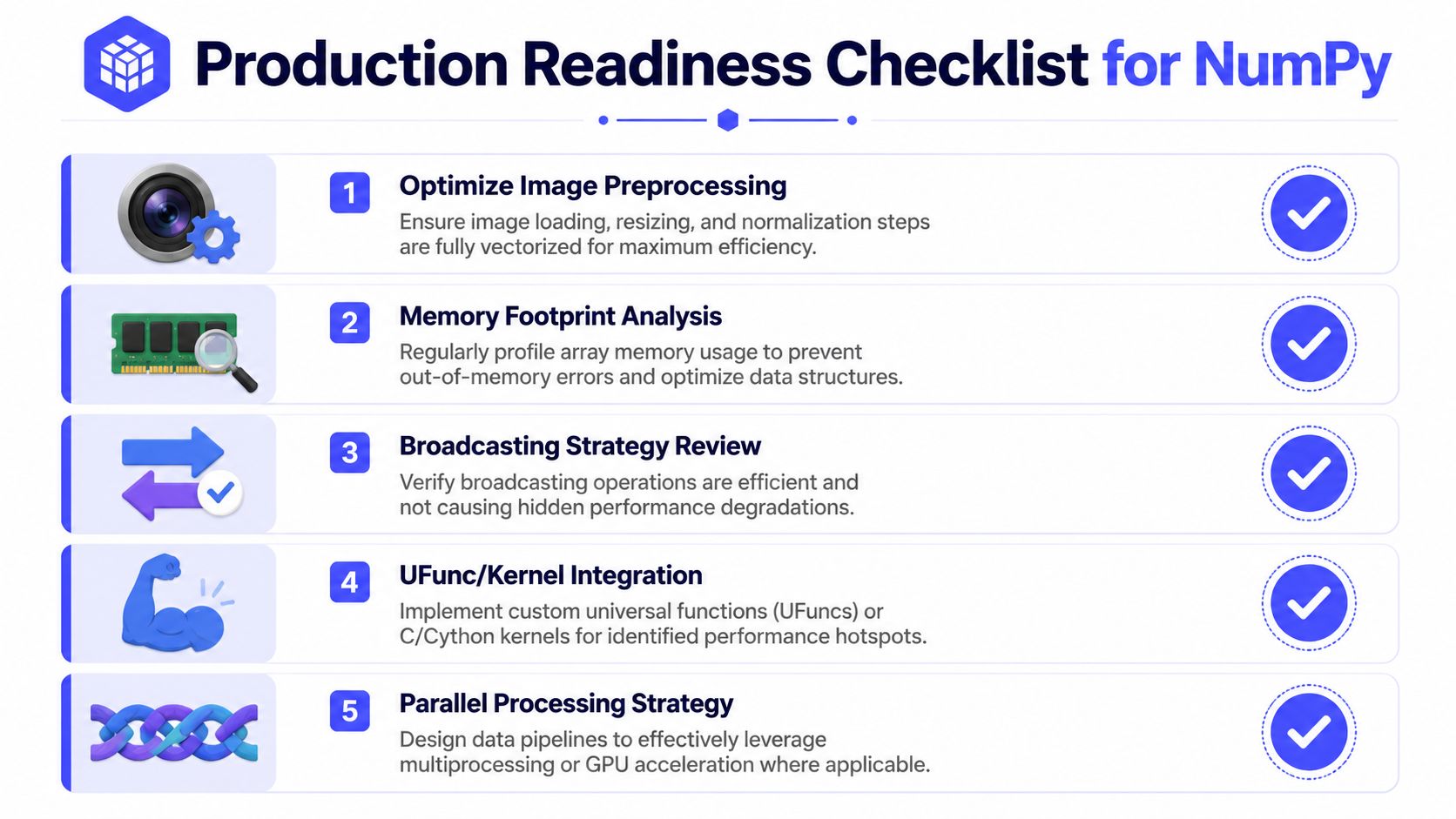
Production checklist for NumPy code reviews
Use this before merging any array-heavy pipeline change.
- Remove Python loops from hot paths: if the operation is element-wise, masking-based, or reducible, use NumPy primitives and measure the runtime difference.
- Check memory layout after transpose or reshape: inspect contiguity with
arr.flagsand confirm whether the next operation will read a view or trigger a copy. - Review cache efficiency on large matrices: prefer access patterns that walk contiguous memory, especially in repeated preprocessing and feature-generation jobs.
- Log or test shape transitions: assert shapes after reshape, slice, transpose, stack, and reduction.
- Review broadcasting costs: confirm the expression does not create large temporary arrays that inflate memory pressure during training or inference.
- Pin axis intent in tests: arrays with 3 or more dimensions should have named dimensions in comments or fixtures.
- Validate with tiny deterministic arrays: use hand-checkable values before benchmarking real data.
- Choose allocation strategy deliberately: use
np.emptyonly when every element will be overwritten, and usenp.zerosornp.oneswhen initialization state matters.
This checklist is simple on purpose. It catches the issues that slow training jobs, inflate inference latency, and create the kind of silent numerical bugs that are expensive to debug after deployment.
What to Do Next
If your team uses NumPy in any training or inference pipeline, the next step isn't another tutorial. It's an audit.
Start with these three moves this week:
Inspect one critical pipeline for Python loops. Pick the preprocessing or feature job that runs most often. Replace obvious loop-based math with vectorized operations and measure the difference.
Add a shape-and-axis review rule. For any array with 3 or more dimensions, require dimension labels, expected output shapes, and one deterministic unit test with a small array.
Profile memory behavior on your heaviest batch path. Look for transposes, slicing patterns, and broadcasting that may create hidden copies or poor cache access.
That work usually reveals whether you have a code-quality issue, a pipeline design issue, or a team capability issue. If array-heavy ML systems are already becoming a delivery bottleneck, the fix often requires engineers who've done this before in production.
The practical hiring signal is straightforward. You want engineers who can explain not just what np.mean(axis=...) does, but why the chosen axis matches the business entity, how broadcasting affects memory, and when array layout hurts latency.
For teams building AI products under deadline, that level of judgment shortens debugging cycles and reduces expensive mistakes.
If you need senior engineers who can optimize NumPy-heavy ML pipelines, harden preprocessing code, and improve training and inference performance without months of ramp-up, ThirstySprout can help. You can Start a Pilot, review vetted experts, or See Sample Profiles for talent in machine learning, MLOps, and data engineering who've shipped production AI systems.
Hire from the Top 1% Talent Network
Ready to accelerate your hiring or scale your company with our top-tier technical talent? Let's chat.