

TL;DR: Your Decision in 5 Bullets
- For AI/ML Teams: Start with Anaconda for development and experimentation. It accelerates setup, manages complex dependencies (like CUDA), and gets data scientists productive on day one.
- For Production CI/CD: Use standard Python (pip/venv) for deployment. This creates lean, secure, and fast-building Docker containers, reducing cloud costs and deployment times.
- The Core Difference: The choice is not Python vs. Anaconda, but its ecosystem. Anaconda's
condamanager handles Python and non-Python dependencies (e.g., C++ libraries). Standard Python'spiponly manages Python packages. - Key Trade-Off: Anaconda prioritizes developer velocity and a "batteries-included" setup. Standard Python prioritizes minimal footprint, control, and production efficiency.
- Recommended Action: Adopt a hybrid approach. Develop in Anaconda to move fast, then deploy with pip for lean, production-grade services.
Who This Guide Is For
- CTO / Head of Engineering: Deciding on a standard stack for your AI team that balances speed with long-term maintainability.
- Data Science / ML Lead: Choosing a toolchain to maximize your team's productivity and minimize time spent on environment setup.
- MLOps / DevOps Engineer: Architecting a reproducible pipeline for training and deploying models, from a developer's laptop to a production server.
- Founder / Product Lead: Understanding the technical trade-offs that impact project timelines and budget for new AI features.
The Quick Answer: A Framework for Choosing
You are not choosing between two programming languages. Python is the engine in both scenarios. The real decision is between Anaconda's all-in-one ecosystem and a custom-built Python setup using tools like pip and venv. This choice directly impacts your team's productivity, project velocity, and operational costs.
- Anaconda is a distribution. It bundles Python, its own package manager (
conda), and hundreds of pre-vetted scientific libraries into a single, ready-to-use environment optimized for data science. - Standard Python is a do-it-yourself approach. You start with a minimal installation and use
pip(the Python Package Index package manager) andvenv(a virtual environment tool) to build your environment piece by piece.
Use this decision tree to make the right call for your specific use case.
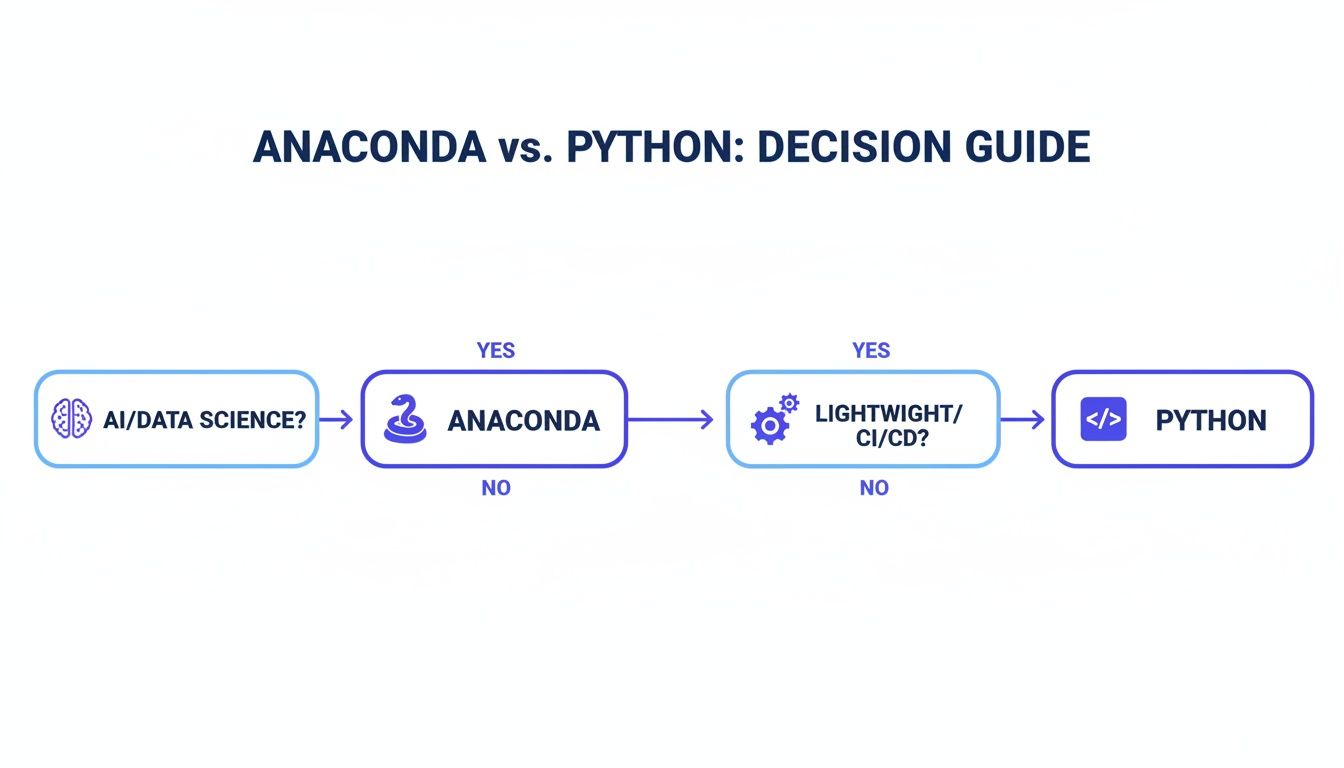
Alt text: Decision guide flowchart on choosing between Anaconda and Python. AI/Data Science points to Anaconda for its bundled ecosystem. CI/CD & Web Dev points to standard Python for its minimal footprint.
As the flowchart shows, if your primary goal is rapid AI/ML development, Anaconda is your best bet. If you are focused on deploying lean applications, a standard Python setup is the superior choice.
The core difference isn't the Python interpreter; it's the philosophy of dependency management.
condamanages everything, including non-Python binaries, in one holistic environment.pipfocuses solely on Python packages, leaving you to handle other system-level dependencies.
Practical Examples: Two Real-World Architectures
Theory is one thing, but the real test is production. Let's examine how this choice plays out in two common business scenarios.
Example 1: Startup Building a RAG System
Scenario: A Series A startup needs to build a Retrieval-Augmented Generation (RAG) system to reduce customer support tickets. The team consists of two data scientists and one DevOps engineer, and they need to show results within a quarter.
The Hybrid Architecture:
- Development (Data Scientists): The team uses Anaconda on their local machines. This allows them to immediately start experimenting with different vector databases, embedding models, and LLMs.
condahandles the complex dependencies, saving them days of setup and letting them focus on model performance. - Production (DevOps Engineer): For deployment, the application is packaged into a lightweight microservice using a slim Docker container. The DevOps engineer uses a
python:3.11-slimbase image and manages dependencies withpip. This creates a minimal, fast-building container (<200MB) that keeps CI/CD times short and cloud costs low.
Business Impact: This hybrid model provides the best of both worlds. The data scientists achieve maximum velocity during the critical R&D phase, while the final production artifact is lean, secure, and cost-effective.
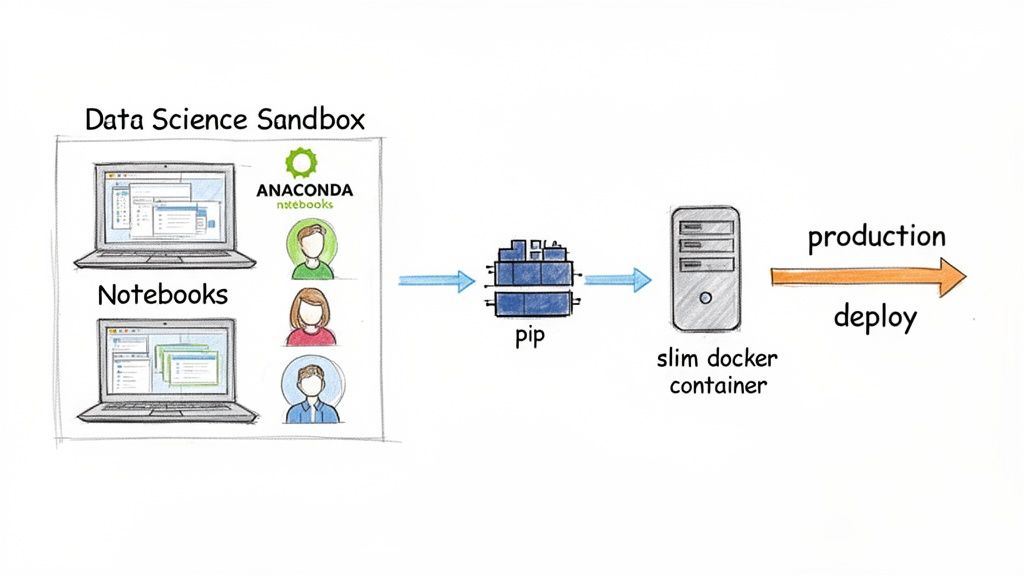
Alt text: Diagram showing a data science workflow. It starts with a data scientist using Anaconda in a development sandbox, then hands off to an MLOps engineer who deploys the model in a slim Docker container using pip for production.
Example 2: Enterprise MLOps Platform for Reproducibility
Scenario: A large, regulated enterprise has an established MLOps platform using tools like MLflow. The top priority is ensuring models can be reliably retrained and audited years later for compliance.
The Conda-Centric Architecture:
- Standardized Training Environments: The MLOps team mandates that all model training jobs must be defined using Conda environments. MLflow's native integration allows them to automatically log the
environment.ymlfile with each model artifact. - Guaranteed Retraining: Three years later, a regulator requests an audit, or a model needs to be retrained due to drift. An engineer pulls the exact
environment.ymlfrom the model registry and runsconda env create -f environment.yml. This instantly reconstructs the precise environment used for the original training, including the Python version and all binary dependencies like CUDA.
Business Impact: The strict standardization with Conda eliminates the "it worked on my machine" problem and dramatically reduces operational risk. While the environments are larger, the ironclad reproducibility is a non-negotiable requirement for governance and long-term maintenance. This approach is fundamental to building robust ETL with Python pipelines at scale.
Deep Dive: Key Trade-Offs for Technical Leaders
The "Anaconda vs. Python" debate boils down to a few critical trade-offs that directly affect your team's workflow, project reliability, and budget.
Package & Environment Management: Conda vs. Pip + Venv
This is the most important distinction. How you manage packages defines your daily workflow and reproducibility.
| Feature | Conda (Anaconda) | Pip + Venv (Standard Python) | Impact for AI Teams |
|---|---|---|---|
| Package Scope | Language-agnostic (Python, R, C++, etc.) | Python packages only | High. Conda simplifies installing complex non-Python dependencies like CUDA and MKL. With pip, this is a manual, error-prone process. |
| Dependency Resolution | Sophisticated SAT solver; checks all dependencies upfront | Linear installer; resolves dependencies one by one | High. Conda prevents "dependency hell" by ensuring a compatible environment from the start. Pip can fail mid-install, causing significant delays. |
| Reproducibility | environment.yml captures Python version, channels, and all dependencies | requirements.txt captures Python packages only | High. Conda environments are far more reproducible across different operating systems. Pip environments often break due to missing system-level dependencies. |
| Tooling | Single tool (conda) for package and environment management | Two separate tools (pip for packages, venv for environments) | Low. A minor workflow difference, but Conda's single-tool approach is often more intuitive for data science teams. |
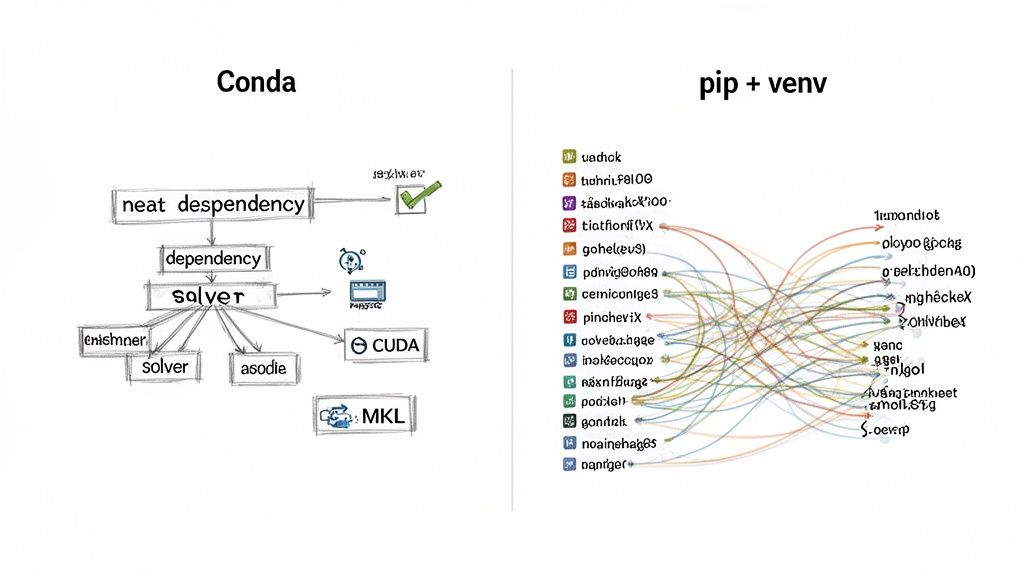
Alt text: Comparison of dependency management. Conda's dependency graph is shown as a neat, clear flow. The pip + venv graph is a complex, tangled web, illustrating the difficulty of managing dependencies manually.
Performance and Production Footprint
For AI workloads, performance often depends on optimized binary libraries.
- Anaconda Performance: Anaconda's packages (like NumPy, SciPy) are often compiled against high-performance libraries like the Intel Math Kernel Library (MKL). This can result in significant speedups for linear algebra operations out of the box.
- Production Footprint: This performance comes at a cost. A base Conda environment can exceed 500 MB, leading to bloated Docker images. A minimal Python environment built with
pipcan be under 100 MB, making it ideal for production. A large container image is a tax on everything: it increases storage costs, slows down CI/CD pipelines, and can worsen cold-start times.
This is why the hybrid approach is so effective—it aligns the tool with the job. You can explore more on this in our guide to MLOps best practices.
Security and Commercial Licensing
When you run pip install, you pull packages from the public Python Package Index (PyPI). You are responsible for vetting the security and license of every package.
Anaconda acts as a gatekeeper, vetting packages in its default repositories. This provides a baseline of trust. However, this comes with a critical business consideration: commercial licensing.
While Anaconda's Individual Edition is free, its Terms of Service require organizations with more than 200 employees to purchase a commercial license. This is a non-negotiable compliance point. Ignoring it exposes your company to legal and financial risk.
Decision Checklist: Anaconda vs. Standard Python
Use this checklist with your team to make a practical, informed decision.
1. Team Profile & Skills
- Is your team primarily data scientists/analysts? Lean towards Anaconda. It minimizes setup friction and maximizes their time for analysis.
- Is your team experienced DevOps/Software Engineers? They will likely prefer the control and minimalism of Standard Python (pip/venv).
- Are you onboarding junior data talent? Anaconda provides a gentler learning curve and accelerates their time-to-contribution.
2. Project & Infrastructure Requirements
- Do you rely on complex non-Python binaries (CUDA, cuDNN, etc.)? Anaconda is the clear winner for managing these dependencies automatically.
- Is a minimal Docker image size (<200MB) and fast CI/CD a priority? Choose Standard Python for your production environment.
- Is ironclad reproducibility across different operating systems a must-have? Anaconda's
environment.ymloffers stronger guarantees than arequirements.txtfile alone.
3. Business & Operational Constraints
- Does your company have over 200 employees? If yes, you must budget for an Anaconda Commercial Edition license.
- Is out-of-the-box performance for heavy numerical tasks critical? Anaconda's MKL-optimized libraries often provide a speed advantage.
- What is the business impact if a production environment fails? For mission-critical services, favor the explicit control and auditability of a pip-based production environment.
What to Do Next
- Assess Your Current Stack: Use the checklist above to evaluate if your current setup is optimized for both development speed and production stability.
- Define Your Team's Standard: Based on your assessment, formally document your team's approach. If you choose a hybrid model, clearly define the handoff process from development (Conda) to production (pip). For more on Python's evolving role, read our analysis on the future of Python.
- Build a Stronger Team: The right tools are only half the battle. You need expert talent to build, deploy, and maintain your AI systems.
Ready to build your AI team with vetted, production-ready experts? ThirstySprout helps you hire senior AI and ML engineers in days, not months. Start a Pilot today.
Hire from the Top 1% Talent Network
Ready to accelerate your hiring or scale your company with our top-tier technical talent? Let's chat.