

Your platform team has this problem already. Application configs arrive as JSON from APIs, templates, or internal tooling, but the files your engineers review, diff, and deploy work better as YAML. The friction shows up in pull requests, late-night fixes, and brittle release pipelines.
For AI and MLOps teams, this gets worse fast. Model serving configs, Kubernetes manifests, data pipeline settings, and infrastructure definitions all become harder to reason about when every change is buried inside dense JSON. Converting json to yaml is not a formatting preference. It is a configuration management decision that affects readability, automation, and production safety.
The Operator's TL;DR on JSON to YAML Conversion
If you want one recommendation, use YAML for human-managed configuration and use scriptable conversion tools for anything that touches production. That means command-line tools such as yq for pipeline work, and libraries such as PyYAML or js-yaml when you need application logic, validation hooks, or custom transforms.
Three actions matter most:
- Standardize where humans edit configs: Keep source-of-truth configuration in YAML when engineers need to read, review, and troubleshoot it often. JSON is fine for machine exchange. YAML is better for pull requests, runbooks, and shared ownership across remote teams.
- Automate every conversion that reaches deployment: If any system still emits JSON, convert it in CI/CD rather than by hand. Manual conversion introduces drift, inconsistent formatting, and review overhead.
- Validate after conversion, every time: A valid-looking YAML file can still break your deployment if spacing, quoting, or edge-case values are wrong. Treat conversion as a build step, not as a copy-paste task.
This matters most for CTOs, MLOps leads, platform engineers, and staff engineers managing multiple services and environments. The common pattern is easy to spot. One team stores infra templates in JSON, another exports model settings in JSON, and Kubernetes or deployment tooling expects YAML. Soon, people maintain both formats by hand. That creates duplicated effort and hidden risk.
The practical answer is not “convert everything immediately.” It is to choose a clear operating model:
- Humans review YAML.
- Systems may emit JSON.
- Pipelines perform conversion.
- Validation blocks bad output before release.
If engineers debate file format in every repo, a key problem is missing workflow standards.
Choosing Your JSON to YAML Conversion Method
The right json to yaml method depends on where the conversion happens and who owns it. A staff engineer doing one local migration needs something different from a platform team supporting many repositories.
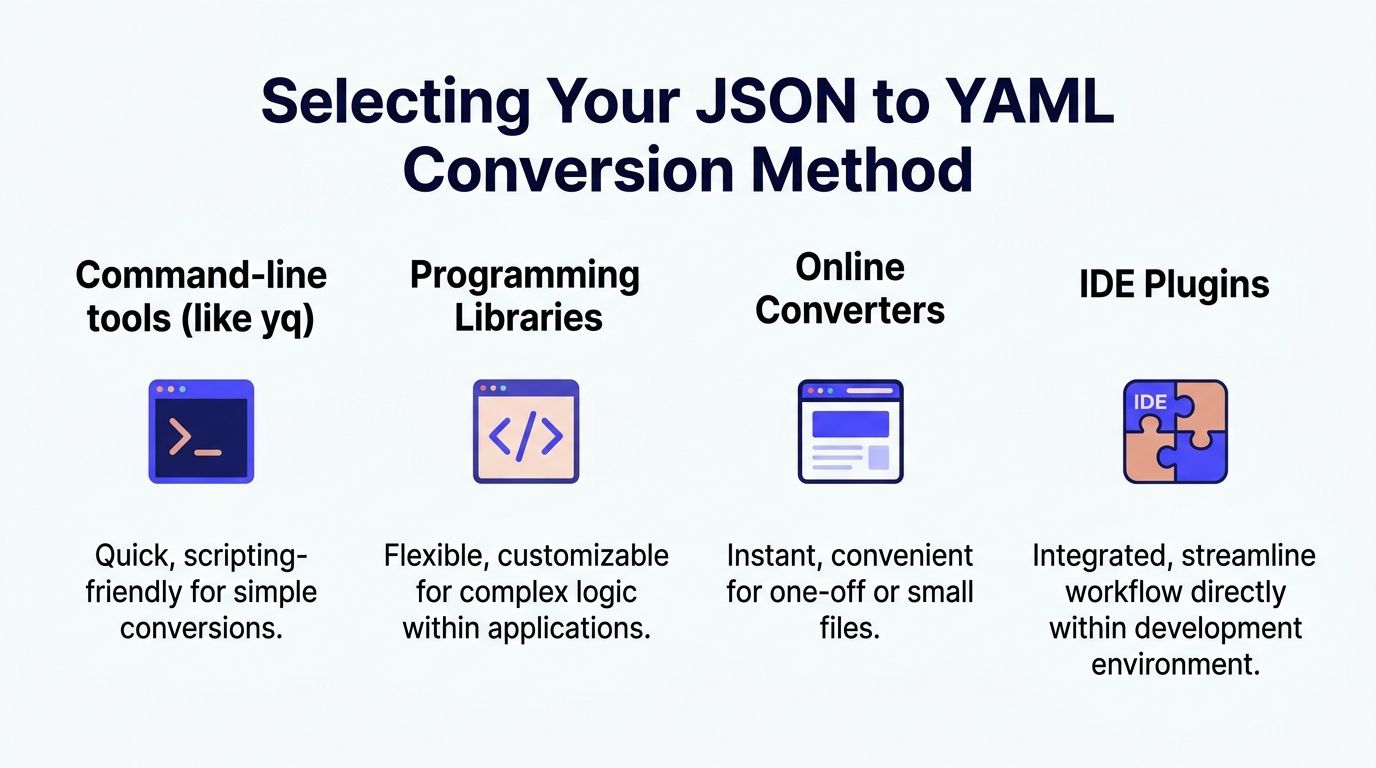
Command-line tools for pipeline-first teams
If your goal is repeatable automation, start with a command-line tool such as yq. It fits naturally into shell scripts, CI runners, pre-commit hooks, and release jobs.
This approach works well when:
- You need scriptability: Batch conversion, file discovery, and validation steps belong in one job.
- Your teams already use CI/CD heavily: Platform engineers can standardize one command across repositories.
- You want low ceremony: No app code changes. No custom service required.
The downside is limited business logic. Once you need schema-aware transforms, field-level normalization, or custom quoting rules, shell scripts can get messy.
Programming libraries for complex or embedded workflows
If conversion is part of a product workflow or internal platform, use a library. PyYAML is a practical choice in Python-heavy stacks. In Node.js environments, js-yaml has numerous weekly npm downloads as of 2023 and ensures high structural fidelity during conversion, which matters when configs feed Kubernetes workloads. The same source notes that Kubernetes is used by 71% of enterprises in the 2023 CNCF survey, so even small discrepancies can break deployment assumptions (He3 Toolbox on json to yaml conversion).
Libraries are the better fit when:
| Method | Best for | Strength | Main limitation |
|---|---|---|---|
| Command-line tools | CI jobs, quick batch conversion | Simple automation | Harder to customize extensively |
| Programming libraries | Internal tooling, custom transforms | Fine-grained control | More engineering effort |
| Online converters | One-off tests, tiny files | Fast and convenient | Poor fit for production and security-sensitive work |
| IDE plugins | Local developer workflow | Low friction editing | Not a deployment standard |
A short example in Node.js:
const yaml = require('js-yaml');const jsonData = {service: "inference-api",replicas: 2,env: ["MODEL=prod", "LOG_LEVEL=info"]};const output = yaml.dump(jsonData);console.log(output);That gives you room to add tests, enforce conventions, and integrate conversion into existing tooling.
Online converters for testing, not policy
Online tools are useful when an engineer wants to inspect a simple file, confirm formatting, or teach a teammate what the output should look like. They are not where I would anchor a team standard for production configuration.
The trade-offs are straightforward:
- Good for speed: Immediate output, no install step.
- Bad for security posture: Sensitive config should not leave controlled systems.
- Weak for large or tricky files: They fall short when nested structures or enterprise workflow controls matter.
If a team needs a quick primer before implementing automation, this flawless JSON to YAML conversion guide is a useful lightweight walkthrough. Use that kind of resource for orientation, then move the core process into code or CI.
IDE plugins for local convenience
IDE extensions help developers preview or transform files without leaving the editor. That is useful during migrations or for local experimentation.
They are still a convenience layer, not a governance layer. A CTO should not rely on editor plugins to enforce consistency across repos, contractors, and deployment environments. If the workflow only works when someone clicks the right plugin button, it will drift.
A practical decision rule
Use this simple rule set:
- Pick
yqwhen the main goal is repeatable conversion in scripts and CI. - Pick PyYAML or js-yaml when conversion needs custom logic or must live inside an application or platform service.
- Use online tools only for low-risk experimentation.
- Let IDE plugins help individual developers, but never make them the core process.
The best conversion method is the one your platform team can audit, version, and rerun without asking who did it manually last time.
Practical Examples for AI and MLOps Teams
The fastest way to judge json to yaml is to look at where it changes operations, not syntax. Two patterns come up constantly in AI infrastructure. Infrastructure-as-code maintained by multiple engineers, and machine-generated JSON that must become deployment-safe YAML.
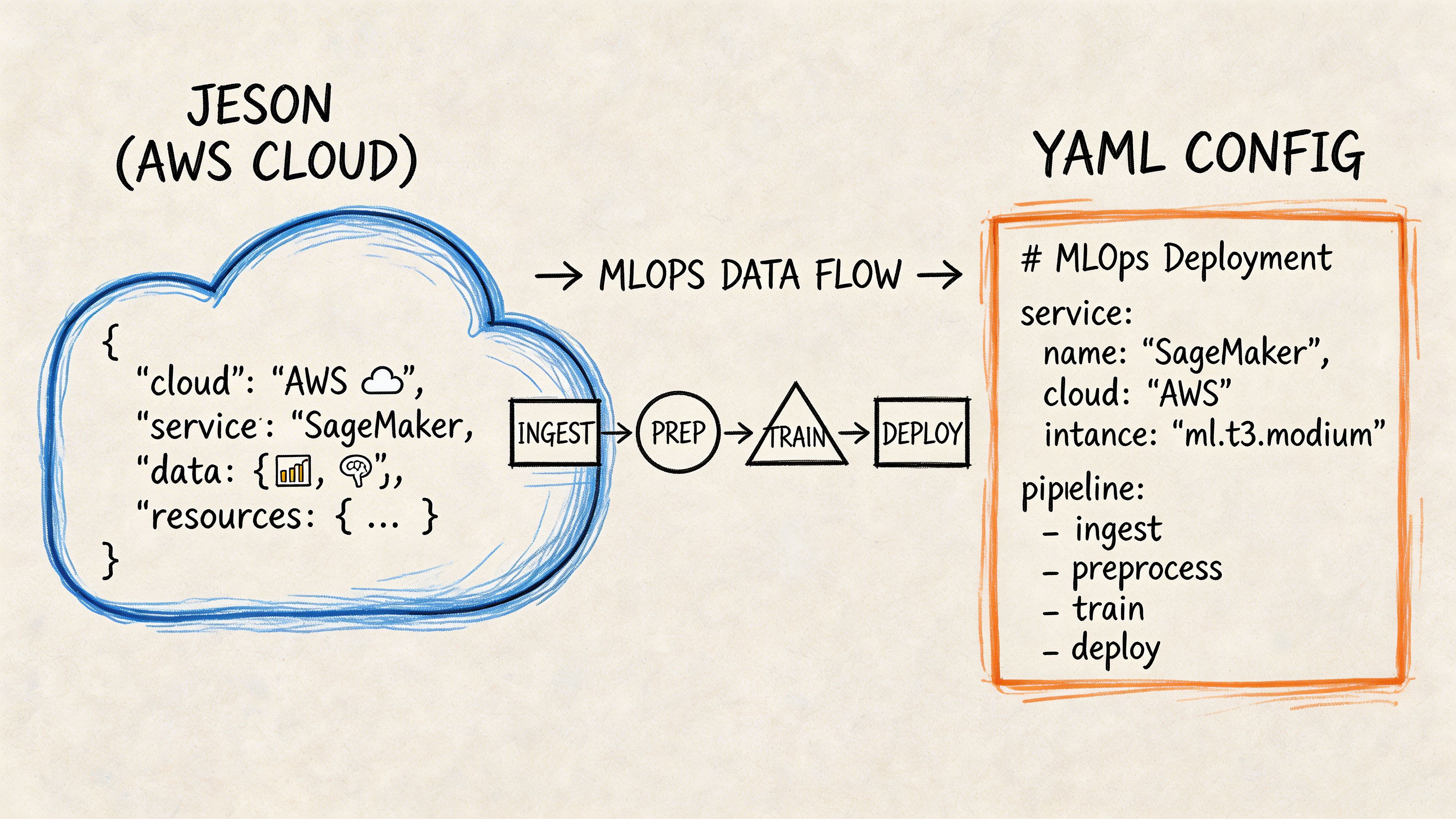
Example one with AWS CloudFormation
A common issue in growing teams is legacy CloudFormation written in JSON. It is valid, but hard to review when templates span many resources and multiple engineers maintain them across environments.
AWS gives a concrete reason to convert. In CloudFormation, moving from JSON to YAML can produce a 19% reduction in file size, from 1200 characters to 972 characters for identical functionality in AWS’s example, and that matters because the template body size limit is 51,200 bytes (AWS CloudFormation YAML guidance). AWS introduced YAML support on February 28, 2016, and by 2020 YAML comprised over 60% of public CloudFormation templates on GitHub in the cited discussion.
A simplified JSON template looks like this:
{"Resources": {"AppBucket": {"Type": "AWS::S3::Bucket","Properties": {"BucketName": "ml-artifacts-prod"}}}}The YAML version is easier to scan:
Resources:AppBucket:Type: AWS::S3::BucketProperties:BucketName: ml-artifacts-prodThe improvement is not cosmetic. A remote engineer reviewing this in a pull request can spot hierarchy faster. During an incident, indentation makes the shape of the template obvious. Teams also avoid splitting stacks prematurely just to stay within body-size constraints.
That matters when CloudFormation templates define more than buckets or instances. In AI platforms, they often describe data pipelines, permissions, networking, and compute layers around training or inference systems. If your team is tightening deployment discipline, the operating patterns in these MLOps best practices align well with treating readable infrastructure config as part of reliability engineering.
What changed operationally
The before-and-after usually looks like this:
- Before: reviewers focus on punctuation, braces, and nesting errors.
- After: reviewers focus on intent, drift, and unsafe changes.
- Business effect: faster review quality and less confusion across distributed teams.
Example two with model configuration flowing into Kubernetes
A second pattern appears when internal systems or model APIs return JSON, but deployment targets expect YAML. The clean move is to preserve JSON as machine output and generate YAML automatically for the cluster.
Imagine an internal service emits model settings like this:
{"model_name": "fraud-detector","stage": "production","threshold": "0.82","features": ["device_id", "txn_velocity", "geo_score"]}An MLOps pipeline can transform that into a Kubernetes ConfigMap:
apiVersion: v1kind: ConfigMapmetadata:name: fraud-detector-configdata:model_name: "fraud-detector"stage: "production"threshold: "0.82"features: |- device_id- txn_velocity- geo_scoreAt this stage, teams often make an avoidable mistake. They let someone copy values by hand into deployment YAML. That works until the JSON changes and the YAML does not. Once the process is automated, the deployment artifact becomes reproducible.
A mini workflow that holds up
A practical pattern looks like this:
- Generate JSON from the upstream system.
- Run a conversion script in CI.
- Validate the YAML output before deployment.
- Store the generated YAML artifact or deploy it directly.
This is especially useful when you support separate development, staging, and production environments with different runtime parameters.
For AI systems, consistency beats cleverness. A boring conversion step in CI is safer than a smart engineer editing YAML by memory.
Example three with configuration handoff across teams
One more real-world scenario is less technical and more organizational. Data scientists may define experiment or serving parameters in JSON because that is what notebook tooling or internal APIs emit. Platform engineers then need YAML for Kubernetes, Helm, or GitOps workflows.
A lightweight handoff pattern solves this:
| Team | Preferred working format | Why |
|---|---|---|
| Data science | JSON | Easy to emit from scripts and APIs |
| Platform engineering | YAML | Easier review, diffs, and operational maintenance |
| CI/CD | Both | JSON in, YAML out, validation in the middle |
That separation reduces format arguments. Each team uses what matches its workflow, while the pipeline enforces consistency at the boundary.
Avoiding Common Pitfalls and Data Corruption
Most json to yaml failures do not look dramatic. The file converts. The syntax looks plausible. The deploy still breaks.
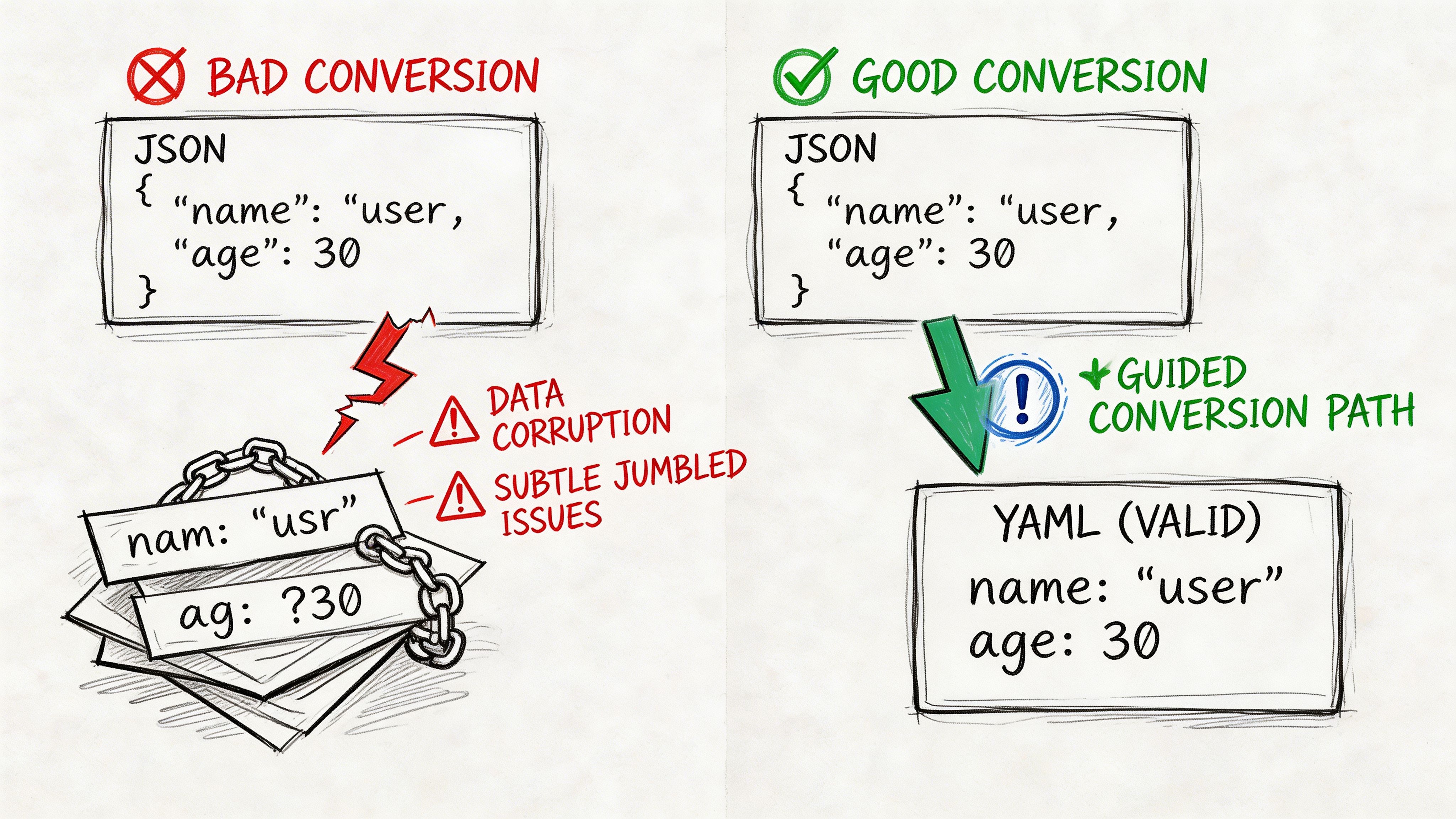
Spacing breaks structure
YAML depends on spaces to express hierarchy. Extra or missing spaces are a primary cause of parsing failures, and special characters that do not need escaping in JSON may require quotes in YAML, creating silent corruption risk if the tool handles them poorly (Blanmo on JSON to YAML basics).
Bad output:
model:name: fraud-detectorstage: productionCorrect output:
model:name: fraud-detectorstage: productionThe first example is the kind of mistake that slips through when someone edits generated YAML by hand.
Quoting is not optional for edge-case values
Some values should be quoted deliberately, especially when they contain symbols, look like booleans, or must remain strings for downstream systems.
Risky YAML:
feature_flag: offservice_tag: prod:blueSafer YAML:
feature_flag: "off"service_tag: "prod:blue"In production, the issue is not whether a human can guess the intended value. The issue is whether every parser in the toolchain reads it the same way.
Large and nested files hide mistakes
Minor formatting errors get harder to spot as files grow. This is true in AI infrastructure where nested config objects can describe model parameters, resource settings, feature flags, and rollout rules in one artifact.
A practical defense is to validate after conversion, not just before deployment.
A simple review pattern that catches problems
Use a short checklist during code review:
- Inspect indentation levels: Deep nesting is where spacing errors hide.
- Check quoted values: Strings with symbols or ambiguous literals deserve attention.
- Compare structure, not appearance: The converted YAML should represent the same data model as the source JSON.
- Block manual edits to generated files: If the file is generated, say so clearly in the repo.
Generated YAML should be treated like a build artifact. If engineers edit it, structural drift becomes inevitable.
What does not work well
A few habits create repeat incidents:
- Relying on copy-paste conversion during release windows.
- Letting each team use a different converter with different defaults.
- Reviewing only visual formatting and skipping structural validation.
- Treating online converters as acceptable for sensitive production config.
If your deployment chain is strict, your conversion chain must be strict too.
Automating Conversion in Your CI/CD Pipeline
The cleanest json to yaml workflow is the one engineers do not have to remember. A documented automation pattern shows teams committing JSON changes, triggering conversion scripts in CI/CD, and deploying after the system transforms the files to YAML. The same guidance stresses post-conversion validation with diff tools to protect data integrity and prevent deployment errors (Disbug guide to automated conversion workflows).
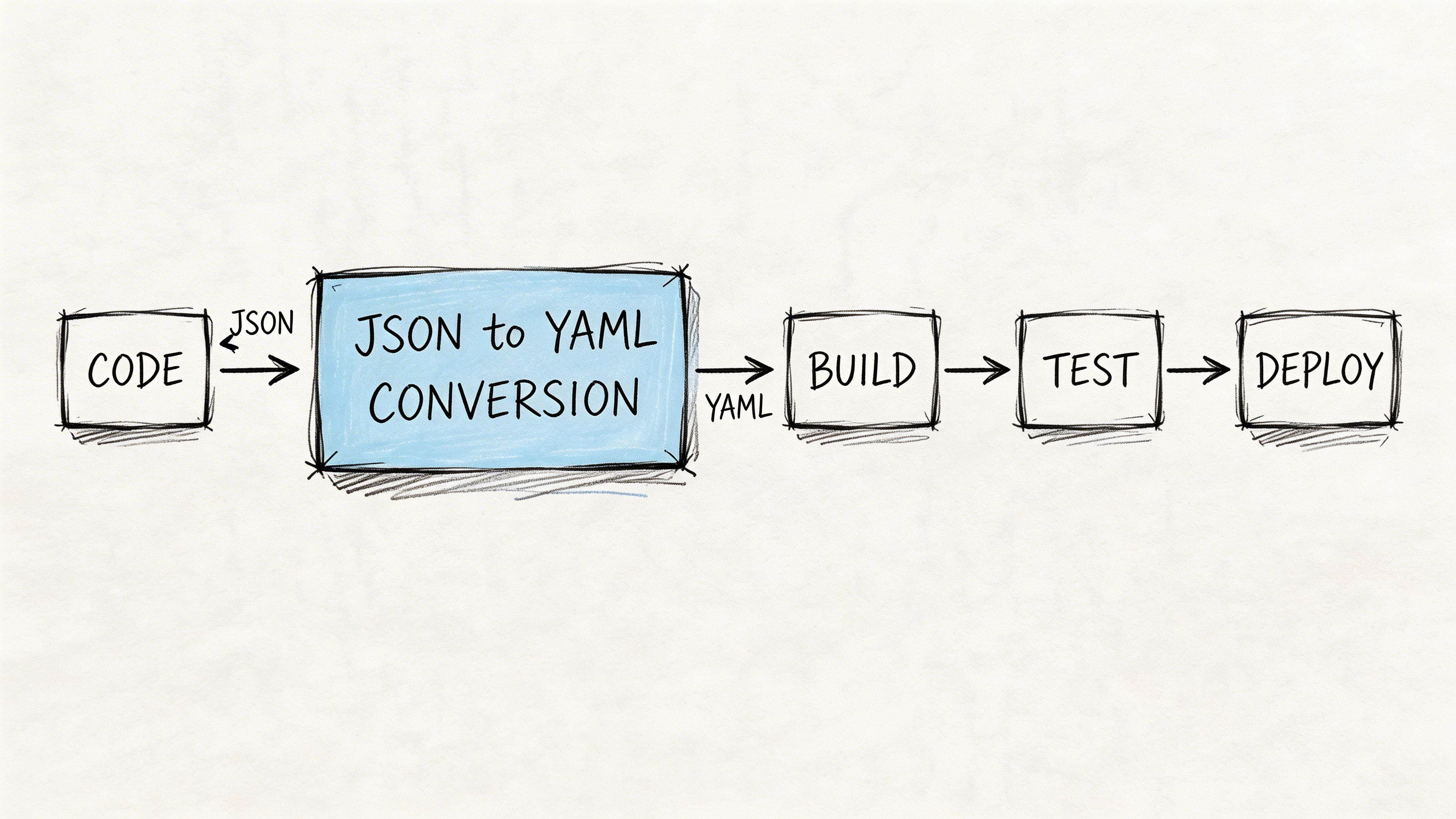
A GitHub Actions workflow you can start with
This pattern works well for repositories where application teams commit JSON config and deployment systems consume YAML.
name: Convert JSON to YAMLon:push:paths:- 'configs/**/*.json'pull_request:paths:- 'configs/**/*.json'jobs:convert-and-validate:runs-on: ubuntu-lateststeps:- name: Check out repositoryuses: actions/checkout@v4- name: Install yqrun: |sudo wget -O /usr/local/bin/yq https://github.com/mikefarah/yq/releases/latest/download/yq_linux_amd64sudo chmod +x /usr/local/bin/yq- name: Convert JSON files to YAMLrun: |mkdir -p renderedfind configs -name '*.json' | while read file; doout="rendered/$(basename "${file%.json}.yaml")"yq -P '.' "$file" > "$out"done- name: Validate generated YAMLrun: |for file in rendered/*.yaml; doyq e '.' "$file" >/dev/nulldone- name: Show diff against source-controlled rendered filesrun: |git diff --no-index, rendered expected-rendered || true- name: Deployrun: echo "Deployment step goes here"Why each step matters
The workflow is simple, but each step protects something important.
- Checkout keeps the run auditable: The exact repo state becomes the source of truth.
- Tool installation standardizes behavior: Every run uses the same converter in the same environment.
- Conversion in CI removes manual drift: Developers no longer generate files differently on different machines.
- Validation fails fast: Broken YAML never reaches the deploy stage.
- Diffing catches semantic surprises; a rendered artifact that changed unexpectedly gets reviewed before rollout.
Teams working heavily in remote cloud environments often fold this into broader platform conventions like branch protections, artifact retention, and deployment promotion. If your engineering org is tightening those controls, this practical guide on developing in the cloud is a useful companion for shaping the surrounding workflow.
Add regression thinking, not just syntax checks
Syntax validation is necessary, but not enough. If a config shape changes unexpectedly, your YAML may still parse while the application behavior changes. In such cases, CI teams often borrow ideas from API regression workflows. For example, the thinking behind a regression testing API for CI/CD integration is useful even outside API monitoring. The principle is the same. Validate that the output remains structurally and behaviorally acceptable, going beyond basic well-formedness.
A short explainer can help align teams before rollout:
Operating rules for production teams
Keep the rules tight:
- Version-control the conversion script.
- Run conversion on every relevant commit.
- Validate output before deploy.
- Treat generated YAML as disposable and reproducible.
- Escalate to programmatic libraries when shell logic becomes fragile.
That gives you a process an auditor, a new hire, and an on-call engineer can all understand.
The Production Readiness Checklist
A json to yaml workflow is production-ready when it reduces risk instead of moving it around. This checklist is less about formatting and more about operational control.
Use this as a go-live gate
- Tool choice is justified: You can explain why the team uses
yq, PyYAML, js-yaml, or another method based on automation, control, and security, not habit. - Scripts live in version control: Conversion logic is reviewed like application code. If it changes, the team sees the diff.
- Validation is automatic: Every conversion run includes a parser check and a structure check before deployment proceeds.
- Edge cases have test fixtures: You have sample inputs for special characters, quoted strings, nested objects, and environment-specific values.
- Generated artifacts have ownership rules: Engineers know whether YAML is committed, rendered in CI, or both.
Check scale before you standardize
For MLOps leads, large files are where weak tooling shows up. Public benchmarks for online converters are absent, so a key readiness test is whether your workflow handles batch conversion and nested JSON structures of 5+ levels without becoming a bottleneck (jsonyaml.com on large-scale conversion limits).
That point matters more than teams expect. AI configs are not single, tiny files. They spread across services, environments, and deployment targets.
If your repos already need stronger governance around artifact generation and review, align this work with your broader source code management standards. Conversion should fit the repo model you already trust.
A conversion workflow is ready when a different engineer can rerun it tomorrow and get the same result without asking for tribal knowledge.
Next Steps to Master Your Configuration Workflow
You do not need a full platform rewrite to improve json to yaml operations. Organizations can make meaningful progress in two weeks if they keep the scope narrow.
Step one audit where JSON creates friction
Scan your repositories for files that humans read often but machines primarily generated. CloudFormation templates, Kubernetes-related config sources, and environment manifests are common candidates.
Good audit questions:
- Which JSON files create noisy pull requests?
- Which ones engineers regularly copy into YAML by hand?
- Where does configuration drift show up between environments?
- Which files affect deployment reliability most directly?
Start with pain, not volume. One ugly repo that causes release risk is a better first target than a dozen harmless files.
Step two run one controlled pilot
Pick a non-critical service in development or staging. Use one conversion method, automate it in CI, and define what “good” means before you start.
A useful pilot definition includes:
- one owning team
- one repo
- one deployment target
- one validation path
- one rollback plan
This keeps the learning tight. You are not proving that YAML is universally better. You are proving that your team can standardize conversion safely.
Step three set policy after the pilot, not before it
Once the pilot works, document a lightweight standard:
| Decision area | Recommended default |
|---|---|
| Human-edited config | YAML |
| Machine exchange format | JSON is acceptable |
| Production conversion | Automated in CI/CD |
| Validation | Required before deploy |
| Exception handling | Library-based logic for complex transforms |
Then assign ownership. Someone on platform engineering or MLOps should own the converter, the validation rules, and the rollout pattern across repos.
The outcome you want is simple. Engineers stop debating format in the middle of releases. Reviewers get readable configs. Deployments use validated artifacts. On-call teams inherit a system they can trust.
If your team needs senior help designing that workflow, ThirstySprout can connect you with vetted MLOps and AI infrastructure engineers who have built production CI/CD, Kubernetes, and configuration management systems for fast-moving SaaS and AI teams. You can start a pilot, tighten your deployment process, and give your remote team a cleaner operating model without spending months hiring.
Hire from the Top 1% Talent Network
Ready to accelerate your hiring or scale your company with our top-tier technical talent? Let's chat.