

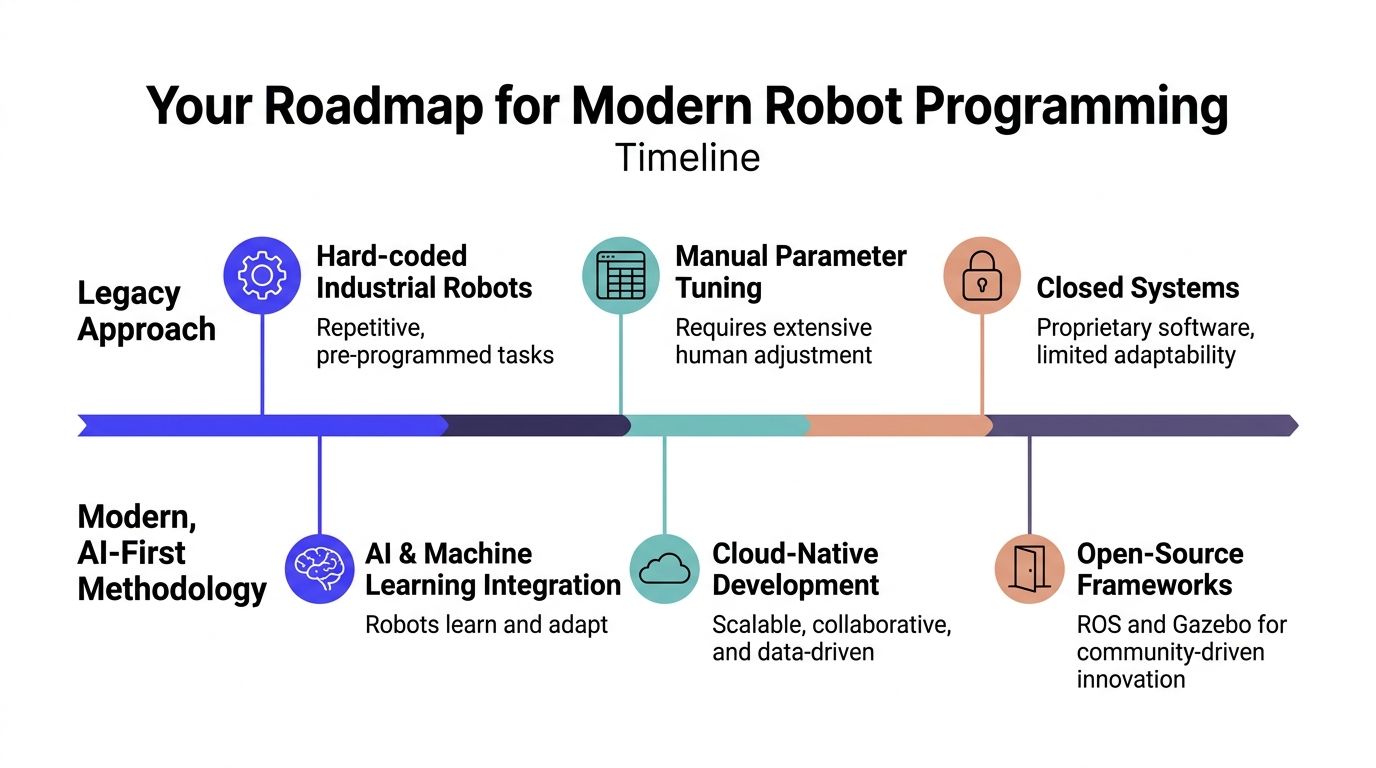
Most advice on how to program robots is still stuck in the teach-pendant era. It assumes your problem is an industrial arm repeating the same path, inside a stable cell, with a human tuning every parameter by hand.
That advice breaks fast when you're building a modern product. The moment you add cameras, changing environments, autonomy, or multiple robots, the problem stops being “write motion commands” and becomes “build a software system that senses, plans, fails safely, and keeps improving.”
For a CTO, that changes the roadmap. You’re not choosing only a robot. You’re choosing an architecture, a validation process, and a hiring plan.
Your Roadmap for Modern Robot Programming
TL;DR
- Start with ROS 2, simulation, and a narrow task definition, not custom code tied directly to hardware.
- Treat robot programming as a full-stack engineering problem. Perception, planning, control, testing, and safety all matter.
- Skip the old assumption that every robot needs a perfect hand-built model first. For novel robots, vision-based approaches are becoming strategically important, and research cited in this space says they can cut modeling time by 70%, while less than 1% of top search results address the topic well (vision-based robot modeling gap).
- Build for deployment from day one. Logging, replay, simulation, and rollback matter more than flashy demos.
- Hire engineers who’ve handled ugly production failures, not just polished lab demos.
Who this fits
This approach is for:
- CTOs and founders buying their first robotics platform
- Engineering leads moving from prototype to field deployment
- AI teams that know machine learning, but haven’t yet built real-time robot systems
- Product leaders who need autonomy without betting the company on a brittle demo
The modern roadmap
The practical sequence looks different from the legacy one.
| Approach | What teams do first | What usually happens |
|---|---|---|
| Legacy path | Buy hardware, write direct control code, tune manually | Progress looks fast, then stalls on integration and field failures |
| AI-first path | Define task, build simulation loop, standardize interfaces, add perception and planning | Slower first week, better odds of getting to production |
The roadmap I recommend has five phases.
Constrain the task
Pick one job with a measurable end state. “Autonomous warehouse robot” is too broad. “Drive from docking station to rack position while avoiding dynamic obstacles” is workable.
Standardize the interfaces
Treat every sensor, actuator, and model as a component behind a clean interface. That discipline matters later when cameras, compute modules, or planners change.
Simulate before you touch the floor
Teams save time when they test behavior in Gazebo or a similar simulator before burning cycles on hardware debugging.
Add intelligence only where it pays
Use machine learning for perception, adaptation, or modeling where rules fail. Don’t force AI into every layer.
Operationalize the stack
Add logs, replay tools, health checks, safety constraints, and versioning before the first real deployment.
Practical rule: If your robotics code can’t be replayed from logs, you don’t yet have a software product. You have a demo.
The business trade-off
Graphical tools are still useful for first exposure, but they don’t carry a team very far. Modern robotics programs need software practices that survive staff changes, hardware revisions, and real-world noise.
That’s why I’d push an engineering leader toward architecture reviews and repository planning early. A good primer on codebase-aware AI planning is relevant here because robotics projects fail in the same way other complex systems fail. Teams let the codebase drift away from the actual architecture, then every new feature becomes slower and riskier.
If you want a durable robotics function, program the robot last. Program the system first.
Set Up Your Robotics Development Environment
The first stack decision is simple. Build on tools your future hires already know.
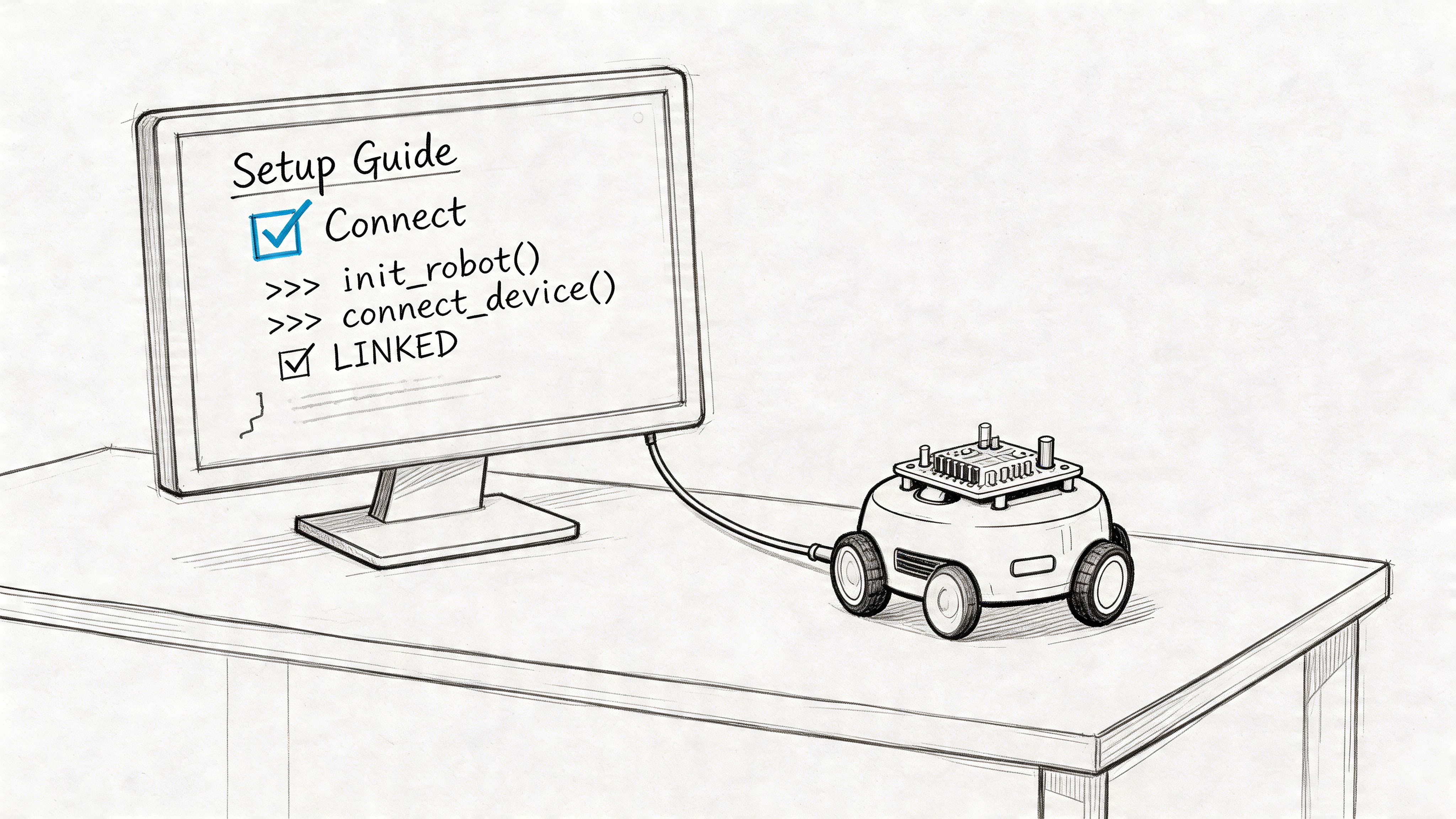
The broader programmable robots market is projected to reach USD 5.55 billion in 2026, and while graphical interfaces still hold a large share, ROS-based stacks are growing at 16.88% CAGR as universities and industry move toward a production-grade standard (programmable robots market and ROS growth). That’s the strongest practical reason to standardize on Robot Operating System 2 (ROS 2) for a new team.
What to buy and install first
You don’t need a huge lab to start. You do need consistency.
A basic starter setup usually includes:
- A Linux development machine with enough headroom to run ROS 2, simulation, and vision workloads at the same time
- One mobile robot platform or dev kit with decent documentation
- A depth camera or LiDAR, depending on the environment and use case
- ROS 2
- Gazebo or another simulator
- Python and C++ toolchains
- Version control, issue tracking, and log storage
If your team is still standardizing Python environments, it’s worth getting that discipline right early. This comparison of Anaconda vs Python is useful when you’re deciding how to keep robotics, ML, and simulation dependencies from turning into a mess across laptops and CI.
Why ROS 2 wins for serious teams
ROS 2 isn’t the easiest way to make a robot twitch. It is one of the best ways to build something your team can maintain.
Use it because it gives you:
- Message passing between components
- Reusable packages for common robotics problems
- A standard mental model for publishers, subscribers, services, actions, and transforms
- A hiring advantage, because experienced robotics engineers usually know the ecosystem
Use something simpler only if the robot is a toy, the task is fixed, and nobody plans to scale the codebase.
Teams get into trouble when they treat ROS 2 as “extra complexity.” In practice, it’s often the complexity already present in the robot, made visible.
A starter workspace example
A clean repository beats a clever one. Keep your first workspace boring.
robot-stack/src/robot_bringup/robot_description/robot_control/robot_perception/robot_navigation/robot_interfaces/config/launch/tests/logs/A minimal ROS 2 package layout for robot_control might look like this:
# robot_control/cmd_vel_publisher.pyimport rclpyfrom rclpy.node import Nodefrom geometry_msgs.msg import Twistclass CmdVelPublisher(Node):def __init__(self):super().__init__('cmd_vel_publisher')self.publisher_ = self.create_publisher(Twist, '/cmd_vel', 10)self.timer = self.create_timer(0.1, self.send_cmd)def send_cmd(self):msg = Twist()msg.linear.x = 0.2msg.angular.z = 0.0self.publisher_.publish(msg)def main(args=None):rclpy.init(args=args)node = CmdVelPublisher()rclpy.spin(node)node.destroy_node()rclpy.shutdown()This doesn’t do much. That’s fine. It establishes the right pattern.
Don’t skip simulation
Real hardware debugging is slow, expensive, and often ambiguous. Simulation removes some of that ambiguity.
Use Gazebo to validate:
- Topic wiring
- Control loops
- Collision behavior
- Sensor message formats
- Launch files and startup sequencing
A useful walkthrough for new team members:
Mini case for a first month
A small team setting up its first robotics program should aim for one narrow milestone.
| Week | Target output |
|---|---|
| Week 1 | ROS 2 installed, repository structure set, simulator running |
| Week 2 | Robot model loads, teleop works, logs captured |
| Week 3 | Camera or LiDAR integrated, basic obstacle data visible |
| Week 4 | One scripted behavior runs in sim and on hardware |
That sounds modest. It should. Teams that rush into autonomy before they have a dependable environment usually pay for it later in debugging time and confidence loss.
Mastering Basic Control and Sensor Integration
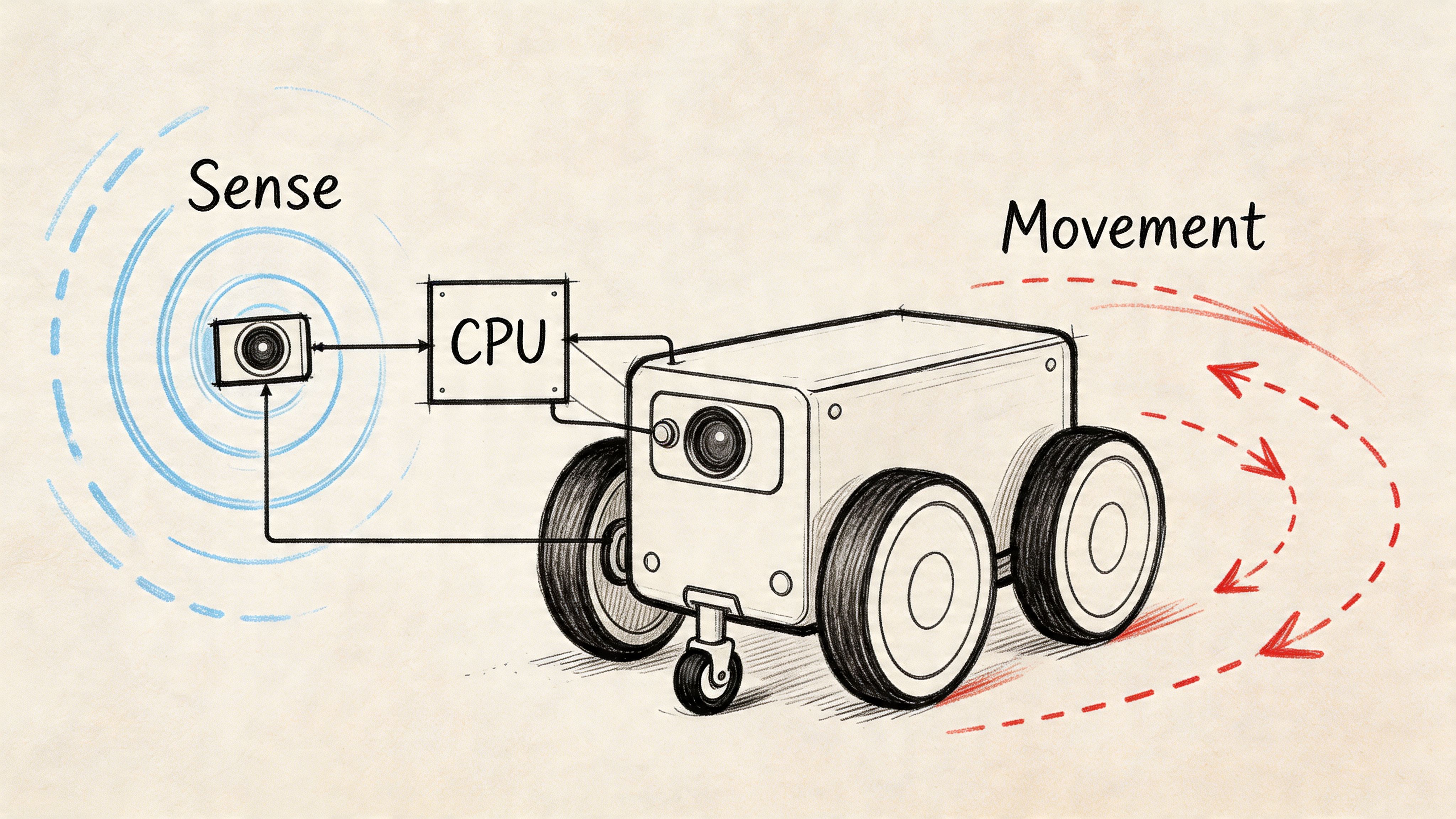
You don’t really know how to program robots until code causes movement, movement creates new sensor data, and sensor data changes the next command.
That loop is the foundation. Everything else, including autonomy, sits on top of it.
Start with one motion pattern
For a wheeled robot, a simple proving exercise is to drive in a square. It forces the team to handle forward motion, rotation, timing, and drift.
You don’t need perfect kinematics on day one. You need a repeatable loop.
Example 1 with velocity commands
# robot_control/square_driver.pyimport rclpyfrom rclpy.node import Nodefrom geometry_msgs.msg import Twistimport timeclass SquareDriver(Node):def __init__(self):super().__init__('square_driver')self.pub = self.create_publisher(Twist, '/cmd_vel', 10)def move(self, linear=0.0, angular=0.0, duration=1.0):msg = Twist()msg.linear.x = linearmsg.angular.z = angularstart = time.time()while time.time() - start < duration:self.pub.publish(msg)time.sleep(0.1)self.pub.publish(Twist())def main(args=None):rclpy.init(args=args)node = SquareDriver()for _ in range(4):node.move(linear=0.2, duration=5.0)node.move(angular=0.5, duration=3.0)node.destroy_node()rclpy.shutdown()This is deliberately simple. It also exposes a real trade-off.
Time-based motion is fast to prototype, but it drifts. Wheel slip, battery level, surface friction, and payload all change the outcome. That’s why serious systems move from open-loop timing toward odometry, localization, and feedback control.
Add one sensor and one decision
A robot becomes useful when control reacts to the world.
A minimal perception node can subscribe to a LiDAR scan and trigger a stop if an obstacle appears inside a threshold.
# robot_perception/scan_monitor.pyimport rclpyfrom rclpy.node import Nodefrom sensor_msgs.msg import LaserScanclass ScanMonitor(Node):def __init__(self):super().__init__('scan_monitor')self.sub = self.create_subscription(LaserScan,'/scan',self.scan_callback,10)def scan_callback(self, msg):valid_ranges = [r for r in msg.ranges if msg.range_min < r < msg.range_max]if valid_ranges and min(valid_ranges) < 0.5:self.get_logger().info('Obstacle detected within stop range')def main(args=None):rclpy.init(args=args)node = ScanMonitor()rclpy.spin(node)node.destroy_node()rclpy.shutdown()That pattern matters more than the exact threshold. Sense, interpret, act.
Sensor choice changes the software
The wrong sensor creates software work you can’t code your way around.
For near-range object detection on factory equipment, conveyor systems, or docking behavior, the differences between inductive vs capacitive proximity sensors matter because each one reacts differently to materials and environmental conditions. Founders often treat sensors as a purchasing line item. In practice, they shape your failure modes.
Field note: If the sensor can’t produce stable signals in your real environment, the control code will look worse than it actually is.
A practical control stack for a first robot
Keep the stack thin at first:
- Low-level control node publishes motor commands
- Odometry node estimates motion
- Sensor node reads LiDAR, depth, or proximity data
- Safety node can override motion
- State machine decides what behavior runs now
That gives you enough structure to test real interactions without pretending you already need a full autonomy stack.
Example 2 with a simple behavior state machine
| State | Trigger | Action |
|---|---|---|
| Drive forward | Path clear | Publish forward velocity |
| Pause | Obstacle appears | Publish zero velocity |
| Turn | Blockage persists | Rotate and re-check |
| Resume | Path clears | Return to forward motion |
This is still basic robotics. It’s also where many projects reveal architectural problems. If your stop command can’t reliably override your motion command, your node boundaries are wrong. If sensor timestamps drift from control timestamps, debugging gets painful fast.
What works and what doesn’t
What works:
- Narrow behaviors
- Clear topic names
- Safety override paths
- Logging every input and command
What doesn’t:
- Mixing business logic into hardware drivers
- Writing one giant “robot.py”
- Assuming simulated sensor streams match real devices
- Adding ML before the deterministic path is trustworthy
A robot that can reliably drive a square, stop for an obstacle, and recover is more valuable than a flashy autonomy demo that nobody can debug.
Implementing Intelligent Motion Planning
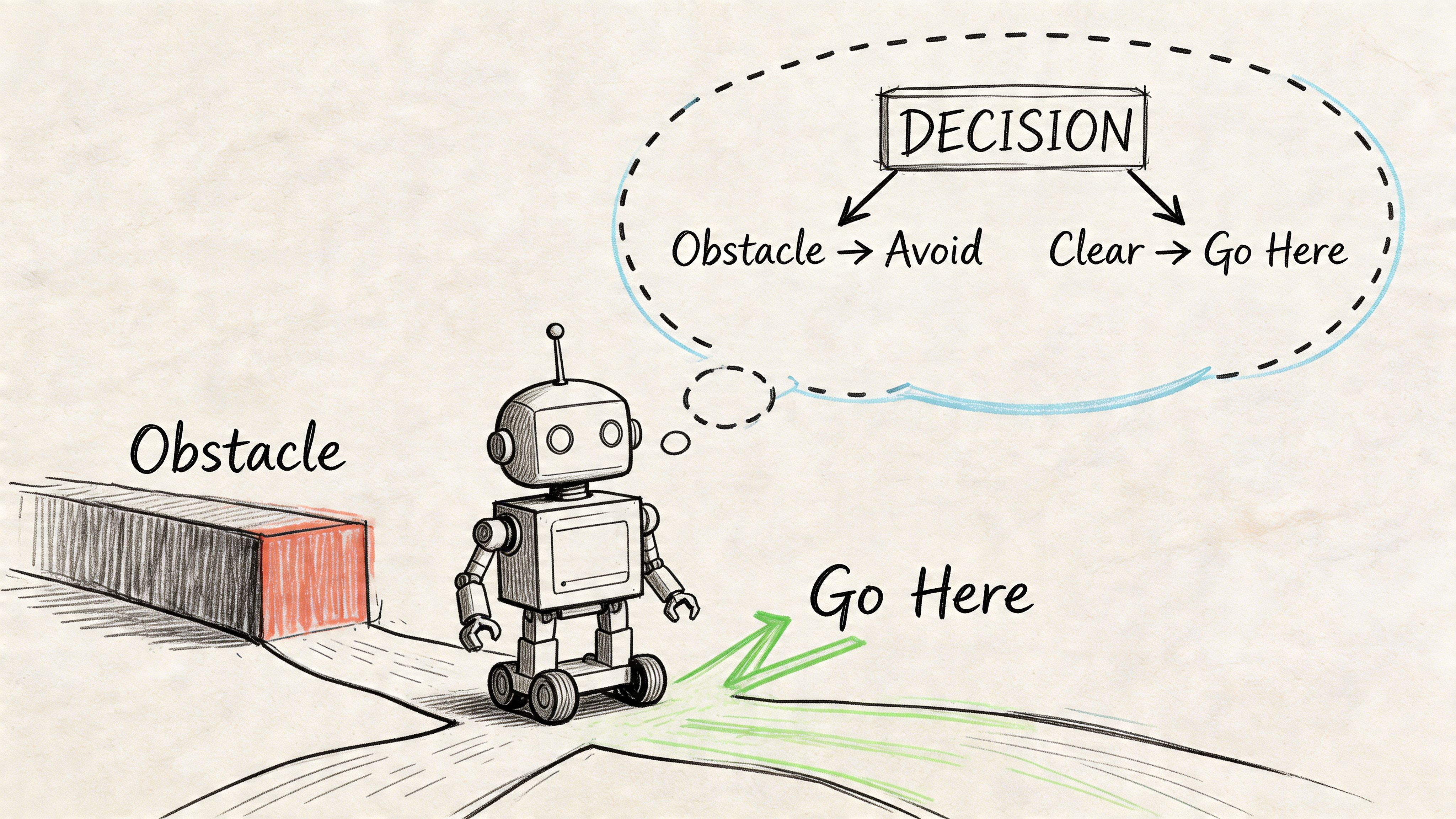
The jump from scripted movement to autonomy happens when the robot can choose a path, not just follow one.
That typically means combining perception, mapping, planning, and control into one loop. In a warehouse or facility setting, the business requirement is simple. The robot must keep moving when the environment changes.
The core planning architecture
A practical navigation stack usually has these layers:
| Layer | Job | Common failure if weak |
|---|---|---|
| Localization | Estimate where the robot is | Robot plans from the wrong pose |
| Mapping | Represent obstacles and free space | Planner routes through bad geometry |
| Global planner | Find a route to the target | Paths look valid but ignore new hazards |
| Local planner | Adapt motion in real time | Robot hesitates or oscillates |
| Controller | Convert path into motor actions | Good plans fail at execution |
For indoor robots, teams often use Simultaneous Localization and Mapping (SLAM) early, then move to a fixed map once the environment is stable enough. That’s a useful trade-off. SLAM helps you learn the space. Fixed maps help you ship.
Mini case with a blocked aisle
Suppose a mobile robot needs to go from point A to point B in a warehouse. The original path is clear in the map, but a pallet now blocks the aisle.
A brittle system keeps trying the old route or freezes. A better system does four things:
- The perception stack detects the pallet as a new obstacle.
- The local costmap updates.
- The planner recalculates a route.
- The controller executes the new path within safety constraints.
That sounds obvious. It isn’t easy. The hard part is making those layers agree on timing, map state, and confidence.
The planner shouldn’t be “smart” in isolation. It only works when perception updates are timely and control can execute the new path predictably.
Where AI-first methods matter
Classical planners like A* are still useful. They’re understandable, testable, and often good enough.
AI-first methods matter when:
- The world changes too often for static assumptions
- Robot morphology is unusual
- Perception uncertainty is high
- You need adaptation from camera input rather than hand-built geometry
That’s where the modern robotics stack departs from old tutorials. Existing content still over-indexes on industrial arms and rigid, known setups. The underserved frontier is using vision and machine learning to model and control more novel systems.
What to optimize for as a CTO
Don’t ask only, “Can it find a path?”
Ask:
- Can the team explain why it chose that path?
- Can they replay the decision after a near miss?
- Can they update behavior without rewriting hardware interfaces?
- Can they degrade gracefully when confidence drops?
Those questions are operational, not academic. They determine whether the robot adds throughput or creates supervision load.
A simple decision rubric
| If your environment is... | Favor this approach |
|---|---|
| Stable and structured | Classical planning with strong maps and guardrails |
| Dynamic but bounded | Hybrid stack with deterministic control and ML perception |
| Messy and changing | Simulation-heavy development, stronger perception models, and strict fallback behaviors |
The common mistake is overbuying intelligence and underbuilding control discipline. Smart planning doesn’t rescue a stack with poor sensing, stale maps, or weak execution.
Bridge the Gap from Simulation to Reality
A simulation demo isn’t proof that the robot is ready. It’s proof that your assumptions held inside the simulator.
That’s where many robotics projects go sideways. Production robots often freeze or collide because of perception gaps and failures on out-of-distribution objects. Reported causes include incorrect distance estimates from cameras and a lack of commonsense reasoning, which exposes the gap between controlled testing and real operations (real-world robot failures from perception gaps).
Why sim-to-real fails
Three issues show up again and again.
First, sensor behavior changes. Cameras behave differently under glare, shadows, motion blur, or dirty lenses. Depth estimates that looked stable in the lab become noisy on the floor.
Second, timing shifts. Latency between sensing, planning, and actuation creates subtle failures that aren’t obvious in a clean simulation run.
Third, humans make the environment non-stationary. Doors open. Boxes move. Someone stands where the route was clear a minute ago.
Deployment advice: Assume the first real environment is a new dataset, not a final validation step.
What a robust testing pipeline looks like
A useful robotics validation flow has several layers.
In simulation
- Domain randomization for lighting, surface friction, object placement, and sensor noise
- Regression scenarios that replay old failures
- Stress tests for startup, shutdown, reconnects, and degraded sensors
On hardware in controlled space
- Bench tests for individual sensors and actuators
- Tethered runs with conservative speed and emergency stop access
- Known obstacle drills to verify stop, replan, and recovery logic
In production-like environments
- Shadow mode where the robot observes before acting
- Restricted rollout zones
- Event logging and post-run review
- Rollback-ready software releases
A lot of this looks like machine learning operations more than classical robotics. That’s correct. If your team already runs models in production, the operating discipline from MLOps best practices maps well to robot perception and planning pipelines. Version your models, data assumptions, configs, and deployment stages.
Mini case with a camera-based navigation failure
A team validates a mobile robot in simulation and in a bright lab. It performs well.
Then they deploy in a warehouse aisle with reflective wrap on pallets. The side-view camera starts producing poor distance estimates. The local planner receives obstacle data too late, slows unpredictably, then stops altogether. Operators call it “random freezing.” It isn’t random. The stack failed under conditions the test environment never represented.
The fix usually isn’t one patch. It’s a sequence:
| Failure area | Corrective action |
|---|---|
| Perception | Add examples from the target environment and tighten confidence thresholds |
| Planning | Define safer fallback behavior when perception confidence drops |
| Controls | Reduce aggressive behavior near uncertain obstacles |
| Testing | Add reflective materials and occlusions to regression scenarios |
What works in practice
The teams that reach production tend to do a few unglamorous things well:
- They log everything
- They replay incidents
- They test recovery, not just success
- They define safe degraded modes
- They budget time for perception refinement
What doesn’t work is assuming lab validation transfers cleanly.
There’s also a management lesson here. Don’t let the roadmap be driven by “demo readiness.” Push for incident review, failure taxonomy, and release discipline. That’s how robot software becomes a product instead of an experiment.
How to Hire Your AI Robotics Team
A robotics project usually stalls for one of two reasons. The architecture is wrong, or the team can’t debug across perception, planning, controls, and deployment.
That’s why hiring matters earlier than most CTOs expect. You’re not looking for a single “robot programmer.” You’re building a team that can integrate hardware and software, handle weird edge cases, and make safety decisions under uncertainty.
A 2025 NIST report cited in this area says 25% of industrial robot incidents stem from unhandled edge cases in code, which is why specialized engineers matter when you’re deploying fault-tolerant systems at scale (robot safety and edge-case failures).
The first roles to hire
If you’re building your first serious stack, the core team usually needs:
- A senior robotics engineer who owns ROS 2 architecture, integration, and system debugging
- A perception or ML engineer if cameras, scene understanding, or learned policies are central
- An embedded or controls engineer if hardware timing and actuator behavior are critical
- A platform-minded engineer who can own testing, CI, logging, deployment, and fleet operations
One person can cover parts of multiple roles at the start. Very few can cover all of them well.
Senior Robotics Engineer Skill Matrix
| Skill Area | Required Competency | Evaluation Method |
|---|---|---|
| ROS 2 | Can design nodes, topics, services, actions, launch structure | Architecture review of a past project |
| Python and C++ | Can ship production code, not just scripts | Pairing session on a small robotics task |
| Simulation | Can validate behaviors in Gazebo or similar tools | Ask for sim-to-real debugging examples |
| Navigation | Understands localization, planning, control trade-offs | Whiteboard a blocked-path recovery flow |
| Perception | Can integrate camera, LiDAR, or depth pipelines | Review a sensor fusion or perception incident |
| Systems debugging | Can isolate failures across hardware and software | Discuss a real production outage |
| Safety mindset | Designs fallbacks, overrides, and validation gates | Scenario interview on human-robot interaction |
If you need a starting point for the broader hiring motion, this guide on how to hire AI engineers is a useful companion for structuring the search around production experience instead of keyword matching.
Interview questions that expose real experience
Good robotics interviews aren’t trivia contests. Ask for scars.
Use questions like these:
- Describe a robot that behaved differently in production than in simulation. What did you check first?
- How have you structured ROS packages so hardware changes didn’t force a full rewrite?
- Tell me about a sensor decision you regretted. What happened downstream in software?
- When would you choose a deterministic planner over a learned policy?
- How do you test a recovery behavior, not just the happy path?
- What logs do you capture on every run, and why?
- How would you ship a new perception model to a live robot fleet safely?
Hire for debugging depth. A candidate who can explain one painful incident clearly is often more valuable than one who can name ten algorithms.
A take-home brief that works
Keep it short and realistic.
Prompt: Build a reliable docking behavior for a mobile robot. The robot should approach a station, stop safely if detection confidence degrades, and expose logs that would help diagnose a failed docking run.
What to look for:
- Clear node boundaries
- Safety-first behavior
- Logging and observability
- Thoughtful assumptions
- Honest trade-off notes
Hiring mistakes that cost time
Avoid these patterns:
- Overvaluing competition code when you need production discipline
- Hiring only ML talent for a problem dominated by integration
- Ignoring safety thinking during interviews
- Skipping architecture review because the candidate demos well
- Assuming industrial-arm experience transfers automatically to mobile or AI-first systems
A strong first hire changes the whole curve of the project. They keep the codebase modular, push for simulation discipline, and stop the team from papering over failure modes that will surface later.
If you’re building an AI-first robotics stack and need engineers who’ve shipped production ML systems, perception pipelines, and robust software infrastructure, ThirstySprout can help you assemble that team fast. You can Start a Pilot or See Sample Profiles to scope the roles before you commit to a full hiring plan.
Hire from the Top 1% Talent Network
Ready to accelerate your hiring or scale your company with our top-tier technical talent? Let's chat.