

You're likely in a familiar spot. A few engineers want IntelliJ IDEA, some prefer VS Code, one staff engineer won't give up Neovim, and your hiring pipeline keeps bringing in people with different defaults. Left alone, that turns into onboarding friction, mismatched run configurations, inconsistent debugging setups, and avoidable review churn.
Choosing an editor for Java isn't just about preference. It affects how fast new hires get productive, how safely teams refactor shared services, and how much time platform engineers spend supporting local environments. In remote teams, the effect is stronger because you can't rely on shoulder-tap help to fix broken plugins or hidden IDE settings.
The short answer is simple. If you want the safest standard for most Java teams, start with IntelliJ IDEA. It dominates Java-specific usage at 84% among Java developers and is widely treated as the default when teams care about deep refactoring and code intelligence. If your budget is tighter, Eclipse and NetBeans remain credible standards. If your org is polyglot, remote-first, or heavily containerized, VS Code becomes more attractive, even if it's not the strongest pure Java environment.
This guide gets to the practical decision. Below are the best editors for Java, followed by a framework you can use to standardize by team size, architecture style, and hiring needs.
- Best default for most Java teams: IntelliJ IDEA
- Best free enterprise option: Eclipse IDE
- Best for polyglot and remote workflows: Visual Studio Code with Java extensions
- Best for Android work: Android Studio
- Best for power users and lightweight setups: Neovim, Emacs, or Sublime Text with Java language server support
Practical rule: Standardize one primary editor for daily work, allow one secondary option for exceptions, and document both in onboarding.
1. IntelliJ IDEA (JetBrains)

Alt text: IntelliJ IDEA interface showing a Java development environment with project navigation and editor panes.
A CTO usually feels the IDE decision when a team has to change shared code fast and without mistakes. One squad is refactoring a billing module, another is tracing Spring wiring across services, and a new hire is still learning the codebase. IntelliJ IDEA reduces risk in that situation better than any other mainstream Java editor I've seen.
It has become the default standard across many Java teams, which helps in two ways. Hiring is easier because many candidates already know the workflow. Onboarding is faster because teams spend less time documenting plugin chains, custom key bindings, and workarounds for missing refactoring support.
Where it pays off
IntelliJ earns its cost in codebases where structural changes are common. Rename, extract, move, dependency analysis, framework awareness, test execution, database access, Git, profiler support, and HTTP clients all sit in one place. That matters less as a feature checklist than as an operating model. Developers stay in flow longer, and platform engineers spend less time debugging local setup drift.
The payoff is strongest in large monoliths and Spring-heavy systems, but it also shows up in microservices estates with many shared libraries. In monoliths, the value is safer large-scale refactoring. In microservices, the value is speed. Engineers can jump between repos, inspect contracts, and trace dependencies without rebuilding their workflow in each project.
There is a budget trade-off. Community Edition is fine for plain Java work, but many companies standardize on it and discover later that their teams need Ultimate features for enterprise frameworks, advanced web support, or deeper tooling integration. That creates a split environment halfway through rollout, which is exactly what standardization is supposed to prevent.
A practical evaluation scorecard should weigh IntelliJ against your hiring market and architecture, not just raw features. Score it on onboarding friction, refactor safety, support burden for local environments, and license cost per developer. If you are also reviewing your broader process for hiring Java developers, include IDE familiarity in interview loops because it affects time-to-productivity more than many teams admit. For teams building JVM services with AI-related workloads, the existing Java and AI engineering workflow link is also a useful fit check for tooling standards.
- Best fit: Mid-size and large Java teams, Spring-heavy products, regulated backends, monoliths under active refactoring, microservices teams with many shared modules
- Main drawback: Higher memory use, plus licensing cost if Ultimate is the right edition for your stack
- Decision rule: Choose IntelliJ first when developer time is more expensive than tooling spend
2. Eclipse IDE
Alt text: Eclipse IDE workspace with Java source files, package explorer, and debugging panels.
Eclipse still earns a place in standardization discussions for one reason. It gives you a mature, open-source Java IDE without commercial lock-in.
That matters most in procurement-heavy environments, internal platform teams with strict software review, or companies that hire experienced enterprise Java developers who already know how to shape Eclipse to their workflow. Java Development Tools, debugging, testing, Git perspectives, and a large marketplace make it flexible enough for specialized setups.
Where Eclipse wins
If your team values configurability over polish, Eclipse is strong. It can support legacy enterprise stacks, custom plugin chains, and internal tool integrations that have been around for years. It's also a practical answer when budget pressure is real and leadership still wants a full IDE instead of a text editor plus plugins.
A hiring angle matters too. If you're expanding a backend team and need engineers comfortable with long-lived Java systems, a strong hire Java developers process should include asking which IDE setups they've maintained, not just which one they prefer.
Eclipse is rarely the most loved editor in a team. It can still be the most governable one.
- Best fit: Cost-sensitive enterprises, regulated organizations, long-lived Java platforms
- Main drawback: Plugin-heavy setup can slow onboarding, and the interface feels dated to many modern hires
- What often fails: Letting every squad build its own plugin stack with no baseline image or config standard
3. Visual Studio Code (with Java extensions)
A common standardization problem looks like this. The company runs Java services in the backend, TypeScript in the frontend, Terraform for infrastructure, and Python for internal tooling. Engineering wants one editor that works across all of it, while the Java team still needs debugging, test support, and refactoring that will not slow delivery.
VS Code is often the practical answer to that tension. With the Java Extension Pack, teams get language support, debugging, test running, and build integration in an editor many developers already use for non-Java work. The trade-off is clear. Java support is capable, but it is assembled from extensions rather than delivered as one tightly integrated Java-first environment.
That distinction matters more at scale than it does in a pilot.
For a small polyglot team, VS Code can reduce onboarding friction because one editor covers day-to-day work across services, scripts, containers, and config files. For a larger Java organization, especially one maintaining a monolith or heavy Spring codebase, the weaker refactoring depth and more variable extension behavior can become a productivity tax. Teams feel it during framework upgrades, broad package changes, and debugging sessions that cross multiple modules.
I would treat VS Code as a strong candidate when standardization goals are operational, not purely language-specific. Remote development, dev containers, and cross-platform setup make it easier for platform teams to support a consistent workstation model. That is valuable in microservices environments where developers move between Java, YAML, Docker, and CI config every hour.
It is less convincing if your main business risk is complex Java change management.
A useful scorecard for CTOs is simple: rate the tool on onboarding time, support burden, Java refactoring quality, container workflow, and hiring flexibility. VS Code usually scores well for mixed-language teams and budget control. It scores lower for deep Java ergonomics. If you are also comparing backend stack direction, this often lines up with the broader tooling trade-offs discussed in a practical Go vs. Java comparison for product teams.
- Best fit: Polyglot teams, microservices shops, remote-first engineering orgs, container-based development
- Main drawback: Java refactoring, inspections, and large-project ergonomics still lag behind dedicated Java IDEs
- What often fails: Letting every squad install its own extension mix with no approved baseline, version policy, or dev container standard
Visit Visual Studio Code for Java
4. Apache NetBeans
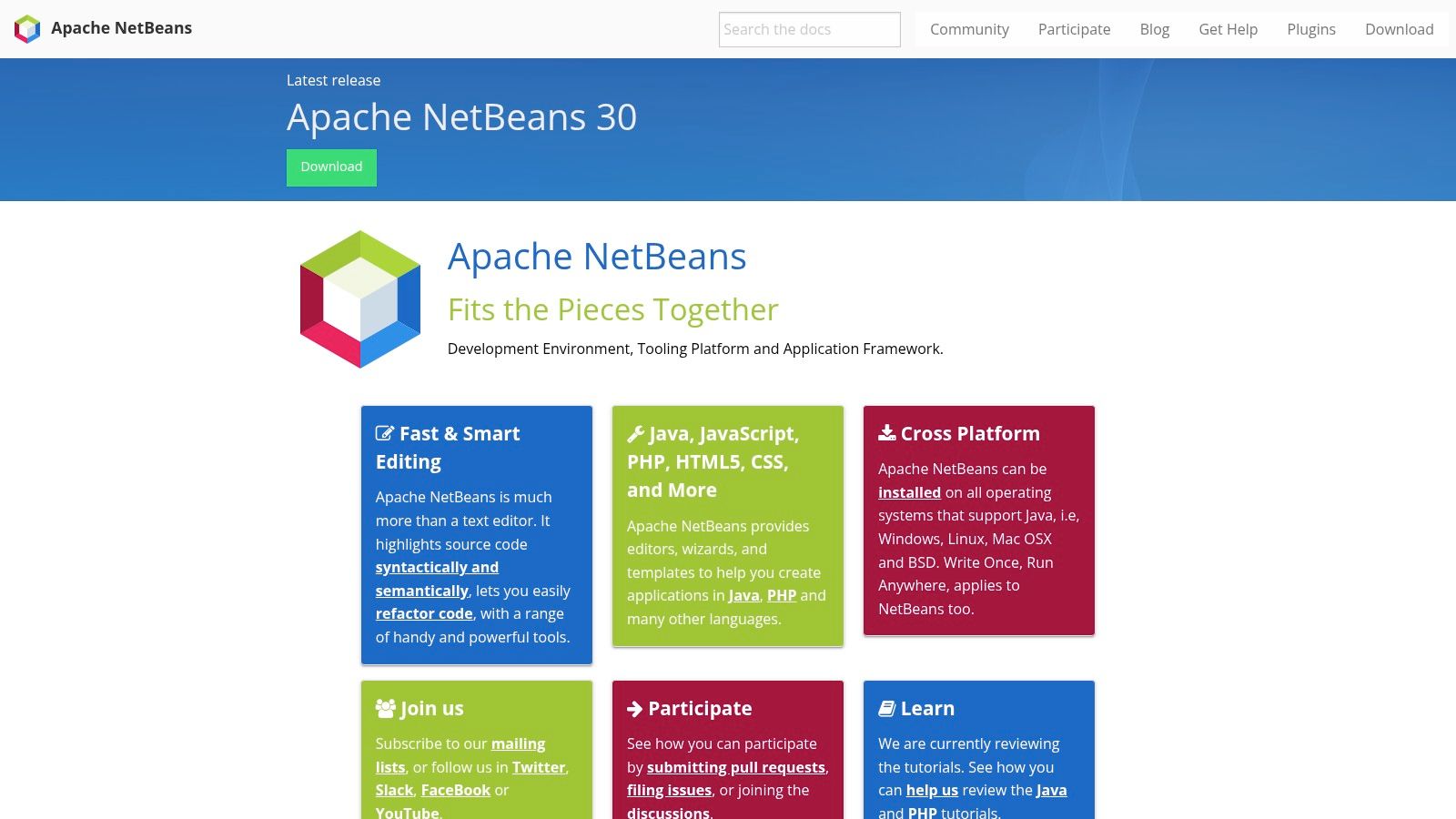
Alt text: Apache NetBeans website and IDE branding for Java development tooling.
NetBeans is the option many teams overlook because it doesn't dominate discussion. That's exactly why it can be useful. It gives you a simpler out-of-the-box Java IDE experience without forcing the same level of setup work as Eclipse or the same licensing discussion as IntelliJ Ultimate.
It covers the basics well. Java editing, debugging, profiling, GUI building, Maven, Gradle, and Jakarta EE support are all available in one integrated experience.
A good middle path
If your engineering org is small, your architecture is straightforward, and your main problem is onboarding speed, NetBeans deserves more attention than it gets. New hires often do better with a tool that works predictably on day one than with a theoretically more powerful setup that needs extensive tuning.
This can also fit teams deciding between language ecosystems for product work. If you're evaluating backend stack direction, a practical comparison like Go vs. Java for product teams often leads to a similar conclusion about tooling. Simpler defaults are underrated when delivery speed matters.
- Best fit: Small to mid-sized Java teams, education-heavy onboarding, straightforward service apps
- Main drawback: Smaller plugin ecosystem and fewer cutting-edge refactorings than IntelliJ IDEA
- What often fails: Expecting NetBeans to satisfy teams doing heavy plugin customization or very advanced framework workflows
5. JetBrains Fleet

Alt text: JetBrains Fleet editor interface designed for lightweight coding and collaborative development.
Fleet is interesting because it tries to solve a real organizational tension. Teams want JetBrains-grade intelligence, but they don't always want the footprint and full-IDE feel of IntelliJ.
For Java, Fleet supports smart mode, Java and Kotlin debugging, remote development, and collaborative editing. It's best viewed as a modern editor with IDE ambitions, not a drop-in replacement for IntelliJ in every enterprise workflow.
When to consider it
If your team pair-programs often, works remotely across time zones, or values fast startup and shared sessions, Fleet is worth piloting. It can be especially attractive in organizations where engineers bounce between services and languages and don't want a heavy IDE open for every task.
The AI angle matters too. There's a real content gap around lightweight Java editors for AI-focused productivity. A Stack Overflow-related data point cited in this roundup notes that 68% of Java developers now use AI-assisted coding tools, while only 12% of editor comparison articles discuss AI integration beyond basic autocomplete. That gap is exactly where Fleet and similar newer tools can become relevant.
If your CTO brief includes collaboration, AI-assisted coding, and remote workflows, Fleet is more strategic than its current Java market mindshare suggests.
- Best fit: Remote teams, collaborative workflows, polyglot engineers
- Main drawback: Java feature depth is still maturing relative to IntelliJ IDEA
- What often fails: Standardizing too early before your team validates debugger, test, and refactor needs
6. Android Studio (Google)

Alt text: Android Studio interface with emulator, layout tools, and Java or Kotlin mobile project files.
If your Java work touches Android, the decision is already made. Use Android Studio.
Trying to standardize mobile engineers on a general Java editor usually creates more friction than it saves. Android Studio ships with Android-specific templates, Gradle integration, emulators, layout tooling, profilers, and testers that mobile teams need every day.
Practical boundary
The mistake I see most often is treating Android Studio as a general Java standard because it's built on IntelliJ. It isn't. It's the right standard for Android app teams and the wrong standard for server-side Java unless you have a narrow internal reason to align tools that way.
Mini-case example
A company with one backend team and one Android squad shouldn't force one editor across both groups. Standardize IntelliJ IDEA or VS Code for backend based on your architecture, then keep Android Studio for mobile. Shared coding standards matter more than identical editors when the workflows are distinct.
- Best fit: Android product teams, mobile platform work, Java and Kotlin Android apps
- Main drawback: Heavy footprint and mobile-centered feature set
- What often fails: Using it for non-Android backend work just to reduce vendor count
7. Spring Tools 4 (for Eclipse, VS Code, Theia)

Alt text: Spring Tools 4 interface and branding for Spring-aware Java development across editors.
Spring Tools 4 isn't a standalone answer to the editor question. It's a force multiplier if your Java estate runs on Spring Boot or Spring Cloud.
That distinction matters because many CTOs compare editors too broadly. In a Spring-heavy environment, the better question is often which base editor plus Spring-aware tooling gives your team the least friction.
Why Spring shops care
Spring-aware navigation, validation, refactoring help, boot dashboards, actuator views, and live application information shorten the feedback loop for the most common backend tasks. That can matter more than raw editor preference because it reduces the hidden time engineers spend tracing configuration and runtime behavior.
For teams prioritizing deep code intelligence and refactoring depth, Guideflow's Java development tools summary identifies IntelliJ IDEA as the safest default Java IDE, especially for refactoring capability and plugin ecosystem scale. In practice, Spring Tools 4 gives Eclipse, VS Code, and Theia users a stronger Spring-specific experience when IntelliJ isn't your standard.
- Best fit: Spring Boot teams, service-heavy backends, cloud-native Java platforms
- Main drawback: It's Spring-centric, so the value drops fast outside that ecosystem
- What often fails: Choosing an editor first, then trying to patch in Spring productivity later without testing dashboards and runtime workflows
8. Sublime Text (with LSP + JDT LS)

Alt text: Sublime Text editor window used as a lightweight code editor for Java with language server support.
Sublime Text is for teams that value speed and low distraction more than all-in-one tooling. With Language Server Protocol support and Eclipse JDT Language Server, it becomes Java-capable enough for editing, diagnostics, and light code actions.
That sounds niche, but there are valid business cases for it. Staff engineers doing reviews, quick patching, or polyglot repo maintenance often don't need a heavyweight IDE open all day.
What it does well
Sublime starts fast, stays lean, and handles large text operations elegantly. Multi-cursor editing, search, macros, and low UI overhead make it excellent for bulk changes and quick code review passes.
Here's a practical scorecard example you can use when evaluating lightweight editors for Java:
- Onboarding friction: Can a new engineer install Java support without a long internal wiki?
- Refactor safety: Does the setup support the structural changes your team makes weekly?
- Debug path: Can engineers attach a debugger reliably, or will they switch tools mid-task?
- Support burden: Will platform engineers end up maintaining custom language server scripts?
If those answers trend negative, don't standardize on Sublime. Keep it as an approved secondary tool.
9. Neovim (with Eclipse JDT Language Server)
Alt text: Neovim terminal-based editor configured for Java development with language server integration.
Neovim can be excellent for Java, but only in the hands of engineers who want to maintain their environment. That's the key operational trade-off.
With built-in Language Server Protocol support, plugins for builds and tests, formatter hooks, and JDT Language Server integration, Neovim gives power users a fast keyboard-driven workflow. For standardized org-wide tooling, though, it usually creates more variance than many organizations find sustainable.
Use it as an exception path
I'd approve Neovim for senior engineers who can self-support and don't depend on bespoke internal help. I wouldn't make it the default for a growing team, especially if you're hiring across mixed experience levels or onboarding contractors frequently.
Strong individual productivity doesn't automatically produce strong team productivity.
Representative setup snippet
A lightweight internal template for Java-capable Neovim should define the language server, formatter, and test runner in one managed config repo. If you can't support that centrally, you'll end up with every engineer inventing their own setup.
- Best fit: CLI-first power users, staff engineers, teams with strong internal tooling culture
- Main drawback: Manual setup and steeper learning curve
- What often fails: Expecting new hires to troubleshoot Java LSP, debugging, and build integration alone
10. GNU Emacs (with lsp-java + JDT LS)

Alt text: GNU Emacs interface configured for coding with Java language server and debugging support.
Emacs is a serious option for teams that already standardize on it. It is not a shortcut to lower tooling cost.
With lsp-java, JDT Language Server, and Debug Adapter Protocol support, Emacs can handle Java code intelligence and debugging. It also gives teams an environment with extensive customization that can be aligned with internal conventions down to the keystroke level.
The real trade-off
Emacs works when your team has a strong editor culture and enough internal expertise to maintain packages, language server setup, and workflow conventions. Without that, “flexibility” quickly turns into fragmented configs and long setup docs.
For most CTOs, the right policy is simple:
- Default one mainstream Java tool: Usually IntelliJ IDEA, Eclipse, or VS Code
- Permit expert exceptions: Emacs and Neovim for self-supporting engineers
- Standardize shared artifacts: Formatter, linter, test commands, debug profiles, project import steps
That approach protects team velocity without forcing every engineer into the same editing style.
Top 10 Java IDEs & Editors Comparison
| Tool | ✨ Core features | ★ UX / Quality | 💰 Price / Value | 👥 Target audience | 🏆 Unique strengths |
|---|---|---|---|---|---|
| IntelliJ IDEA (JetBrains) | Smart completion, refactorings, debugger, Maven/Gradle, Spring support | ★★★★★ | 💰 Ultimate: paid; Community: free, enterprise grade ROI | 👥 Enterprise & startup JVM teams | 🏆 Best refactoring, Spring tooling, plugin ecosystem |
| Eclipse IDE | JDT, build/test/debug, large plugin marketplace | ★★★★ | 💰 Free (EPL), cost-effective for regulated orgs | 👥 Large enterprises, customizable workflows | 🏆 Proven stability and extensibility |
| Visual Studio Code (with Java extensions) | Java LSP, debugging, Maven/Gradle, remote dev | ★★★★ | 💰 Free, great value for polyglot teams | 👥 Remote, polyglot, fast-iteration teams | 🏆 Lightweight + strong remote/devcontainer support |
| Apache NetBeans | Java SE/EE, GUI builder, built-in Maven/Gradle | ★★★☆ | 💰 Free (Apache), simple setup | 👥 Small teams, educators, quick starts | 🏆 Integrated out-of-the-box Java experience |
| JetBrains Fleet | Collaborative editor, remote dev, JetBrains AI integrations | ★★★★ | 💰 Commercial, lighter JetBrains option | 👥 Remote teams, pair-programmers | 🏆 Fast, collaborative JetBrains intelligence |
| Android Studio (Google) | Android emulators, profilers, Gradle, Android APIs | ★★★★ | 💰 Free, essential for Android dev | 👥 Mobile teams working with Java/Kotlin | 🏆 Best-in-class Android tooling & device support |
| Spring Tools 4 | Spring-aware navigation, boot dashboard, actuator views | ★★★★ | 💰 Free, high Spring-specific value | 👥 Spring Boot/Cloud teams | 🏆 Best developer DX for Spring applications |
| Sublime Text (with LSP + JDT LS) | Low-latency editor, LSP support, macros | ★★★☆ | 💰 Paid license; lightweight runtime, very fast | 👥 Engineers wanting speed & minimalism | 🏆 Extremely fast, distraction-free edits |
| Neovim (with Eclipse JDT LS) | LSP client, plugin ecosystem, scriptable workflows | ★★★☆ | 💰 Free, minimal resources | 👥 Power users, CLI-focused teams | 🏆 Keyboard-driven speed & customizability |
| GNU Emacs (with lsp-java + JDT LS) | LSP + DAP integration, Emacs Lisp customization | ★★★☆ | 💰 Free, highly extensible | 👥 Teams standardizing on Emacs | 🏆 Ultimate customization and multi-language setup |
Next Steps: Standardize and Accelerate Your Java Team
The right editor is a productivity multiplier. The wrong one becomes a hidden tax on every hire, every environment issue, and every risky refactor. If you're choosing among editors for Java, don't turn it into a philosophy debate. Treat it like an operating decision.
Start with your real constraints. If you run a large monolith, frequent shared-library refactors, or heavy Spring services, IntelliJ IDEA is the safest default. If cost control and governance matter most, Eclipse is still credible. If your team is extensively polyglot and remote, VS Code may win because it simplifies the broader developer environment, even if it isn't the strongest pure Java tool.
Use a scorecard before you standardize. Grade each option on onboarding friction, refactor safety, debugger reliability, remote development support, plugin governance, and hiring alignment. The goal isn't to find the “best” editor in abstract terms. It's to find the one that produces the least operational drag for your team.
A simple rollout model works well:
- Choose one primary standard: This should cover most backend engineers.
- Allow one approved exception path: This keeps senior power users productive without creating chaos.
- Publish a baseline config: Include project import steps, formatter rules, test commands, run configurations, and required plugins.
- Review the standard on a cadence: Tooling should evolve with your stack, hiring profile, and architecture.
Here's a practical interview question to validate tooling maturity in candidates: “Tell me how you set up a new Java environment on day one, including build, debug, test, and framework-specific tooling.” Strong candidates give a reproducible process, not just a favorite editor name.
Also, don't separate editor choice from engineering quality. A good standard should support code review, safe changes, fast local feedback, and clearer onboarding. That's one reason this broader non-technical founder's guide to quality is useful context for leadership. Good tooling doesn't replace discipline, but it does make discipline easier to enforce.
Once you've chosen your standard, document it like production infrastructure. Create a starter repo, lock required extensions or plugins where possible, and make setup verifiable. If a new engineer can't go from laptop to passing tests without Slack help, your tool standard still isn't finished.
If you need to scale your Java team with engineers who can work effectively in modern, production-grade tooling from the start, ThirstySprout can help you hire vetted senior engineers quickly.
ThirstySprout helps startups and enterprises build high-performing remote engineering teams for AI, ML, data, and modern backend systems. If you need senior Java engineers who can ramp fast, work cleanly with your tooling standards, and contribute to production systems without long onboarding cycles, start a pilot with ThirstySprout.
Hire from the Top 1% Talent Network
Ready to accelerate your hiring or scale your company with our top-tier technical talent? Let's chat.