

The choice between Docker Compose and Kubernetes is not about which tool is better—it's about which problem you are solving today. Docker Compose excels at managing a few containers on a single machine. Kubernetes orchestrates hundreds of containers across a fleet of machines.
Are you building a single house or designing a city? Docker Compose is the small, skilled crew with straightforward blueprints for building the house. Kubernetes is the complex system of power grids, traffic management, and emergency services needed to run the city.
TL;DR: Docker Compose vs. Kubernetes
- Use Docker Compose for local development, CI testing, and single-host deployments. It delivers speed and simplicity for MVPs and small projects with its minimal overhead and gentle learning curve.
- Use Kubernetes for production applications that require high availability, automated scaling, and self-healing. It is the standard for building resilient systems that can handle unpredictable traffic and zero-downtime deployments.
- The tipping point to migrate from Compose to Kubernetes is when the operational cost of manual scaling and downtime risk outweighs the complexity of adopting an orchestration platform.
- Your team's expertise is the biggest factor. Compose is accessible to all developers. Kubernetes requires dedicated DevOps or platform engineering skills to manage effectively.
- Action for CTOs: If your team is under 5 engineers and pre-product-market fit, stick with Docker Compose. If you have paying customers with uptime requirements, start planning your migration to a managed Kubernetes service.
Who This Is For
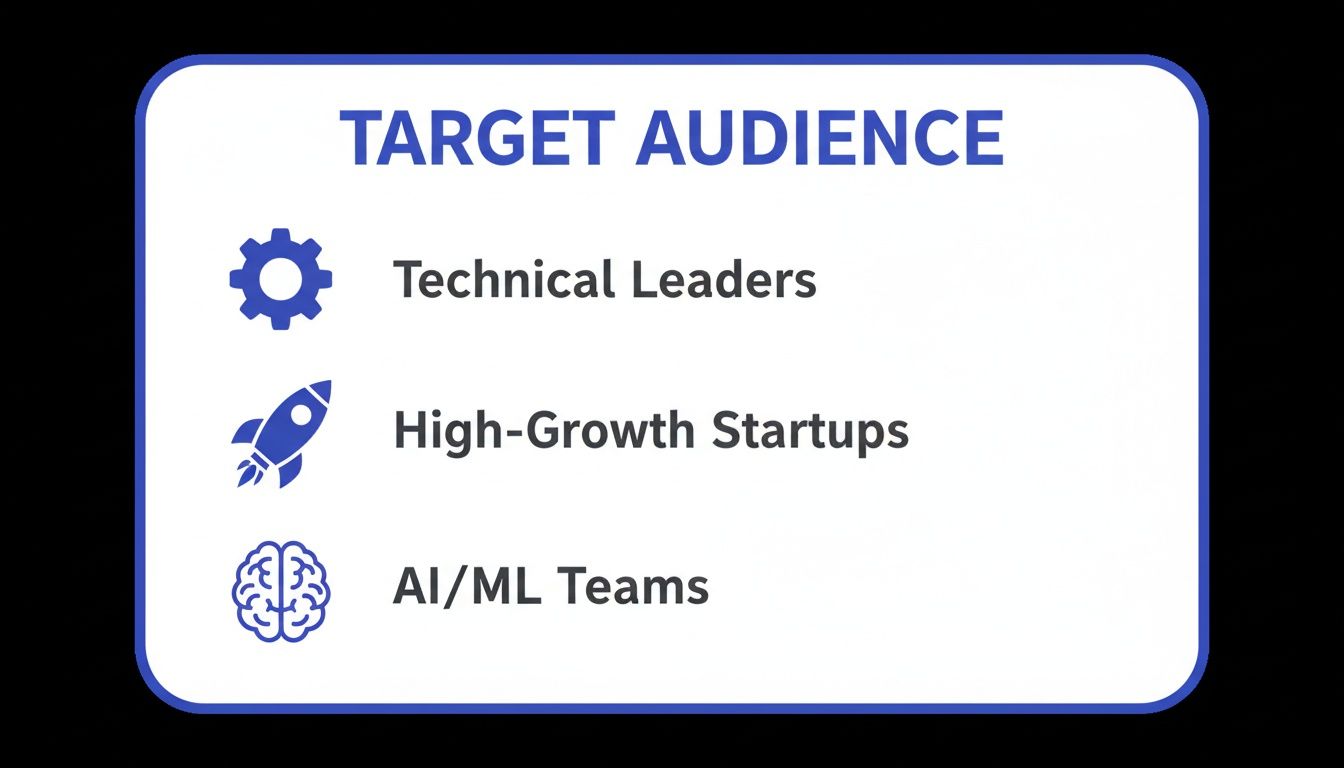
This guide is for technical leaders who must make architectural decisions that balance speed, cost, and long-term scalability.
- CTO, VP of Engineering, or Founder: You are at a high-growth company (Seed to Series B), balancing tight budgets and deadlines with the need for a stable, scalable platform.
- Platform or MLOps Lead: You are responsible for building and maintaining reliable, cost-effective infrastructure for demanding AI and machine learning workloads.
- Product Leader or early-stage Founder: You need to understand how this technical choice impacts your product roadmap, team bandwidth, and ability to deliver on business goals.
We are cutting through the hype to focus on what matters: your team's skills, the operational burden, and the total cost of ownership.
A Quick Framework: The Decision Matrix
Use this matrix to quickly evaluate which tool fits your current operational and business context. The right choice depends on your project's lifecycle stage.
| Criterion | Choose Docker Compose When... | Choose Kubernetes When... |
|---|---|---|
| Primary Use Case | Local development, CI/CD testing, single-host deployments. | Production environments, high-availability systems, scalable microservices. |
| Scale & Complexity | Your app runs on one server with 2–10 containers. | You need to manage many containers across multiple servers (a cluster). |
| Team Expertise | Your team is small; developers need to get started fast with minimal setup. | You have dedicated DevOps/Platform engineers or can invest in the learning curve. |
| Resilience | Basic container restarts are sufficient; high availability is not a primary concern. | You require automated self-healing, zero-downtime deployments, and fault tolerance. |
| Time-to-Value | You must launch a proof-of-concept or MVP in days or weeks. | You are building a long-term, production-ready platform that must scale. |
| Business Impact | The priority is feature velocity and rapid iteration. | The priority is reliability, uptime, and customer trust. |
Many teams start with Docker Compose for its speed and later migrate to Kubernetes as their application grows and requires more robust operational management.
Practical Examples: From MVP to Production Scale
Theory only gets you so far. Let's walk through two common scenarios with annotated code to show how each tool fits a specific business need.
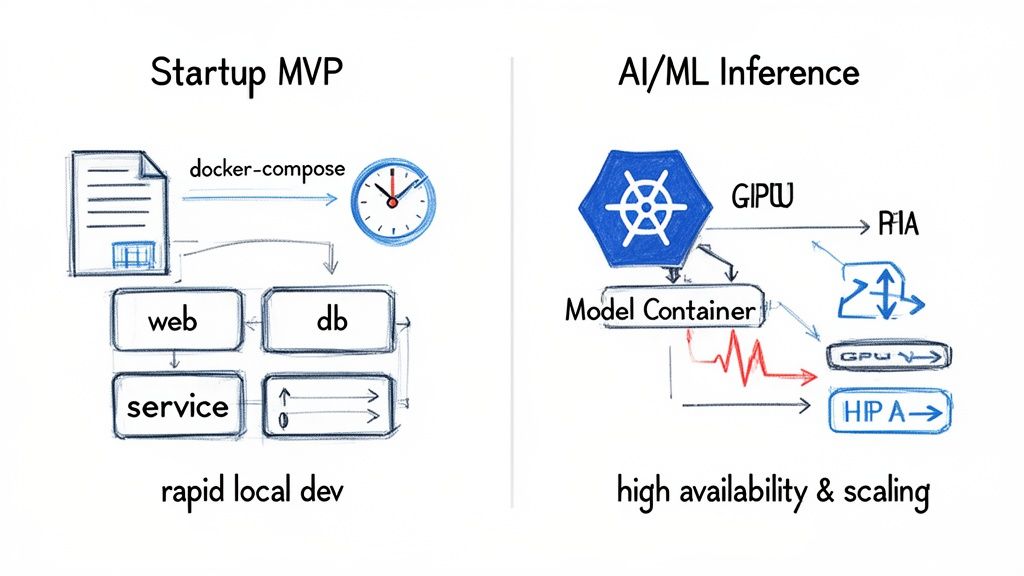
alt text: Diagram showing Docker Compose for rapid local development on a single host, contrasted with Kubernetes managing a multi-node cluster for scalable AI/ML inference and high availability in production.
These architectures represent different stages in a product's lifecycle. One is for speed at the start; the other is for resilience at scale.
Example 1: The Startup MVP Launch with Docker Compose
Situation: You're a small startup shipping a Minimum Viable Product (MVP) in 4–6 weeks. Your team of 3–5 engineers needs to move fast on a web app with a backend, frontend, and a database. Shipping features is the only priority.
Tool: This is the sweet spot for Docker Compose. A single YAML file defines your entire stack. Any developer can run docker compose up and have the full environment running in seconds, eliminating "it works on my machine" issues.
Annotated docker-compose.yml:
This file defines your entire development environment as code. For a team iterating quickly, this simplicity is a huge advantage.
# docker-compose.yml for a simple web app MVPservices:# The main backend API serviceapi:build:context: ./backend # Points to the directory with the Dockerfiledockerfile: Dockerfile.devports:- "8000:8000" # Maps container port 8000 to your local machinevolumes:- ./backend:/app # Mounts local code into the container for instant hot-reloadingenvironment:- DATABASE_URL=postgresql://user:password@db:5432/myappdepends_on:- db # Tells Compose to start the 'db' service first# The PostgreSQL database servicedb:image: postgres:15-alpine # Uses an official, lightweight Postgres imagevolumes:- postgres_data:/var/lib/postgresql/data # Persists DB data across restartsenvironment:- POSTGRES_USER=user- POSTGRES_PASSWORD=password- POSTGRES_DB=myappports:- "5432:5432" # Exposes the Postgres port for local DB client access# Defines a named volume to ensure data is not lost when containers are stoppedvolumes:postgres_data:Example 2: The Scalable AI Inference Service with Kubernetes
Situation: Your AI-powered feature is a success, but traffic is spiky. The business guarantees 99.9% uptime, and performance degradation is not an option.
Tool: This is a classic case for Kubernetes. You need automated scaling to handle demand, self-healing to recover from failures, and rolling updates to deploy new models with zero downtime. The operational stability is non-negotiable for a critical service.
Annotated Kubernetes Interview Question:
As a hiring manager, you might ask a candidate: "Walk me through the Kubernetes manifests needed to deploy a stateless service that requires high availability and autoscaling. Explain the role of each component."
A strong answer would describe the following files:
1. deployment.yml: Defines the desired state of your application—the container image, replica count, and resource requirements.
# deployment.yml - Defines the AI model server podsapiVersion: apps/v1kind: Deploymentmetadata:name: ml-inference-servicespec:replicas: 2 # Start with 2 replicas for high availabilityselector:matchLabels:app: ml-inferencetemplate:metadata:labels:app: ml-inferencespec:containers:- name: model-serverimage: your-repo/inference-server:v1.2ports:- containerPort: 8080resources: # Critical for ML workloads to schedule correctlyrequests:cpu: "500m"memory: "1Gi"limits:cpu: "1"memory: "2Gi"2. service.yml: Creates a stable network endpoint (a single IP and DNS name) to route traffic to your pods.
# service.yml - Creates a stable network endpoint for the podsapiVersion: v1kind: Servicemetadata:name: ml-inference-servicespec:selector:app: ml-inference # Routes traffic to pods with this labelports:- protocol: TCPport: 80targetPort: 8080type: LoadBalancer # Asks the cloud provider for an external load balancer3. hpa.yml: The Horizontal Pod Autoscaler (HPA) automatically adds or removes pods based on CPU or memory usage.
# hpa.yml - Automatically scales the deployment based on CPUapiVersion: autoscaling/v2kind: HorizontalPodAutoscalermetadata:name: ml-inference-hpaspec:scaleTargetRef:apiVersion: apps/v1kind: Deploymentname: ml-inference-serviceminReplicas: 2maxReplicas: 10 # Set a ceiling to control costsmetrics:- type: Resourceresource:name: cputarget:type: UtilizationaverageUtilization: 80 # If average CPU hits 80%, K8s adds podsThese files show the declarative power of Kubernetes. You define the desired state, and the cluster's control plane makes it a reality. It's more verbose than Compose but provides the automation needed for a production-grade service.
Deep Dive: Trade-offs, Alternatives, and Pitfalls
Picking between Docker Compose and Kubernetes dictates your application's architecture and your team's daily work. The core difference—single-host vs. multi-host orchestration—creates major trade-offs in resilience, scaling, and complexity.
alt text: Slide showing the target audience for this guide: CTOs, VPs of Engineering, Founders, Platform/MLOps Leads, and Product Leaders at high-growth tech companies.
Resilience: Manual vs. Self-Healing
With Docker Compose, resilience is your responsibility. It has no native self-healing. If a container or server fails, your application is offline until someone intervenes manually. It is a single point of failure by design.
Kubernetes was built for resilience. Its control plane constantly monitors the cluster:
- Self-Healing: If a container or node fails, Kubernetes automatically reschedules the workload onto healthy nodes to maintain your desired replica count.
- Zero-Downtime Deployments: Kubernetes enables rolling updates out of the box, allowing you to deploy new code without service interruptions.
This is a critical trade-off. For an MVP, the simplicity of Compose wins. For a service with an SLA, the resilience of Kubernetes is mandatory.
Scalability: Manual vs. Automated
Scaling with Docker Compose is manual. You run docker-compose up --scale <service>=<replicas> on a single machine. This doesn't help if that one machine runs out of CPU or RAM.
Kubernetes provides automated, policy-driven scaling. The Horizontal Pod Autoscaler (HPA) watches metrics like CPU usage and adds or removes pods automatically. For resource-intensive workloads like model training, the Cluster Autoscaler can even add new nodes to the cluster. This automation is essential for survival when managing a growing service. For more complex setups, a DevOps as a Service partner can help implement these strategies correctly.
Resource Overhead and Cost
Docker Compose has a negligible resource footprint (around 50MB), making it ideal for developer laptops. A minimal Kubernetes cluster requires at least 2GB of overhead for its control plane and system components.
This has a direct business impact on cost. For an application with a total footprint under 10GB, the Kubernetes overhead can be more expensive than the app itself. Teams with fewer than 20 customers or 1-5 containers are almost always better off with Docker Compose to manage burn. This is a key consideration when developing in the cloud.
The Tipping Point: When to Migrate
How do you know when your Docker Compose setup is holding you back? The tipping point is when the operational pain of managing everything manually costs more than the upfront investment in adopting Kubernetes.
Watch for these technical triggers:
- You need zero-downtime deployments: The
docker compose down && docker compose upcycle causes unacceptable service interruptions. - You need automated scaling: Your team is manually scaling services to handle traffic spikes.
- You need high availability: A single container crash or server failure takes down your entire application.
- You need advanced networking and security: You require isolated environments and granular network policies that Compose's simple bridge network cannot provide.
The business cost of delaying migration is paid in lost feature velocity and customer trust. Industry adoption reflects this; with over 60% of companies globally having adopted Kubernetes by 2026 and 96% of enterprises now utilizing it, it is the clear standard for scalable systems. You can read more about this trend in the enterprise market for Kubernetes at SentinelOne.com.
A migration is a strategic project. Use tools like Kompose for an initial translation, but plan to refactor for Kubernetes-native concepts like Services, Ingress, and StatefulSets. For guidance on structuring your services, refer to our guide on software architecture best practices.
Decision Checklist
This checklist helps you choose the right tool for your project now. Be honest about your current needs and team capabilities.
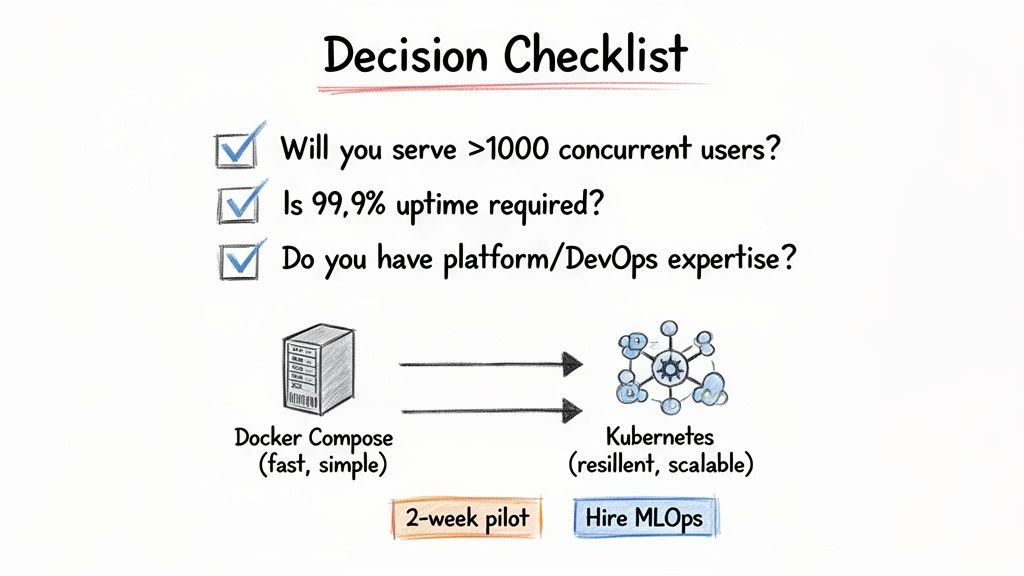
alt text: A decision checklist in a table format to help users choose between Docker Compose and Kubernetes based on scale, uptime, team expertise, and operational needs.
Your Deployment Decision Checklist
Answer these five questions. If you answer "Yes" to two or more, you are ready for Kubernetes.
- Scale: Will your application serve over 1,000 concurrent users or face significant traffic spikes in the next 6 months? (Yes/No)
- Uptime: Is 99.9% uptime a contractual or business-critical requirement? (Yes/No)
- Team: Do you have (or can you hire) a DevOps or MLOps engineer with Kubernetes experience? (Yes/No)
- Operations: Are engineers spending more than 2-3 hours per week manually managing deployments or responding to infrastructure alerts? (Yes/No)
- Complexity: Does your application consist of more than 10 microservices requiring complex networking and independent scaling? (Yes/No)
If you answered mostly "No," stick with Docker Compose. Its simplicity is a strategic advantage that lets you move fast.
If you answered "Yes" to multiple questions, you are feeling the exact pains Kubernetes was built to solve.
What to Do Next
Indecision is more expensive than either tool. Once you have a direction, act on it.
1. If you chose Docker Compose:
Commit to it. Embrace its speed for local development and single-host staging. Focus on building product features and gaining momentum. Don't let future-scaling concerns paralyze your progress today.
2. If you chose Kubernetes:
Start small. Launch a 2-week pilot program. Task an engineer with deploying one non-critical service to a managed Kubernetes offering like Google Kubernetes Engine (GKE) or Amazon EKS. This practical exercise provides more learning than months of documentation. Structure your pilot using a DevOps agile methodology to ensure clear goals and outcomes.
3. If you have a skills gap:
Don't let a lack of in-house expertise stall your progress. The fastest way to de-risk a move to Kubernetes is to hire an expert. A seasoned platform or MLOps engineer has already navigated the learning curve and can turn a painful 6-month migration into a smooth 6-week deployment.
References & Further Reading
- Official Documentation: Docker Compose and Kubernetes.
- Deployment Best Practices: Our guide to software deployment best practices for the cloud.
- Managed Kubernetes Services: Amazon EKS and Google Kubernetes Engine.
- Migration Tools: Kompose for translating Compose files.
Ready to build a world-class AI team without the operational headache? ThirstySprout helps you hire vetted, senior AI and MLOps engineers who are experts in production systems like Kubernetes. Start a Pilot in under 2 weeks.
Hire from the Top 1% Talent Network
Ready to accelerate your hiring or scale your company with our top-tier technical talent? Let's chat.