

Your team is probably at the annoying point where source control is no longer just source control. You are not choosing a place to store code. You are choosing how your AI team will run reviews, pipelines, security checks, onboarding, and release management for the next few years.
That is why the difference between GitLab and GitHub matters more for AI teams than it does for a small web app team. Models, data access, runner strategy, compliance, and hiring all sit downstream from this choice.
My short view: choose GitHub if you want speed, easier hiring, broad ecosystem support, and low-friction collaboration. Choose GitLab if you want tighter workflow control, self-hosting, stronger native planning, and lower long-run tool sprawl for regulated or infrastructure-heavy AI work.
The Core Difference GitLab vs GitHub in 60 Seconds
Six months from now, this choice shows up in places your budget sheet will miss. Your MLOps stack is either cleaner or messier. Your recruiting loop is either faster or slower. Your platform team is either stitching tools together or enforcing one operating model.
GitHub is the default hub for code collaboration and tool interoperability.
GitLab is the default platform for teams that want more of the delivery system built in.
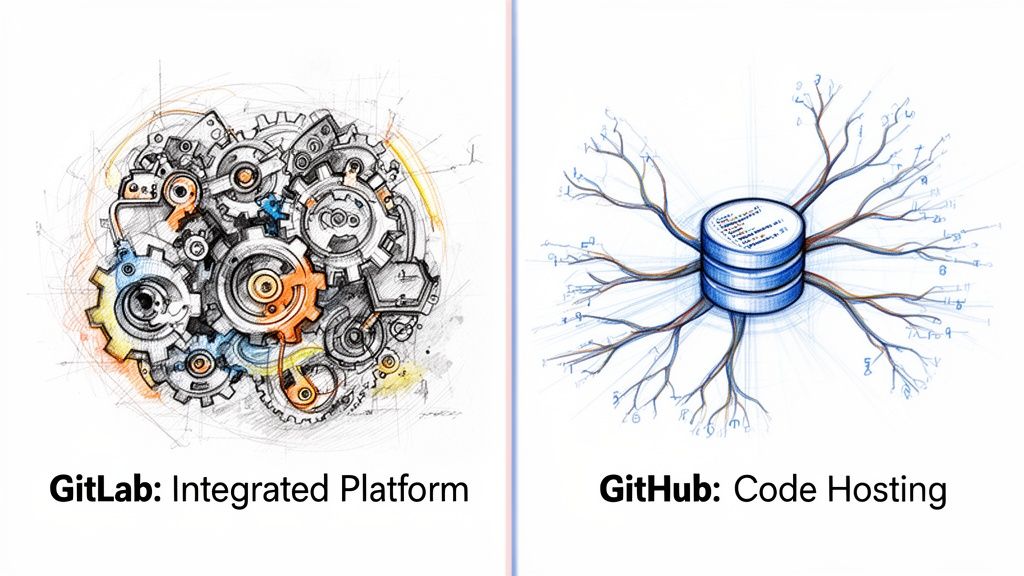
GitHub is modular by design
GitHub's history still shapes the product.
It remains the easier standard if your AI team wants to connect code review, automation, cloud services, package registries, model tooling, and external planning systems without forcing everyone into one workflow. That modularity is usually a win for fast-moving teams with varied stacks and strong platform engineering capability. If you need a broader framing for that choice, this guide to source code management for engineering teams is a useful reference.
For AI teams, the second-order effects matter more than the feature list:
- hiring is easier because more engineers, ML practitioners, and open-source contributors already know GitHub workflows
- experimentation moves faster when teams can plug in specialized tools without redesigning the whole platform
- local autonomy stays higher across research, platform, and application teams
- total cost of ownership can stay low early, but integration and governance work often shifts onto your internal platform team
GitLab is integrated by design
GitLab makes a different bet. It brings source control, CI/CD, planning, security, and governance closer together so fewer handoffs depend on external tools.
That matters for AI organizations because MLOps maturity usually fails at the seams between teams. Research produces artifacts. Platform operationalizes them. Security and compliance add controls later. GitLab reduces that coordination tax by putting more of the workflow inside one system and one permission model.
That changes TCO in a meaningful way. License price is only one line item. The bigger cost sits in pipeline maintenance, audit preparation, runner strategy, vendor sprawl, and the staff time required to keep disconnected tools aligned. GitLab often lowers those costs for regulated, self-managed, or infrastructure-heavy AI environments.
My recommendation as an engineering leader
Standardize on GitHub if your priority is speed, hiring reach, and flexibility.
Standardize on GitLab if your priority is control, workflow consistency, and fewer operational seams.
Use a simple test. If your AI team will rely on a broad set of specialized services and you want the market's default collaboration model, choose GitHub. If you want the platform itself to enforce more of the software delivery process, choose GitLab.
The practical difference is clear.
- GitHub lowers friction at the edges. Better for recruiting, open collaboration, and custom AI toolchains.
- GitLab lowers friction in the middle. Better for governed delivery, self-hosted environments, and keeping MLOps process debt from spreading across too many systems.
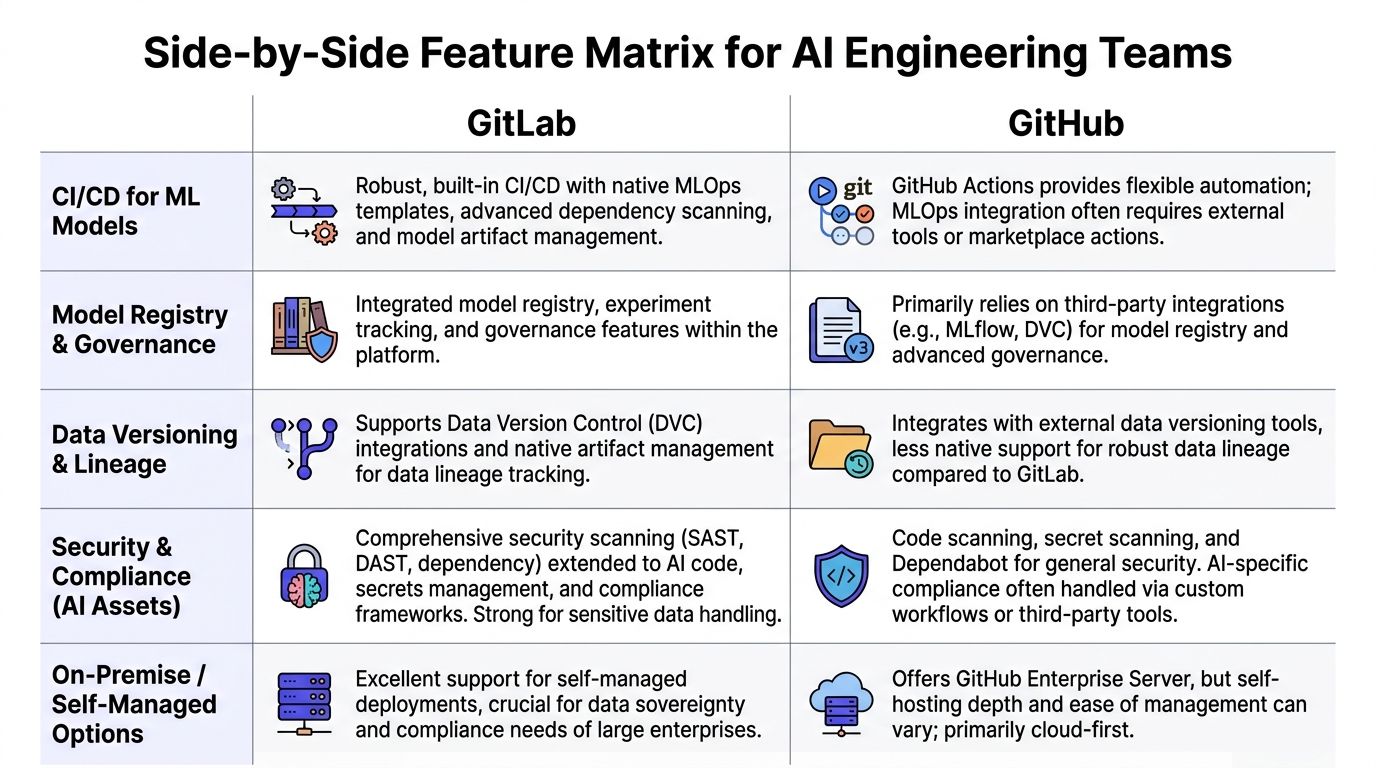
Side-by-Side Feature Matrix for AI Engineering Teams
A platform decision for an AI team rarely fails on git basics. It fails later, when your platform team is maintaining runners, your ML engineers are waiting on approvals across disconnected tools, and new hires need weeks to learn a custom delivery path. Use the matrix below to judge second-order effects. Those determine TCO, MLOps maturity, and how fast you can staff specialized roles.
| Area | GitHub | GitLab | What it means for AI teams |
|---|---|---|---|
| Collaboration model | Pull requests and forks are the default workflow for much of the industry | Merge requests and forks cover the same core review flow | GitHub is easier to standardize if you hire from open-source-heavy or startup-heavy talent pools |
| Ecosystem fit | Large integration ecosystem and broad community support | Smaller extension ecosystem, with more capability built into the platform | GitHub gives AI teams more off-the-shelf choices. GitLab reduces the need to assemble as many pieces |
| CI/CD approach | Modular automation through Actions and third-party steps | More integrated CI/CD with a tighter native workflow | GitHub suits teams building custom pipelines across many services. GitLab suits teams that want a consistent path from code to deployment |
| Project management | Core planning is lighter and often paired with other tools | Native planning features support roadmaps, epics, dependencies, and iterations | GitLab is the better fit if platform and delivery leaders want planning tied directly to engineering execution |
| Self-hosting | Enterprise-oriented for deeper self-managed needs | Strong self-managed story, including open-source deployment options | GitLab is the clearer choice for regulated AI work, data residency requirements, and air-gapped environments |
| Access and governance | Strong controls, with some enterprise features tied to higher plans | Governance is more integrated into the core workflow | GitLab usually creates less policy drift in compliance-heavy teams because review, permissions, and delivery controls live closer together |
| Budget pattern | Lower barrier for SaaS-first teams | Higher sticker price, but often fewer add-on tools | GitHub is the cheaper starting point. GitLab can become cheaper if it replaces enough adjacent tooling and admin effort |
| Developer familiarity | Many engineers already know the workflow | Familiar to platform-oriented teams, less common as a default background | GitHub shortens onboarding for many hires. GitLab pays off when you want the platform to enforce process discipline |
CI/CD and runner strategy
For AI teams, CI/CD covers more than unit tests. You are building containers, packaging models, validating prompts, running evaluation jobs, and promoting artifacts across environments.
GitHub Actions gives you freedom. That freedom is useful when your stack spans Python services, data jobs, GPU workloads, multiple clouds, and vendor APIs. It also creates more design work. Someone has to choose actions, maintain them, review security risk in third-party steps, and keep the workflow coherent as the stack grows.
GitLab CI/CD is more prescriptive. That is an advantage if your problem is operational consistency, not unlimited flexibility. Teams with a platform group, compliance requirements, or a clear release model often get to a stable MLOps baseline faster in GitLab because fewer workflow decisions are pushed to each repo owner.
That affects maturity. Standardized pipelines lead to repeatable reviews, cleaner promotion paths, and less tribal knowledge.
Project and portfolio management
AI delivery breaks when planning lives in one system, code in another, and release controls in a third. The problem is not inconvenience. The problem is traceability.
GitLab keeps more planning context next to execution. That matters when one initiative spans model experimentation, feature engineering, evaluation criteria, serving infrastructure, and rollback policy. A single view of work helps platform, ML, and security teams make tradeoffs without recreating status in separate tools.
GitHub works well if your organization already uses a dedicated planning stack and has the discipline to keep it aligned. If not, the integration tax shows up fast.
Security and access control
Sensitive datasets, model weights, secrets, and deployment permissions make governance part of the engineering system. Treat it that way.
GitLab’s advantage is structural. Access control, approval logic, and delivery workflow are more tightly connected. That makes ownership clearer and exceptions easier to audit.
GitHub can support the same outcome, but the path often includes more add-ons, more policy decisions, and more coordination across teams. If your AI organization already has strong internal platform engineering, that can be fine. If not, complexity becomes a staffing problem.
Ask one blunt question. When a new model-serving repo appears, who enforces branch protection, secret handling, and deployment policy by default? If the answer is unclear, your operating model is expensive.
Ecosystem and developer experience
GitHub has the hiring advantage. More engineers have used it, more examples exist in the wild, and more AI-adjacent tools assume it is part of the workflow. That lowers ramp time for new hires, contractors, and specialist contributors.
That benefit is practical, not cosmetic. It shortens onboarding, reduces internal documentation load, and makes it easier to hire MLOps engineers who can contribute on day one.
GitLab has a different strength. It gives experienced teams a narrower operating surface. For organizations trying to reduce tool sprawl and force a more consistent release process, that trade can be worth it.
If you are reviewing platform standardization more broadly, this guide to source code management for engineering teams is a useful companion.
Total cost is not the license line
Seat price is the easiest number to compare and the least important one.
For AI teams, total cost usually comes from:
- runner and pipeline design
- self-hosting and infrastructure ownership
- integration maintenance across CI, planning, security, and deployment
- audit preparation and policy enforcement
- onboarding time for ML engineers, platform engineers, and contractors
- workflow inconsistency across research, platform, and production teams
GitHub often wins for SaaS-first teams that value speed, talent availability, and a broad ecosystem. GitLab often wins for teams that need tighter governance, fewer handoffs, and less tool sprawl. Choose based on the operating model you want two years from now, not the license bill you see this quarter.
Practical Examples GitLab and GitHub in an MLOps Workflow
The platform choice gets real when you look at actual team motions. Not feature lists. Not marketing pages. Just the work your team repeats every week.
Example 1 using CI for a model-serving repo
Assume your team maintains a retrieval-augmented generation service with two jobs on every main-branch push:
- run tests for the API and retrieval layer
- build the deployable service artifact
Here is a representative GitHub Actions pattern:
name: model-service-cion:push:branches: [main]jobs:test-api:runs-on: ubuntu-lateststeps:- uses: actions/checkout@v4- uses: actions/setup-node@v4with:node-version: '20'- run: npm ci- run: npm testbuild-service:needs: test-apiruns-on: ubuntu-lateststeps:- uses: actions/checkout@v4- run: echo "Build service artifact"The GitHub version is flexible. You can compose it into larger workflows, split jobs aggressively, and plug in external actions as your stack grows.
Now compare that with a representative GitLab CI shape:
stages:- test- buildtest-api:stage: testimage: node:20script:- npm ci- npm testonly:- mainbuild-service:stage: buildimage: node:20script:- echo "Build service artifact"only:- mainThe GitLab pattern is tighter. Less setup. Fewer explicit bootstrapping steps. That is why many teams find GitLab cleaner for a simple, centralized delivery flow.
The trade-off is strategic:
- GitHub gives you a toolbox
- GitLab gives you a workbench
For a growing MLOps function, the better choice depends on whether you value composability or standardization more. If you are refining your pipeline design, this companion guide on MLOps best practices fits well with the decision.
My recommendation: for a single product team with one main AI service, GitLab often feels cleaner. For a platform team supporting several AI services with different runtime needs, GitHub often scales more naturally.
Example 2 onboarding a remote ML engineer
Now take a common operational task. You hire a senior machine learning engineer in another time zone and need them productive in days, not weeks.
Here is a lightweight onboarding scorecard you can use.
| Onboarding task | GitHub impact | GitLab impact | Leadership concern |
|---|---|---|---|
| Repo access | Usually familiar to candidates | Straightforward, especially in centralized setups | How quickly can they open and review code |
| CI visibility | Strong if workflows are already well-structured | Strong if teams stay within GitLab-native flow | Can they debug failed pipelines on day one |
| Planning context | Often split across GitHub plus external tools | More likely to be in one place | Do they understand delivery priorities fast |
| Secrets and permissions | Can be clean, but design varies by stack | Often cleaner in tightly controlled setups | Can you grant least privilege without ticket churn |
| Cross-team traceability | Depends on integrations | Better when the org standardizes on GitLab planning features | Can they map code changes to roadmap work |
GitHub usually wins the first-week experience for engineers already steeped in open-source norms. They know pull requests, review comments, issue references, and marketplace-driven workflows.
GitLab often wins when onboarding requires more than code access. If a new engineer needs planning context, permission boundaries, compliance awareness, and release visibility in the same system, GitLab reduces scavenger hunting across tools.
Hiring implication most leaders miss
Platform choice affects recruiting.
Candidates in AI infrastructure and ML platform roles often have stronger prior exposure to GitHub. That can help with hiring velocity because less workflow training is required.
But if you are hiring for platform engineering, regulated MLOps, or enterprise AI operations, GitLab experience becomes more valuable because those hires are more likely to work comfortably inside structured delivery systems.
The mistake is treating this as a popularity contest. It is a role design question.
- Hiring product-minded AI engineers for fast iteration? GitHub helps.
- Hiring platform-minded engineers for controlled release processes? GitLab helps.
Enterprise and AI-Specific Considerations
Your AI team ships a model that touches customer data, triggers a legal review, requires rollback controls, and needs a clean audit trail six months later. At that point, GitHub versus GitLab is no longer a developer preference question. It is an operating model decision with long-term cost attached.
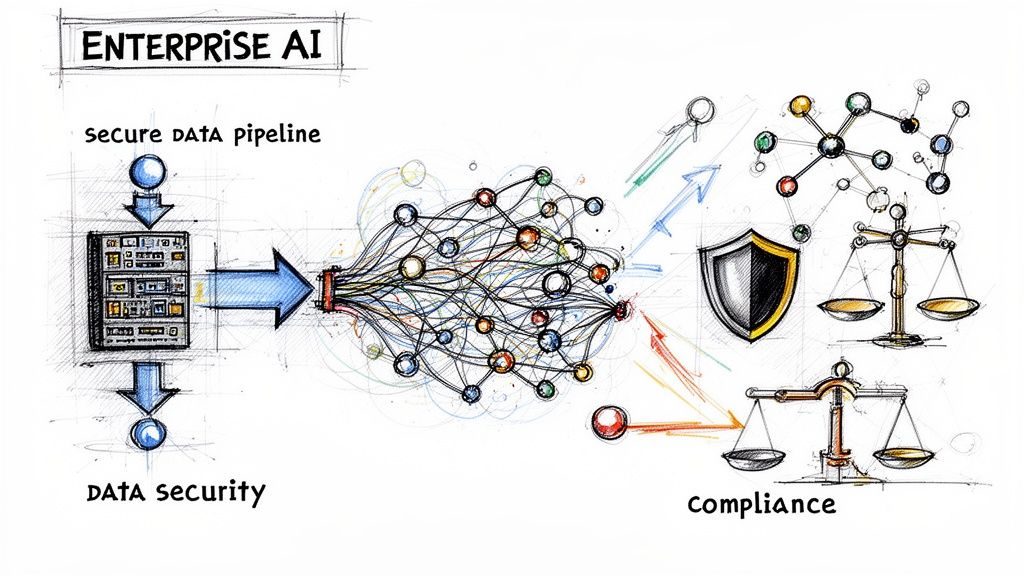
Data sovereignty and self-managed AI stacks
GitLab has the clearer story if you need tight control over where code, pipelines, and delivery records live. Self-managed deployment is part of its identity, which makes it a better fit for teams handling sensitive datasets, internal foundation models, or region-bound compliance obligations.
That distinction matters because AI systems create more than source code. They create training artifacts, model lineage, evaluation records, approval steps, and deployment evidence. If those records sit across too many tools, your compliance burden grows and your MLOps maturity stalls.
GitHub can still work well in enterprise environments. But if your default posture is SaaS first, then exceptions for data residency and restricted workloads start piling up later. If your default posture is control first, GitLab usually creates less architectural rework.
Project governance for long AI delivery cycles
AI delivery has more handoffs than standard product engineering. Data engineering, model training, offline evaluation, deployment, monitoring, and policy review all move on different clocks.
That creates a simple standardization question. Do you want your platform team assembling that workflow from several products, or do you want more of it managed inside one system?
GitLab has an advantage when the answer is standardization. Planning objects, delivery controls, and release visibility can stay closer together, which reduces coordination overhead for ML platform teams. That is not about liking epics or roadmaps. It is about reducing the number of places an engineer, reviewer, or auditor has to check before approving a release.
For a broader process lens, this comparison of agile vs devops helps frame why integrated delivery models matter more as AI systems get harder to govern.
Key takeaway: AI programs break down when approval paths, deployment controls, and audit evidence are split across disconnected tools.
Security posture is about enforcement cost
The useful question is not which platform has more security features on paper. The useful question is which one lets your team enforce secure behavior without creating constant ticket traffic.
GitLab often wins when you want policy and execution closer together. Review rules, permissions, planning context, and delivery controls can be managed with less glue code and fewer integration dependencies. That lowers the odds that a policy exists in one system while the actual release path lives somewhere else.
GitHub is strong if you already have a capable platform function that can assemble and maintain the surrounding stack. If you do not, the flexibility becomes an ongoing tax. Your team spends time selecting tools, wiring them together, updating them, and debugging policy gaps between them.
A short explainer on the enterprise delivery angle is useful here:
The hidden TCO traps
License cost is the easy number. Total cost of ownership comes from the operating model.
A platform that looks cheaper can cost more once you count extra planning software, security tooling, integration maintenance, onboarding friction, and the staff time required to keep audit evidence consistent. AI teams feel this earlier than standard app teams because their workflows span code, data, infra, evaluation, and governance.
GitLab usually lowers TCO when consolidation and self-management are high priorities. GitHub usually lowers TCO when you already have a working ecosystem around it and a team that can support that ecosystem without slowing delivery.
The second-order effect matters more than the invoice. If your tooling choice delays MLOps standardization by a year, your actual cost is slower model release cycles, weaker reproducibility, and more expensive platform hiring.
Hiring and org design consequences
Platform choice shapes who joins, how fast they ramp, and what kind of engineering culture you reinforce.
GitHub sends a clear signal that your org values familiar workflows, open ecosystem norms, and tool-level flexibility. That helps with hiring velocity for product-oriented AI engineers, applied ML engineers, and contributors with open-source backgrounds because the workflow is already familiar.
GitLab sends a different signal. It tells candidates that your team values operational consistency, controlled delivery, and tighter governance. That tends to attract stronger interest from platform engineers, DevOps leaders, and MLOps specialists who expect structured release systems instead of loosely connected tools.
My recommendation is simple. Standardize on the platform that matches the org you are building next, not the one your current team happens to know best. For AI teams, that choice affects far more than pull requests. It affects MLOps maturity, hiring speed, and the actual cost of every release.
Which Should You Choose A Recommendation by Use Case
You are standardizing the stack for an AI team that plans to ship models continuously, hire ML platform talent, and keep tooling overhead under control. Treat this as an operating model decision, not a repo hosting preference.
My recommendation is straightforward. Pick GitHub for speed and talent familiarity. Pick GitLab for control, consolidation, and a cleaner path to mature MLOps.
Decision matrix
| Primary Driver | Team Size | Recommended Platform | Reason |
|---|---|---|---|
| Fast collaboration and hiring familiarity | Small AI startup | GitHub | Faster onboarding, stronger ecosystem defaults, and less workflow friction for generalist engineers |
| Workflow consolidation and controlled delivery | Scaling AI company | GitLab | Better fit when platform, planning, CI/CD, and governance need to live in one system |
| Data residency and enterprise control | Large enterprise AI org | GitLab | Cleaner standardization path for self-managed, compliance-heavy environments |
| Open-source visibility and external collaboration | Product-led AI team | GitHub | Stronger external contributor norms and wider community familiarity |
| Self-hosted MLOps with large internal artifacts | Infra-heavy AI startup | GitLab | Better fit when you want tighter operational control and fewer moving parts |
If you are an early-stage startup
Choose GitHub.
This is the default for small AI teams building product fast and hiring broadly from the market. Your bottleneck at this stage is engineering throughput. GitHub helps because more candidates already know the workflow, more third-party tools assume it, and fewer people need platform-specific training during onboarding.
That hiring effect matters. If your applied ML engineers and product engineers can contribute on day one, you shorten ramp time and reduce the need for a dedicated platform owner too early.
Choose GitHub if:
- your AI product is SaaS-first
- you plan to hire generalist engineers with some ML experience
- your team is comfortable assembling planning, CI, and deployment from separate tools
- compliance and data residency are still limited concerns
If you are a scaling AI startup with self-hosted MLOps
Choose GitLab.
This is the point where many teams make an expensive mistake. They keep optimizing for developer familiarity after the company has already started to need internal platform discipline. The result is slower standardization, more integration work, and more time spent maintaining glue between systems.
GitLab is the better choice when your ML workflows are becoming operationally heavy. If your team manages runners, internal registries, approval paths, release controls, and self-hosted infrastructure, consolidation usually beats ecosystem flexibility. The savings show up in fewer tools to buy, fewer integrations to maintain, and fewer platform exceptions to explain to auditors and new hires.
Choose GitLab if:
- data residency requirements are starting to appear
- your MLOps stack is becoming self-managed
- you want planning, code, CI/CD, and governance in one system
- your platform team is trying to prevent tool sprawl before it hardens into process debt
My view is blunt. Once an AI startup starts acting like a platform company, GitLab is usually the better standard.
If you are an enterprise or regulated AI team
Choose GitLab self-hosted.
This is the clearest recommendation in the article. Enterprise AI teams dealing with regulated data, internal model distribution, approval controls, and audit requirements benefit more from operational consistency than from marketplace breadth.
The second-order effect is the primary reason. A fragmented toolchain slows MLOps maturity. It creates more handoffs between security, platform, and ML teams. It also increases the number of specialized operators you need to keep releases predictable. GitLab reduces that coordination tax if your organization values controlled delivery over maximum tool choice.
The exception cases
GitHub is still the right call in some larger organizations.
Pick GitHub if:
- your company already has a well-run surrounding ecosystem built around it
- your internal developer platform team is strong enough to manage integrations without slowing product teams
- your hiring pipeline depends heavily on open-source-native workflows
- external collaboration matters more than consolidating planning and delivery into one platform
If you are deciding for the next three years, not the next quarter, use this rule. Standardize on the platform that reduces coordination cost for the team you are becoming. For AI organizations, that is what drives TCO, release velocity, and hiring efficiency.
Your GitLab and GitHub Migration Checklist
Do not migrate because one platform “feels better.” Migrate when you can tie the move to cost, control, delivery speed, or hiring efficiency.
Use this checklist before you commit.
Phase 1 scope the business case
Define the trigger
- Is the problem CI cost?
- Is it compliance?
- Is it fragmented planning?
- Is it hiring friction?
Write three success metrics
Keep them operational. Examples:- pipeline setup simplicity
- onboarding clarity for new engineers
- auditability of release decisions
Map total cost
Include more than licenses:- adjacent planning tools
- security add-ons
- runner management
- admin overhead
- training time
- application engineering
- ML engineering
- platform engineering
- security
- data engineering
- technical program management
- code review
- CI/CD
- deployment gating
- at least one cross-functional stakeholder
- Can engineers complete the same review flow without confusion?
- Can platform owners enforce policy cleanly?
- Does onboarding get easier or harder?
- Do release managers gain or lose visibility?
- repository import plan
- branch protection equivalent
- CI/CD workflow mapping
- user and group mapping
- secret storage mapping
- rollback plan if the pilot fails
- a maintainer guide for repo owners
- a reviewer guide for engineers
- a permission guide for managers
- office hours during the first weeks after cutover
- review terminology
- pipeline ownership
- where planning lives
- how release approvals work
Choose your operating model first
Flexible ecosystem or integrated platform.Pilot one AI service
Not a toy repo. A real service with real approvals.Decide based on second-order effects
Hiring, governance, onboarding, and tool sprawl matter more than the UI.- Contentful on GitLab vs GitHub
- Turing on GitHub vs GitLab key differences
- Business Automatica on Git, GitHub, and GitLab
Tip: if you cannot explain the migration in one paragraph to your CFO and one paragraph to your staff engineers, you are not ready to migrate.
Phase 2 audit the current platform footprint
Build a simple inventory.
| Item to audit | Why it matters |
|---|---|
| Active repositories | Determines migration scope and risk |
| CI/CD workflows | These are often the biggest translation effort |
| Secrets and permission model | Prevents broken access on cutover |
| Planning dependencies | Exposes hidden ties to boards, epics, or external tools |
| Artifact and registry usage | Critical for AI services and model packaging |
Also list every team that touches the platform:
Phase 3 run a controlled pilot
Do not start with your most complex monorepo.
Start with one representative service that includes:
Pilot questions to answer:
Phase 4 translate workflows before cutover
Migrations often go sideways at this stage.
Prepare:
For AI teams, add one more item: artifact and registry behavior. If model packaging or container usage changes, test that before broad rollout.
Phase 5 train and support after migration
The tool is only half the migration. The habits are the other half.
Run a short enablement plan:
Then document what changed:
What to do next
If you are still split, do this in order:
References
If you are building or scaling an AI platform team, ThirstySprout can help you Start a Pilot with senior AI engineers, MLOps specialists, and platform leads who have already shipped production ML systems. If you want to pressure-test your GitHub or GitLab decision before hiring, or need operators who can execute the migration cleanly, talk to ThirstySprout and See Sample Profiles.
Hire from the Top 1% Talent Network
Ready to accelerate your hiring or scale your company with our top-tier technical talent? Let's chat.